Translate Aliexpress into Russian

Language barrier is the first one, with which you have to face the potential buyer to Aliexpress. If you do not own Chinese, and there are no idea how to contact merchants AliexpressThis article will help you in the shortest possible time to deal with your first order.
How to translate a message with Aliexpress to Russian?
Not every product from site shopping It is worth taking without the help of the seller. This applies not only to expensive purchases like smartphones, but also clothes for the whole family. It turned out that there is no single dimensional grid for clothes or shoes. To communicate with the seller, the site has a special button in the order card, thanks to which it can be written.
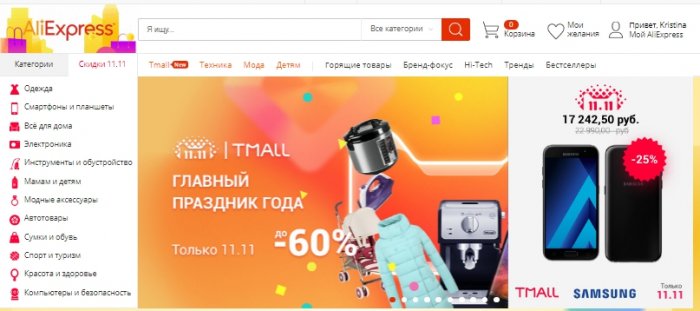
We want to immediately warn you that all communication with sellers and the management of the dispute, including it is customary to exercise in English. So the seller understand you easier and you do not need to be sophisticated trying to understand Chinese hieroglyphs. And what to do, if you do not know English or know at the level of "London Is the Capital of Great Britain"?! All trite and simple, you just need to enter text in any translator.
If a couple of years ago, special programs have needed to buy special programs, today Google - the salvation of all immersing, in other words he knows and maybe everything.
Let us give an example. You received a message from the Chinese merchant, and you cannot understand that he wants from you.
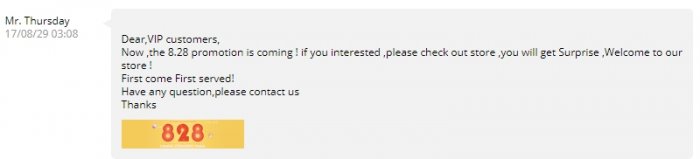
We take, select and copy the resulting text. Open any site where there is a translator, you can use the popular Google translator and insert the text.
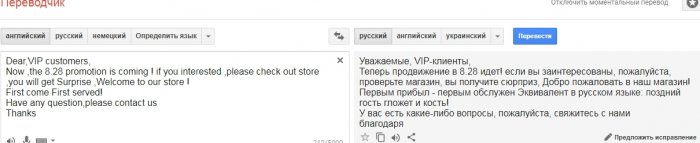
Us Merchant S. Ali Invited to visit his store in which surprises and high-quality service are waiting for us. The letter also also has a popular saying.
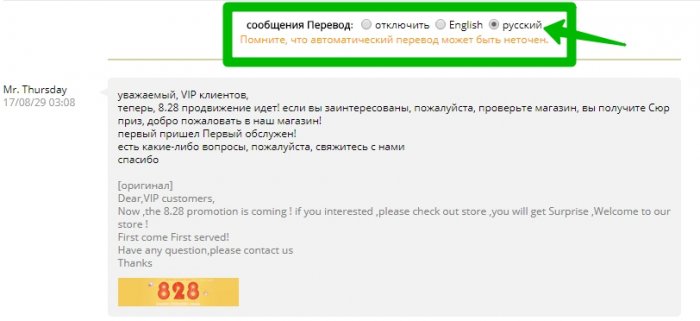
There is another one, perhaps the easiest way to translate the text of the message from the seller. Make you can directly in the dialog itself with him. Above the dialogue there is a pair of buttons, setting a tank into Russian, the message will be translated automatically. In the event that with Google translator, the text is not completely translated.
How to translate a letter from Aliexpress to Russian?
Shopping Site Constantly mailing to its registered customers with unique offers. All these letters are written only in English and sometimes it is difficult to deduct something. We offer you to do the following. Select the resulting text, then copy using or mouse or keyboard.
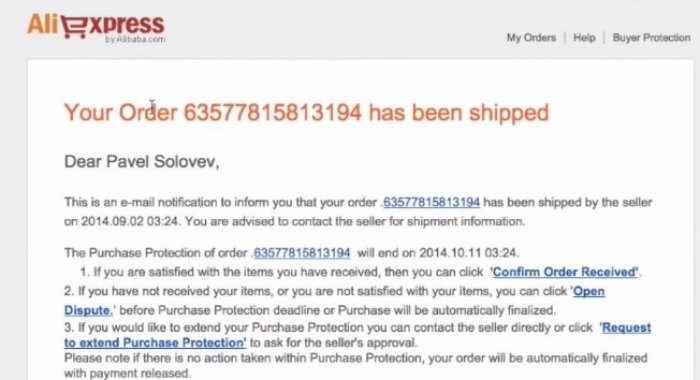
Then we go to Google translator, about which it was described above and insert the copied text into the first field. Next, choose English in the first column, and in the second - Russian.
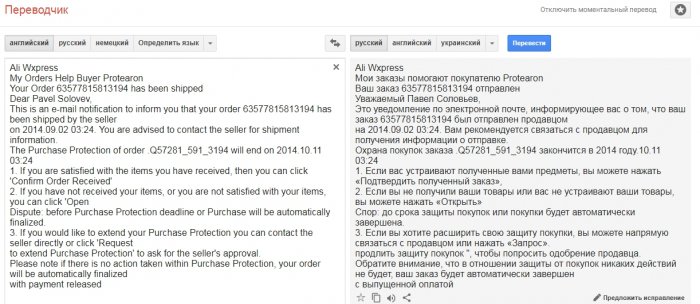
As you see, Google automatically transferred the resulting text. Of course, it is not much similar to adequately outlined information, but it is not important to understand what the essence will not be much difficulty.
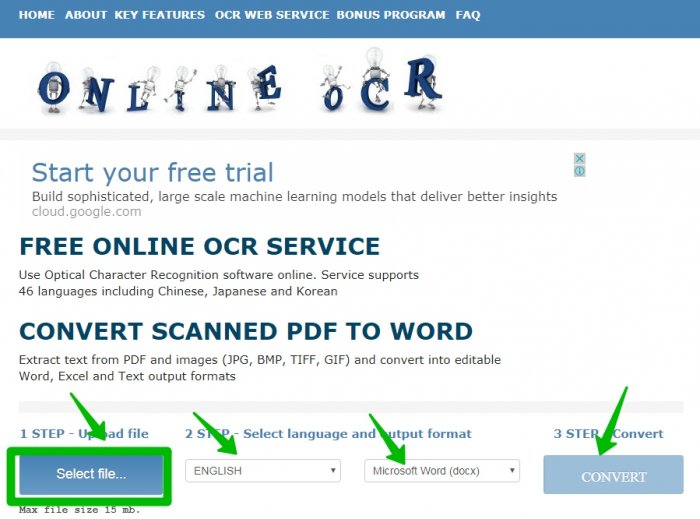
There is another nuance. Sometimes the text cannot be copied. In this case, you should not panic. You need to make a screenshot of the picture or save it to the computer, and go for help at the same Google. The network has a number of resources that can recognize text from the picture and thereby give you the ability to copy it. We write in the search engine: "Recognize online text" and go to any resource. We chose onlineoCr. This site, though in English, but intuitive. Select the file (click SELECT FILE), then you select English, and then Microsoft Word document. Press the Convert button.
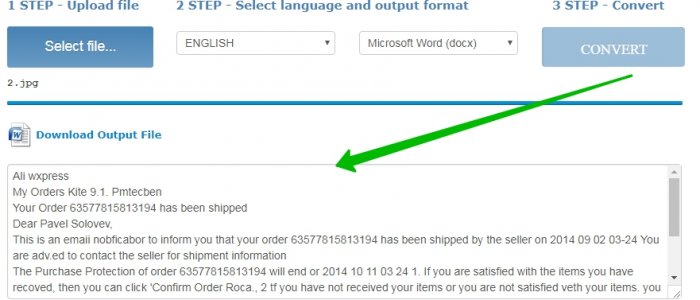
Immediately after conversion, a slightly lower will be a window in which the text is already printed and you can copy it, and then translate into any convenient translator.
How to translate from Russian to English for Aliexpress?
The same thing is and writing the letters to the seller to clarify the details or other than another reason. Let us give an example, how to find a button for feedback, as well as asking a merchant question. We needed children tights on a girl With an increase of 98 cm. It has already happened that we have become accustomed to the fact that Chinese goods are small, then the technical filling is not as much as I wanted something else. In our case, a bunch of options with sizes was granted, as well as with flowers. If the latter is the choice of only your taste, then the first must be chosen thoughtlessly and prevent errors. Make it is possible only to introduce the seller. Yes, we looked and the grid is dimensional, and the reviews re-read the penny of tens of pages, but still decided to write a merchant.
Feedback button to find simply. It is in the goods card, the left corner under the picture.
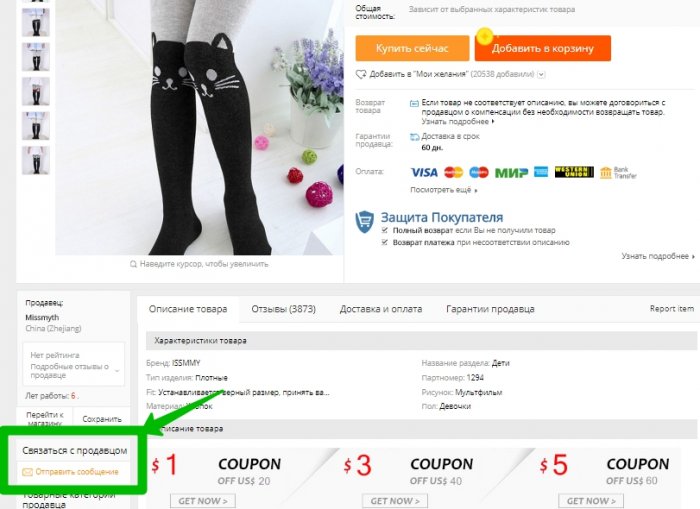
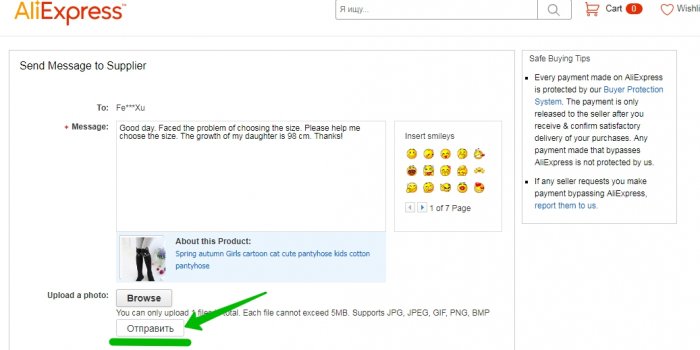
As soon as this procedure occurs, a new page opens with a specially designated field to enter text. So, as we are interested in the question of choosing the size, we will ask the seller about this. We go to the same Google translator. In the first column, choose Russian, in the second - English and directly to the first column we write our message. It looks like this:

Copy the text from the second column, and then insert into the field on the shopping site. Press the "Send" button. With a great desire, you can use emoticons.
We hope that our article was useful for you, and you were able to find answers to exciting questions. You should not be afraid of the Language Barter, it exists, only in our head and there are no such situations, of which there is no exit.