How to add a new map in Aliexpress?

Convenient payment methods on shopping ground - One of the biggest gravity of the dignity of Oyoy. Plastic cards are in great demand among all options. We were given the opportunity to delete, bind, edit and add new cards for making fees for commodity site.
Contents.
How to add a bank card to Aliexpress?
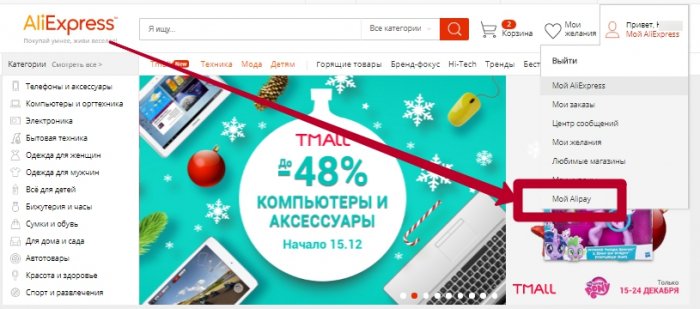
You can make this procedure two different ways: in order or through Alipes. Both options are simple and without problems. Consider the second option (the first will be described below). Go to your created on Ali Account, and then right on start page Go to Aliperey (example in the picture).
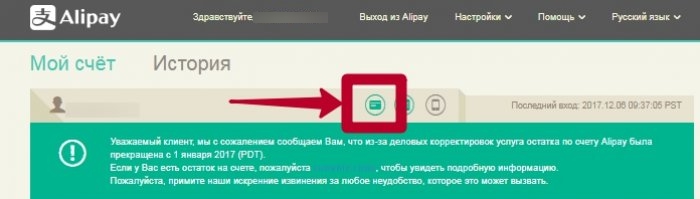
Going to the payment system of Alipei, your email will appear on the screen, and there will be several buttons in front of it. To work with maps, click on the map icon.
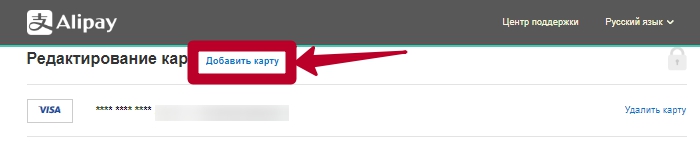
At the top of the window that opened will be the button blue button "Add Map", click.
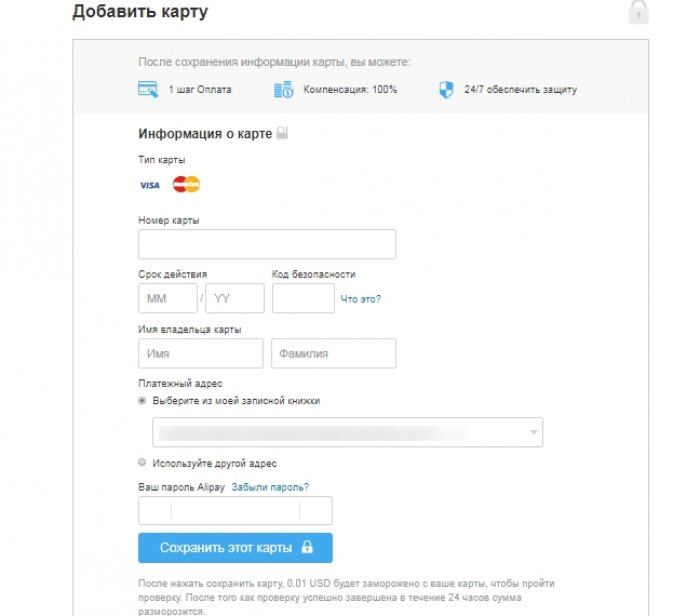
Enter information from a new card, and then save.
How to add a second card to Aliexpress?
Add a map to order at the execution stage, after clicking on the " Buy now". The window that opens will be information about the delivery address, and a little lower, payment. If you make the first purchase or first payment for ordering a card, then check the card on payment of the card (fill in the fields and the Map machine will fix under your profile). If the payment is needed from one card, then choose "use another card".
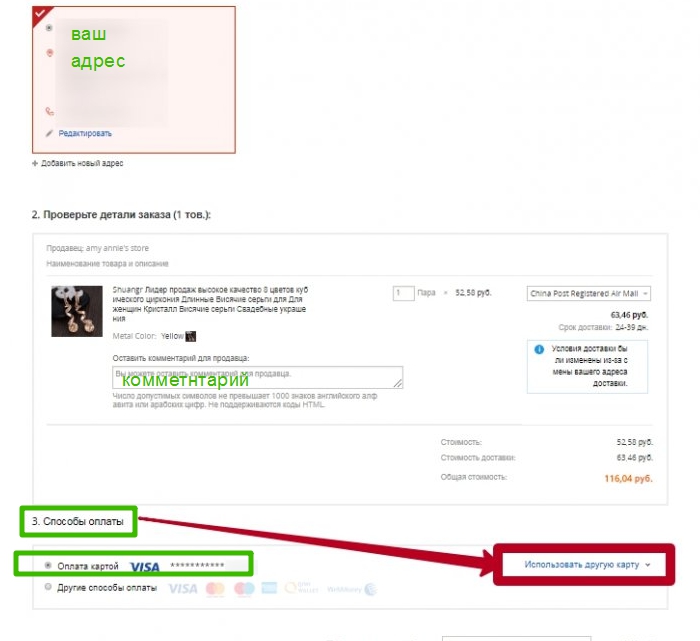
Exhibit a daw on the second point.

Enter information from a new card, and after clicking below the "Finish" button. Then confirm the order and make payment.
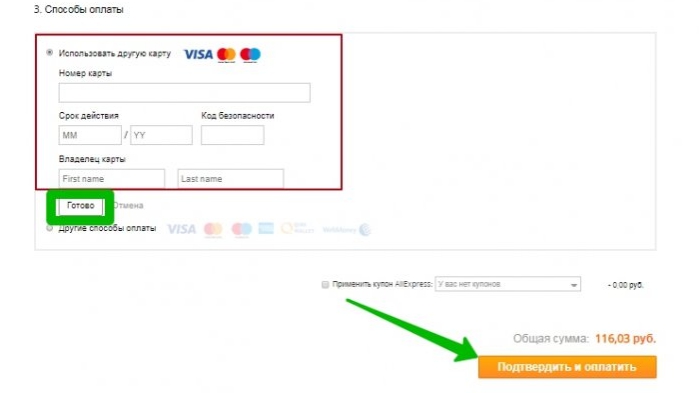
It is possible in the same way as described in the first paragraph, add another card to your account through the Alibaby Alipei payments system.
How in mobile application Aliexpress add map?
The application for smartphones has no less popular than rather than off site. The developers made it comfortable, with a bunch of discounts, endowed with excellent functionality, including and made it possible to make adjustments by cards, koi are saved and will be available on the official website. Next, consider in more detail.
how to add a map to Aliexpress from the phone?
Since the application is updated regularly, in the same way as the off site, the adjustments are made every time and in working with cards. In the current version, you can add a map only directly during the order. And in the tab with cards, only the possibility of removing them appeared.
So. Choose a product in the app, and then click " Buy«.
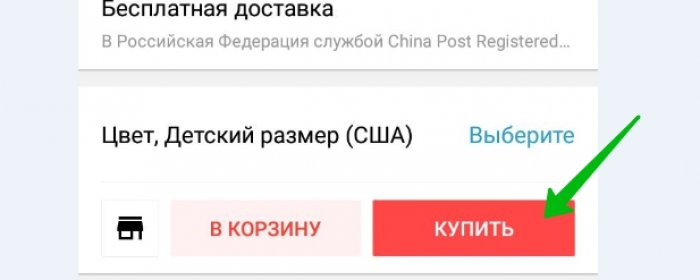
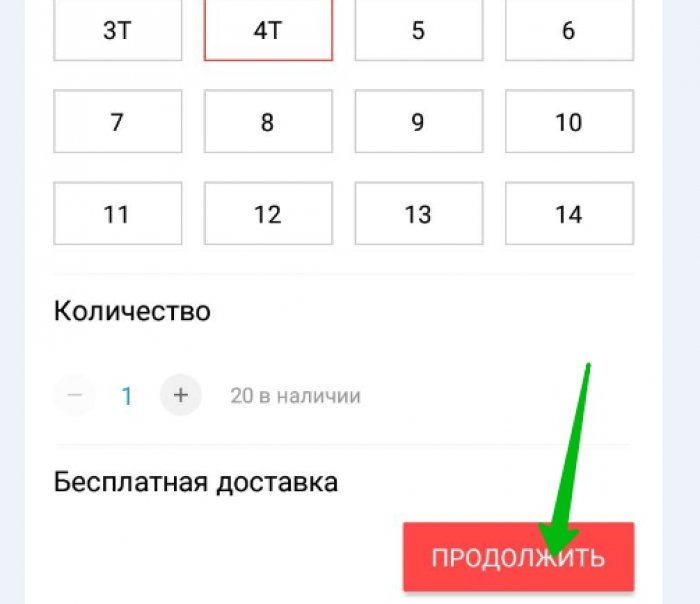
Next will follow the choice of size and age, since we have a children's dress, or another component of the order, if the goods do not apply to clothes. We click "continue."
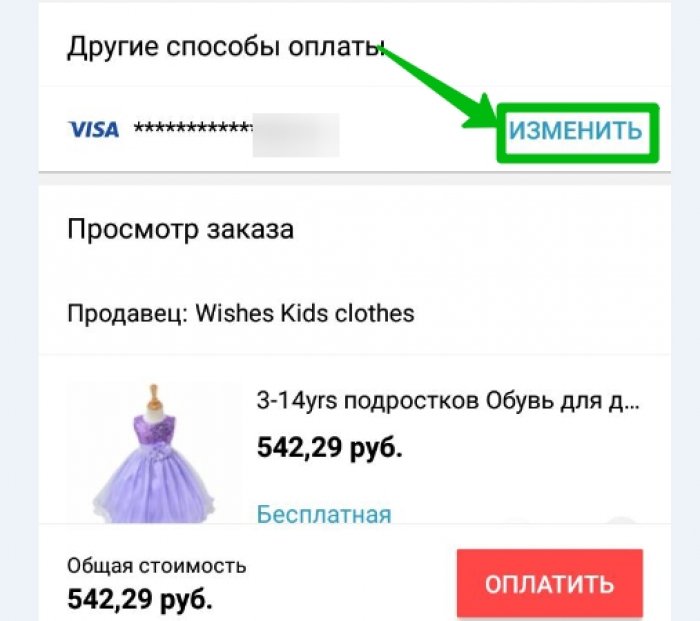
At the top of the screen will be shipping, and in the middle of payment information. If the order is first, you choose just payment by the card and enter the data, if you want to attach another card, then click "Change".
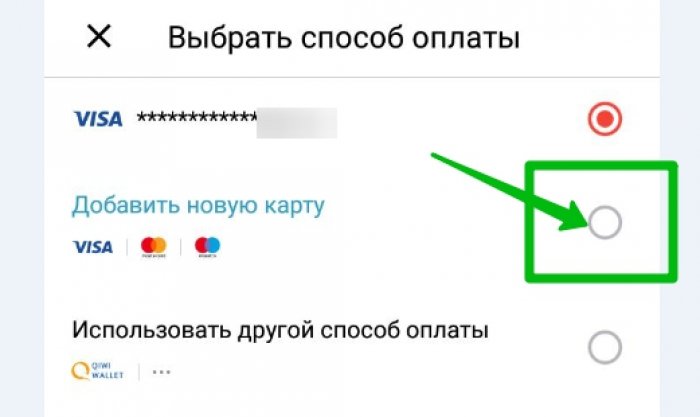
Choose "add a new card" by setting the appropriate check mark.
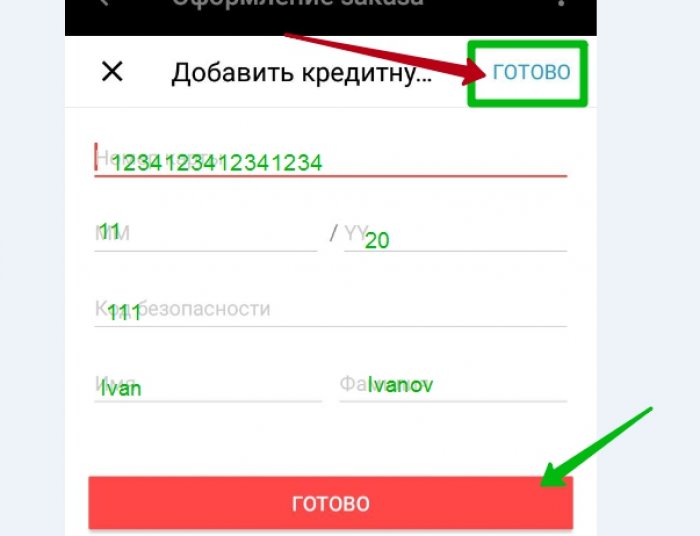
Now make information from the card, not forgetting carefully check. And now an important point. On the screen there will be two buttons "Finish" red and blue. By clicking on the blue button (at the top of the screen), you save the card, after which it will be displayed on the off site. By clicking on the Red Button, you will pay once and the card will not be saved. Click the blue button, after we pay for the goods.
How to add multiple bank cards to Aliexpress?
Taking advantage of any of our options, you can add as one card, so immediately and several. The main thing is to correctly fill in the fields with information on the map and enter the security code.

