Yandex wallet payment aliexpress

Among the sets of payment options in this mass market, leading positions are paid by Yandex money. This type of payment is convenient, you do not need to shine card accounts, and most importantly - no additional commissions from buyers are charged. In this article we will tell you how to register in the Yandex system, as well as make payment in this shopping ground.
Contents.
How to get and register Yandex Wallet?
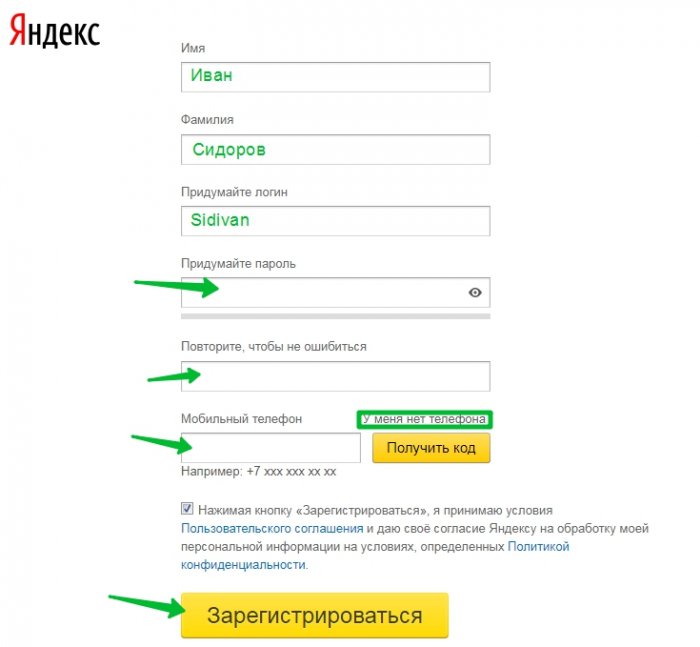
You can get the Yandex wallet by registering it. Initially, you need to get the Yandex mail, on which all the services that the current company provides is tied. To use this resource, specify only reliable data. In the Cell Column, specify the current number. For those who do not want to indicate the phone or does not have it, put the checkbox that it is not. You will not be sms, as in registering from the phone, and you will need to enter a control word.
Now you can proceed to the registration of the wallet itself. Follow this link: money.yandex.ru/reg.. Specify the username (Your Mail), password and phone number, then click on the "Continue" button. In the "Mail for Notifications" string, specify the same mailbox.
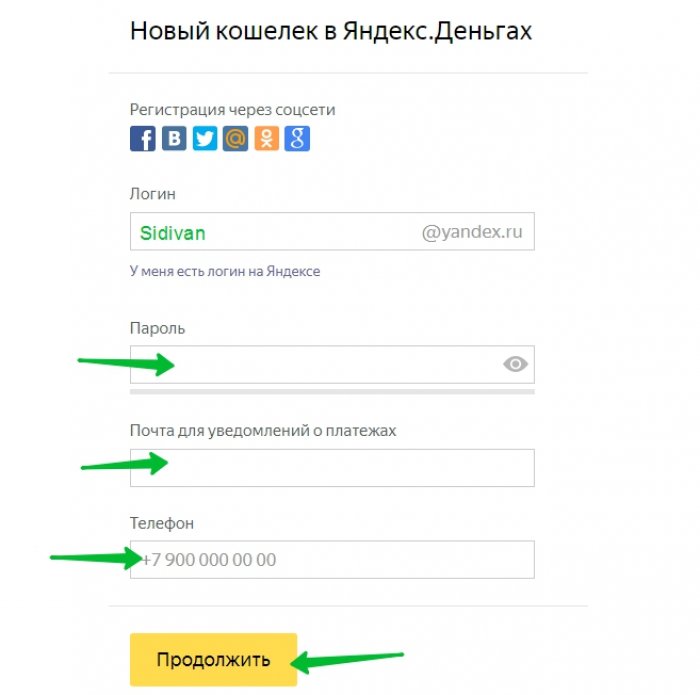
You will be sms to the phone and the code with SMS must be entered into a special field. After confirming the agreement and open the wallet.
What is Mobile Wallet Yandex Money?
For active users smart phones, Yandex developers have created a unique application. It is available in the play mark, as well as on the App Store and downloads completely free. The functionality of the application allows you to control the wallet as simple as through the PC. After downloading the program, go to it and log in.
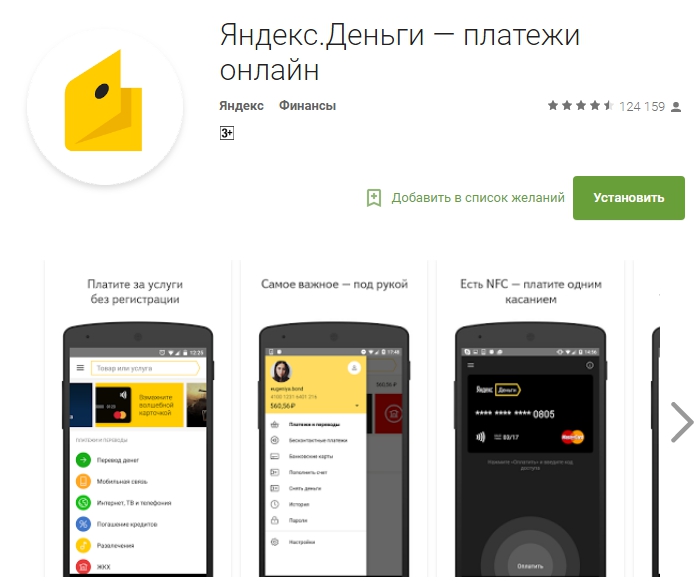
This application for your smartphone will open up with you and additional features. In addition to the full wallet management and means, you can translate the Delegations between the wallets without charging additional commissions.
A pleasant addition will be the fact that you do not have to wait for SMS-ku with payment codes to make purchases on the network, as well as when paying from different services. Notification comes immediately in the application.
How to put money on Yandex Wallet online?
As already written above, paying for the purchase on the network, you do not have to shine with your card. It is enough just to transfer money to Yandex and make payment by this kind. One of the big advantages of the wallet is that you can put money on it, both through the terminal and in online mode:
- From a mobile balance, which was tied by you when registering in Yandex money.
- Translate money from a plastic card on the site or in Yandex.
- Translate from other electronic wallets, such as webmoney.
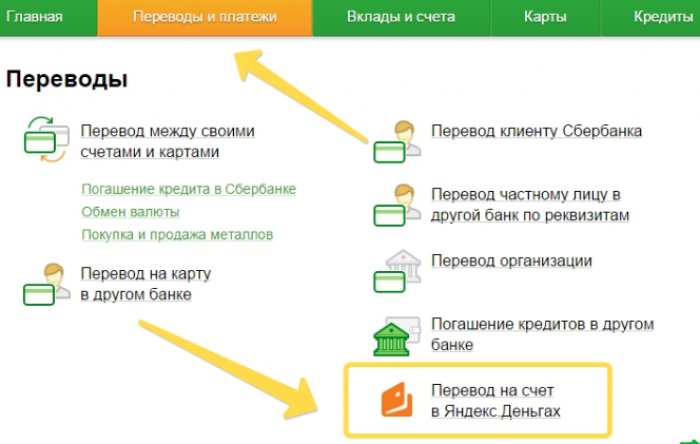
- Translate money through online banking your bank, such as Sberbank.
How to pay for an order with Aliexpress via Yandex Wallet?
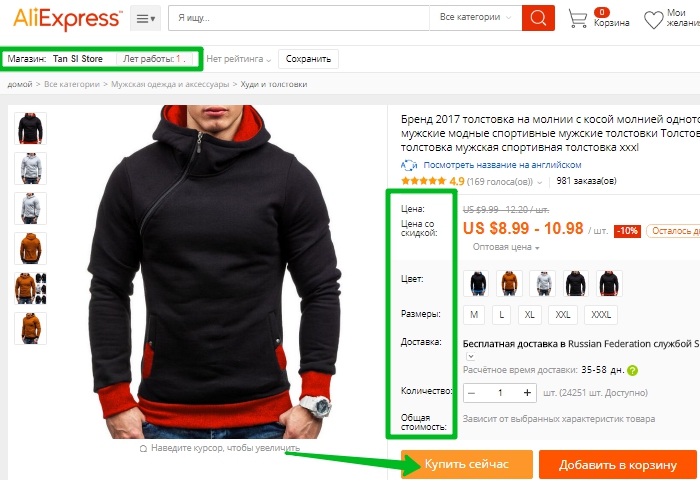
To make any purchase with AliexpressYou need to register. After that, enter your account where you can make your first order. Pick up the goods, be sure to read several pages of feedback, check the merchant rating and only then click the "Buy Now" button.
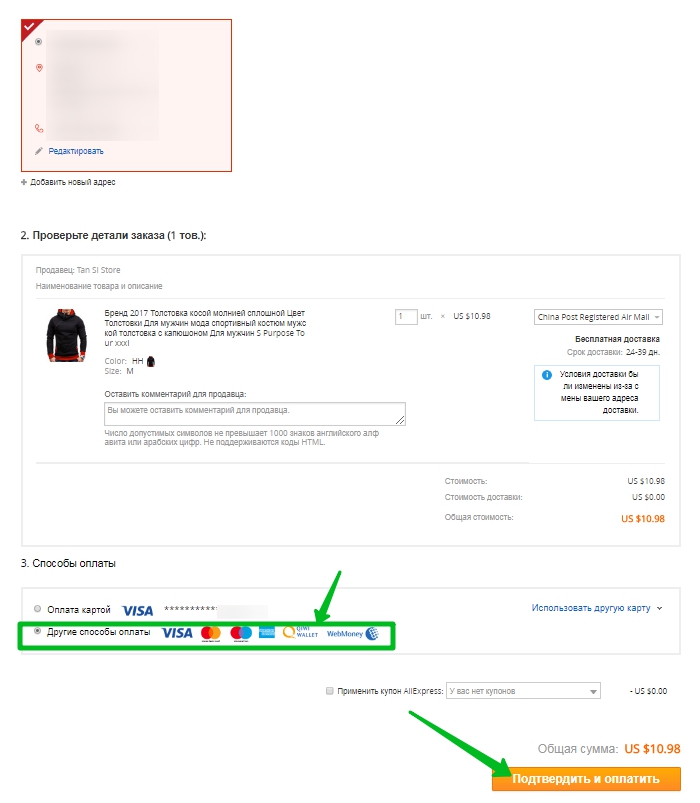
Check the address for delivery in the header from above, and then in the third point, check the box on other payment methods. I confirm and go to the payment process.
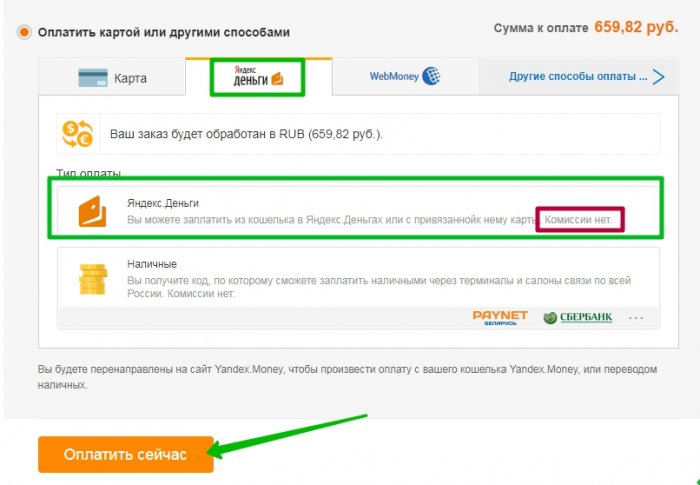
You will open a window with tabs for each payment separately. Select the Yandex tab. For quick pay from the wallet, click on Yandex Money, and then click the "Pay Now".
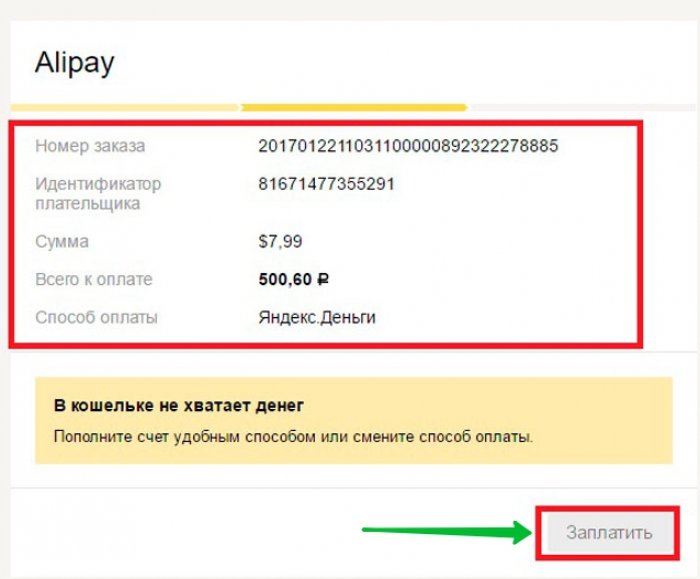
It will take a few seconds and redirect you to the page to confirm the transaction. Click "Pay". After that, a special code will come to your cellular in the form of an SMS message. Enter it and confirm the payment.
Payment by money Yandex is a profitable, secure and convenient option for customers, both from large cities and small settlements.

