How to change data cards on Aliexpress? How to change the map number in AlExpress?

The map is a popular, reliable and fast way to pay for goods of this trading platform. Aliexpressin addition to the permanent data entry in the payment field, offers customers to tie it to their profile and pay for goods much faster. In this article we will show you how to make it.
Contents.
How to untie the map in mobile application Aliexpress?
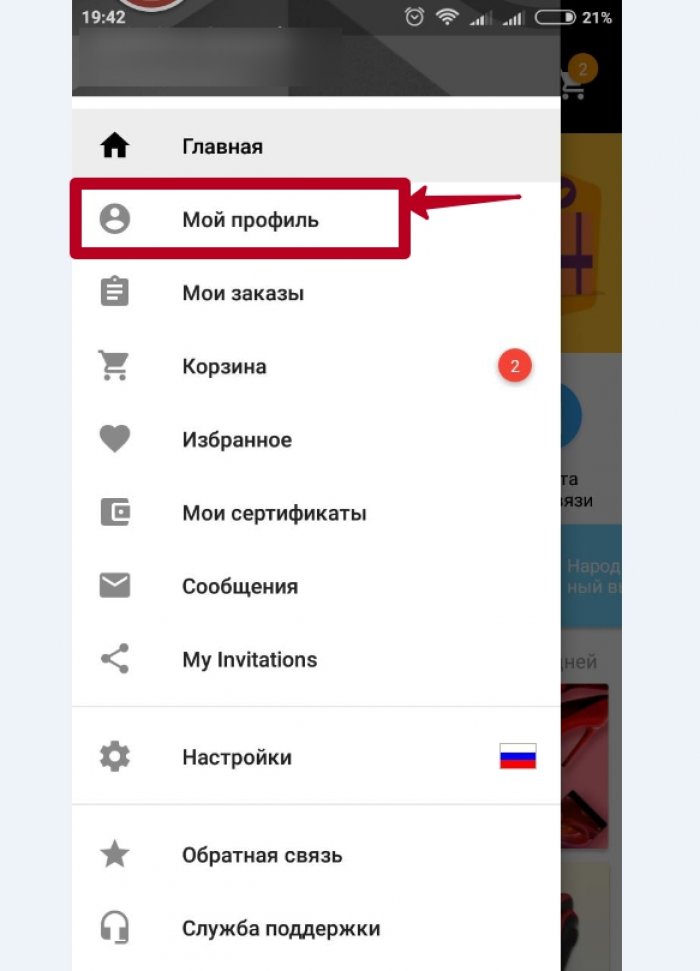
The application for smartphones is the easiest way to make a chart. Download or go to the app, log in. Go to your profile.
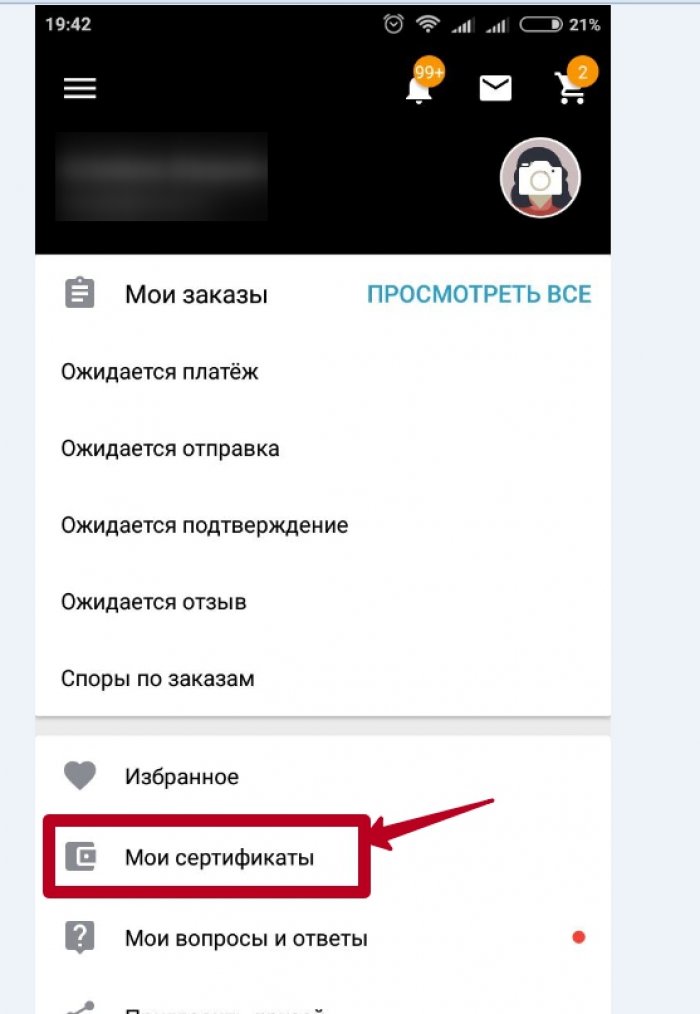
Next, choose "My Certificates".
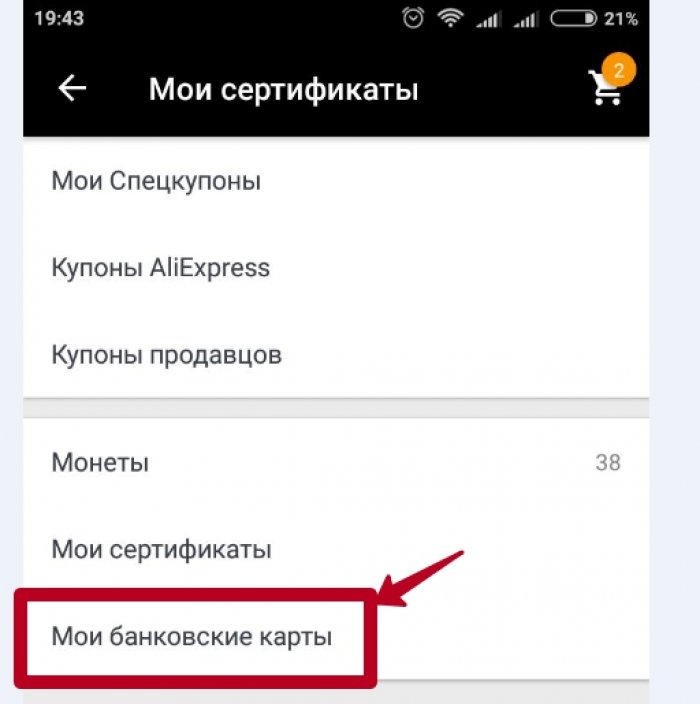
We find our bank cards and choose.
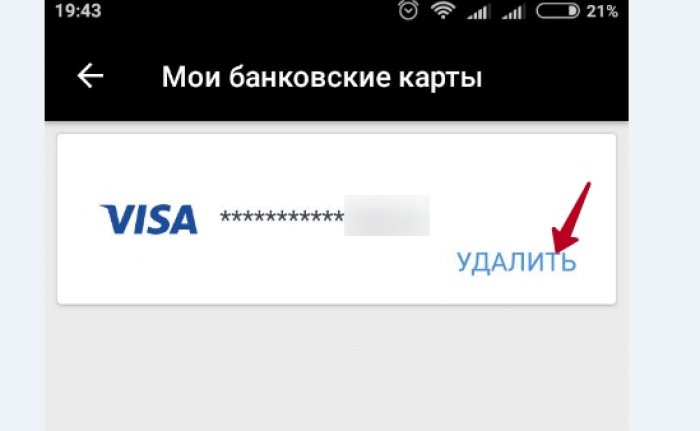
Opposite the desired card, select Delete.
How to change the map in the AlExpress application?
Make this procedure can be directly in the order itself. Pick up the goods, click " Buy«.
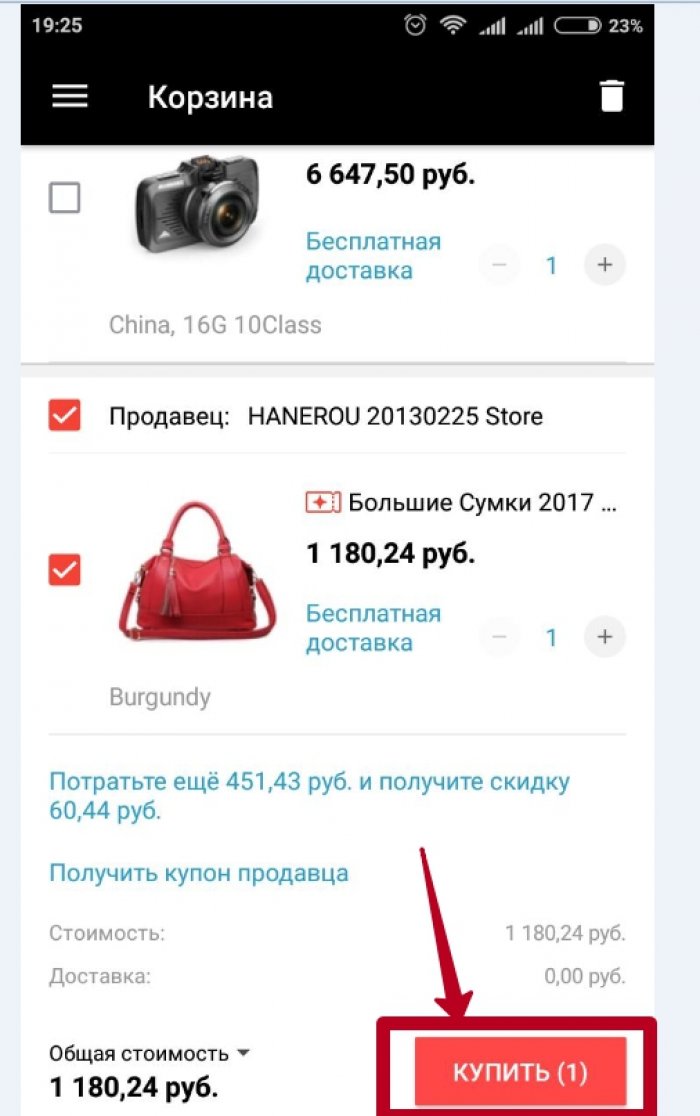
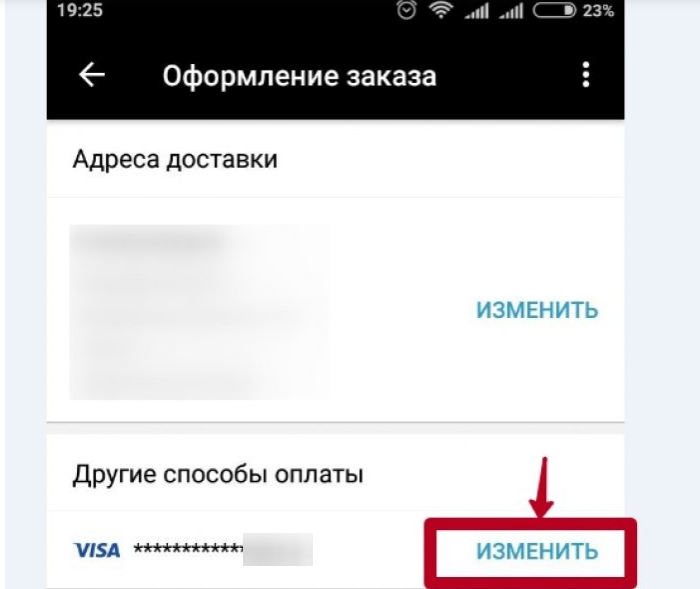
In the design of your order will be the point of payment. Press opposite the "Change" card.
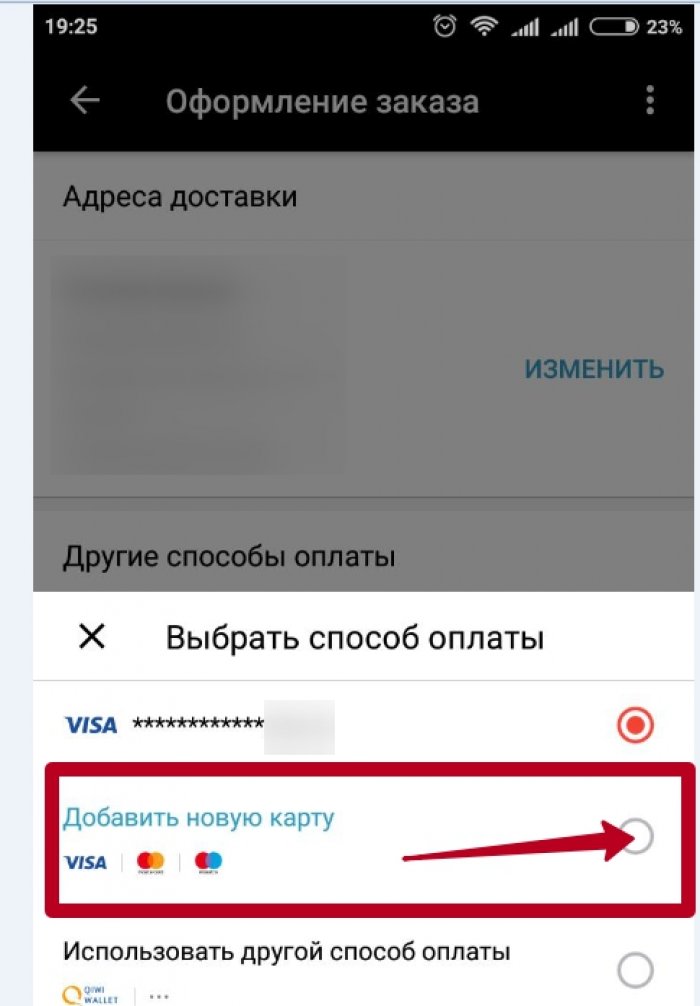
Add a new card.
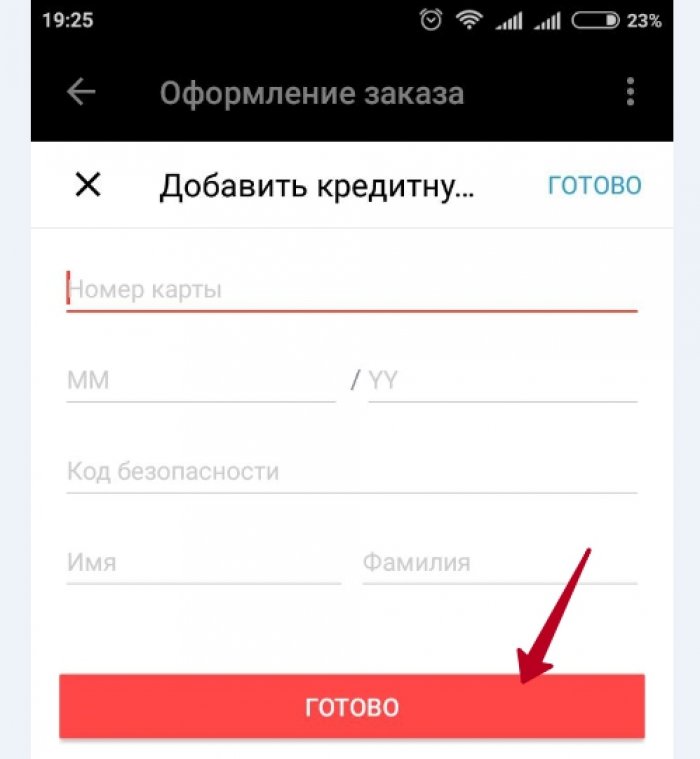
We introduce the details of your card. The safety code is located on the back of the plastic magnetic ribbon. Click "ready."
How to bind a new map in mobile application Aliexpress?
You can skip the map in the same way as changed. Do all the same steps as above and as soon as you reach the last item and fill in the Card fields, you need to click the "Finish" button at the bottom, and at the top. So you no longer have to enter data on the new card, and it will be saved by the machine.
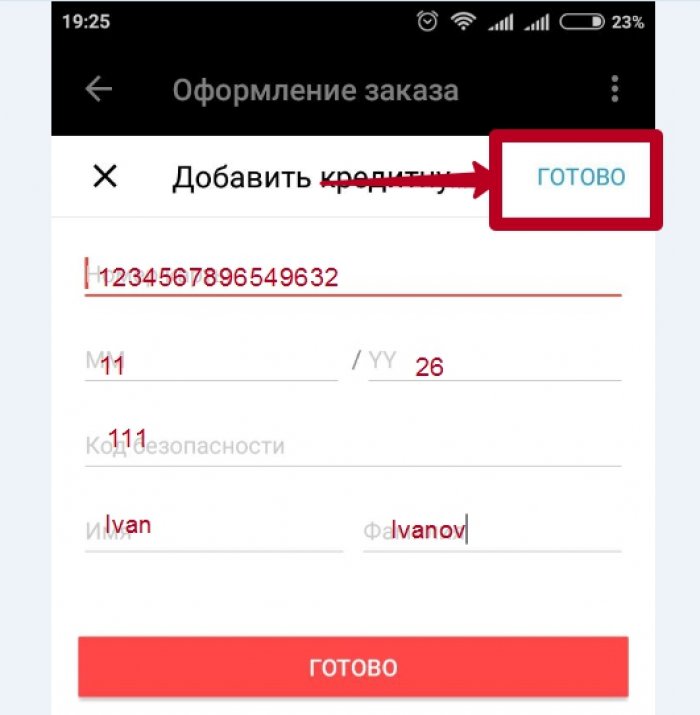
How to change the map for Aliexpress?
Change the map on the official website is similar to the fact that in the appendix. You will need authorization on the site. We will present two methods for your choice for which you can change or remove an unnecessary card. on Ali.
The first way is to change props through Alipes. After authorization, hover over your name, and then click on Alipei
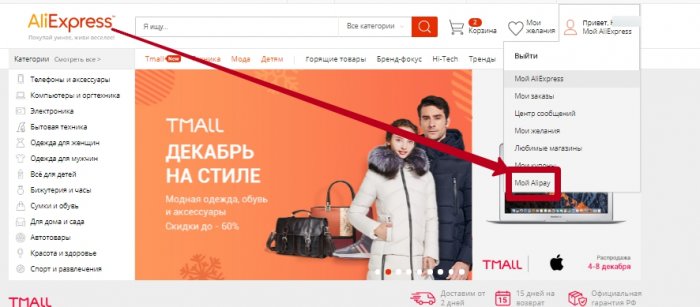
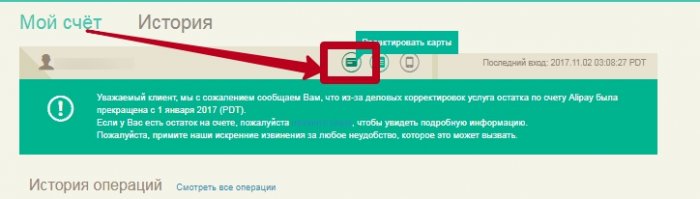
Next you will bring you to the payment system of Alibaba. Click Edit Maps.
The new window opens a list of all the cards you used. This window provides the ability to delete the map you already used or add a new one. Choose "Add".
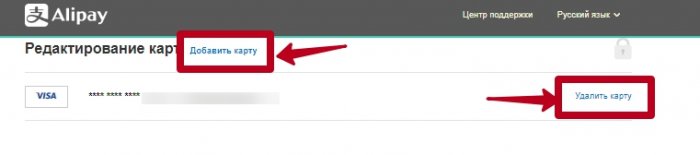
In the window will appear already familiar to the fields for entering details. Carefully make data, as well as security code. Save the map.
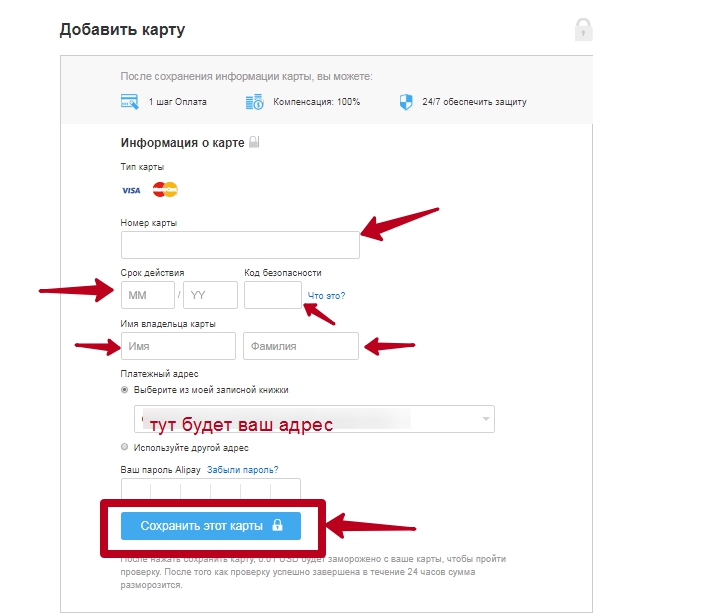
The second way is to change the card directly in the order itself. It is also done just. Choose a product, then go to his payment. In the order window window, you can change the map. In payment methods, click the "Use another card" mouse.
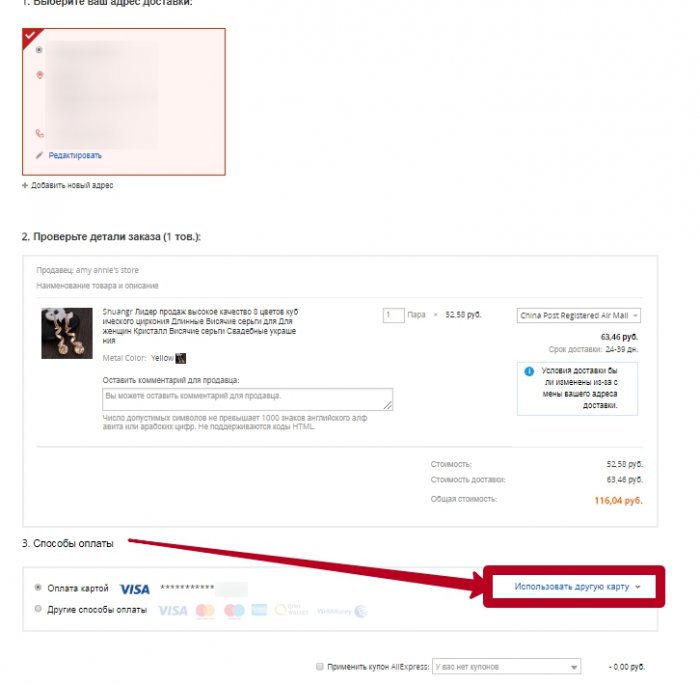
We put a tank opposite the second item from the list of cards.

We introduce the details of the new card, click "Finish" and confirm the order.
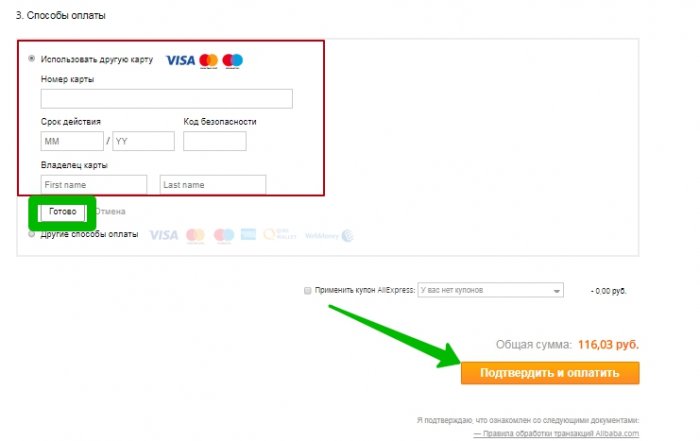
New card will automatically be displayed with you when purchases on Ali.
As you saw, conduct operations with cards to pay simply and even the newcomer will cope with it!

