How to bind a retirement map of the world to Yandex Money to pay for an order with Aliexpress? How to pay for a retirement map World order for Aliexpress?

Not so long ago, Russian residents submitted a new payment system called the world. This is an exclusively Russian product that at the moment you can enjoy in the territory of the Russian Federation, as well as pay for goods in some international trading platforms. Not exceptions became Chinese retailer Alieksrpess.
How to start Yandex Wallet?
Payment by the money of Yandex remains one of the most sought-after among all payment among Russians on Aliexpress. No need to shine your cards, you can replenish your wallet, both online and through numerous terminals throughout the state.
Get a wallet you can in online mode as follows. Get the mailbox on Yandex to start. The thing is that it is on it that all services of this resource are tied. After successful registration, you can proceed to design a wallet.
Note.To enjoy all the advantages of this company, you must indicate only true information.
The wallet is drawn up from the following link: money.yandex.ru/reg.. In the fields enter the mailbox you created. It will also receive notifications of the operations you have completed in the Yandex Money system if you are registering this address in the "Mail for Notifications of Payments" field. If you want to receive notifications to another email, then specify it. Enter the phone number, click "Continue".
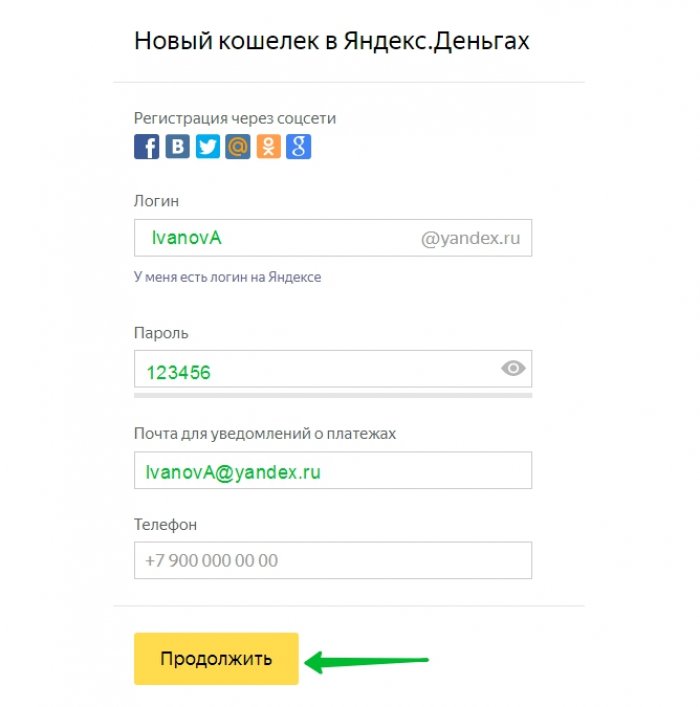
Then a message will come to your phone with a special code. Enter it in the code field and confirm the creation of a wallet.
How to tie a map world to Yandex money?
Yandex Money reliably and quickly help implement financial transactions, including paying for purchases in the World Wide Web, pay bills and translate funds from the account to the account. To make any payment transaction in seconds, you can bind any card to your wallet. It is worth noting that it was used to tie the cards of payment systems Mastercard, Maestro, visa, and today the payment system of the world joined them.
So, to bind cards to do the following:
- Go to your Yandex wallet.
- Click on Balance and select the "Binding Card" item.
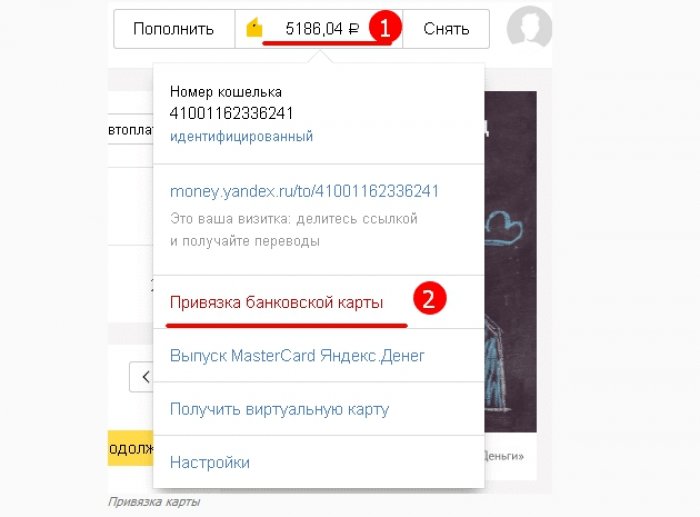
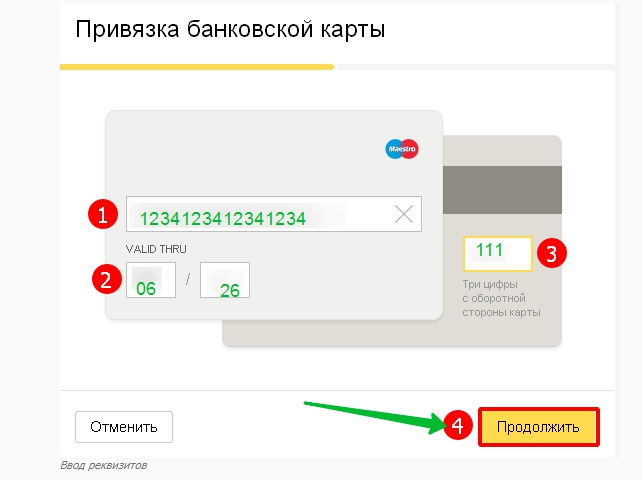
- Specify the data from your card: the number on the outside of the map consisting of 16 digits, the expiration date, as well as a special three-digit code from the back side (CVV / CVV2 password). Click "Continue".
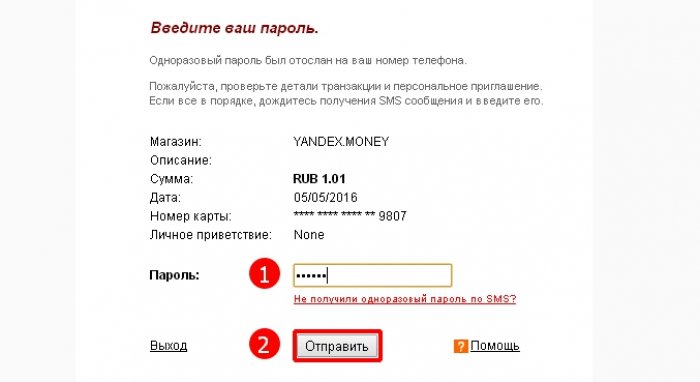
- Your number will come to an SMS with a special code that you want to enter a designated field, and then send.
- You will receive a notice of successful card binding.
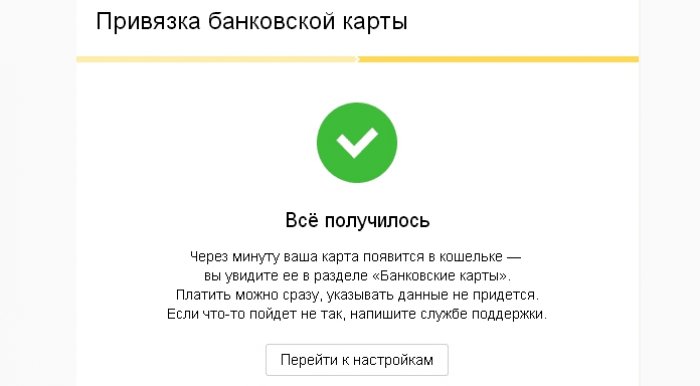
Important!On your map at the time of its binding to Yandex should have an amount of 1.1 rubles. This amount will be removed from your card account. The ruble will fall at the account of Yandex, and 1 pennies will take off as the Card Binding Commission.
How to pay for an aliexpress map world with birds (pension card)?
Making a map, ask the Bank's employee whether this card has a product payment function on the Internet. If such a service is disabled by default, ask you to connect. If you have already issued a map, type the hotline of the bank and find out this information. After you were convinced that you can pay on the network, proceed to purchases on Aliexpress.
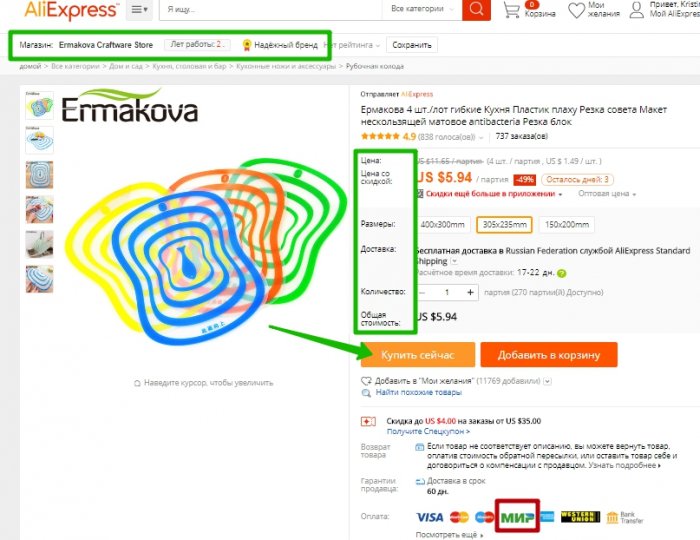
To do this, select the item, check the merchant and read the reviews. You can check the merchant not only by its rating, but also on the track track24. Click "Buy Now."
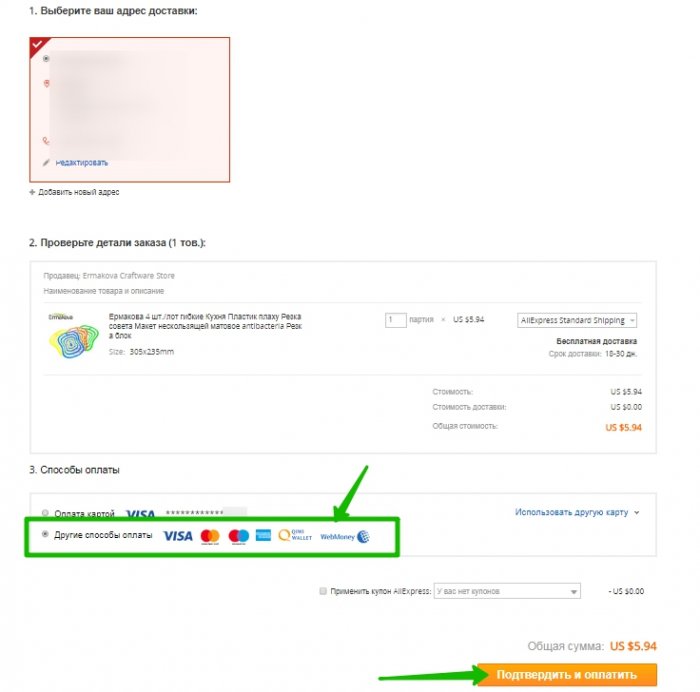
We proceed to ordering. Check the address and your personal data. Then in the third paragraph, choose other payment methods, then confirm and go to payment.
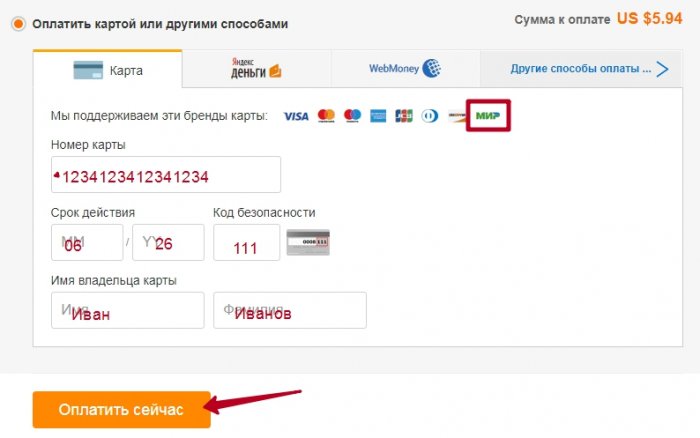
We enter the card number, the timing of its action, the security code from the back side, as well as the name and surname of the owner of this card, it does not matter a nominal card or not. We click "Pay Now."
You will come an SMS message to the number attached to the map. Enter in the field and confirm the write-off of funds.
The world's payment system is convenient, does not depend on political situations in the world, and most importantly reliable and affordable.

