Is it possible to pay Aliexpress via Yandex money? What cachek will receive a buyer?

Working with electronic wallets is very convenient. They provide a wide range of possibilities. In addition, it is convenient to pay to them in online resources. In this article, consider in detail how to pay the goods with Aliexpress Using Yandex.Money.
Contents.
- How to pay aliexpress via Yandex money?
- How to tie Yandex money to Aliexpress?
- Does the Commission take when paying Aliexpress through Yandex Money?
- How to make a payment of Yandex money in Al EExpress?
- For what reasons you can't do the operations of Yandex money to Aliexpress?
- How does Aliexpress make a refund on Yandex money?
- Yandex Money Cashback with Aliexpress
How to pay Aliexpress through Yandex money?
Pay with a virtual wallet simply. Each resource user can view things and place it in the basket or immediately pay. In any of the specified situations when paying from the list of proposed methods, you must choose " Yandex money».
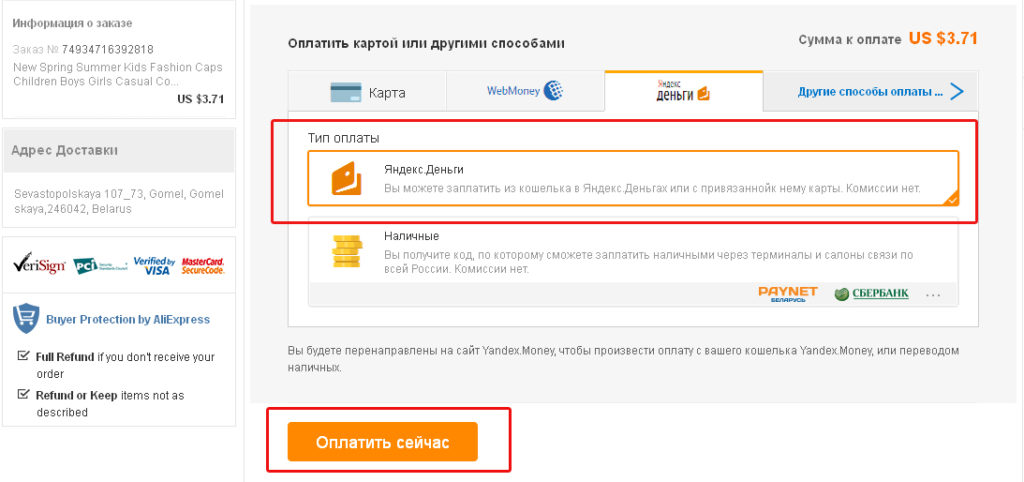
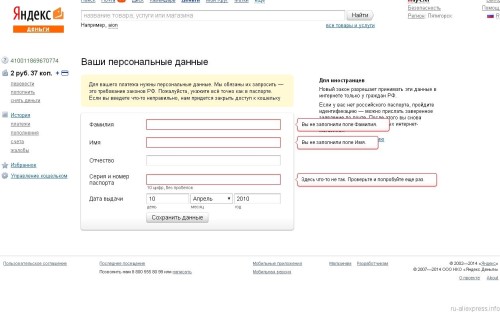
After that, in the window that opens, put a tick next to the logo T and click the "Pay Now" button. Next, the system will automatically transfer you to the pages of the wallet. You will need to enter a login, password and click "Login". Now the page opens the form to fill personal data. Now the owner of the wallet will need to confirm the operation. This is done by the code that you will receive in the message on the phone. Simply, isn't it?
How to tie yandex money to Aliexpress?
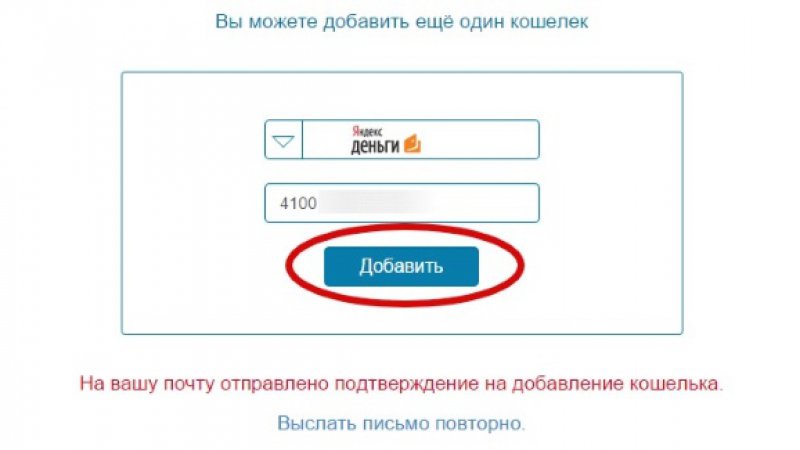
Newbies shopping ground or just for the first time paying an order via Yandex wallet asked if it is necessary to bind this method of payment to Aliexpress.
That's what everyone needs to know:
- to pay for purchases does not require special binding;
- everything works automatically;
- in the first payment, go to the purse page will need to log in to the resource;
- after authorization, payments will occur quickly.
After that, all operations will go automatically.
Does the Commission take Aliexpress through Yandex money?
All payments through Yandex money Performed in dollars. We must immediately say that the Commission is not charged. Just when you pay, you may notice that it is written off more funds rather than worth the goods. This is due to conversion, usually it takes place at the course of the issuer's bank. In the case of this wallet, the conversion occurs at the rate of the central bank plus 5%. Moreover, 5% is insurance for changing the ruble exchange rate, and when the funds return, it will not be returned. Knowledge of these nuances will be useful to everyone.
How to make the payment of Yandex money in the application Aliexpress?
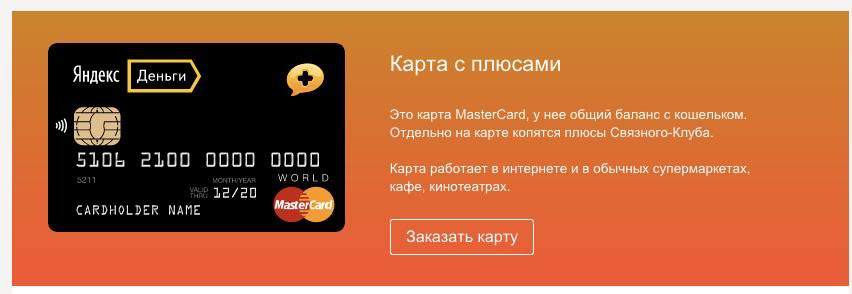
With payment Yandex money Mobile application is more complicated. It uses the payment system Alipereywhich in turn cannot work with this type of electronic wallets. You can pay in the application only through Kiwi or a bank card. From this situation there is a way out, you will need to issue a map of Yandexdoney and pay from it. She will have one account with a wallet, i.e. Paying the money card will be written off the wallet. When making payment in the application, choose "add a new card" and in the window that opens, enter its details. Moreover, it is better to keep them on the resource so that each time it is not to introduce again. Of course, this is a rather confusing scheme, but is the only way to pay the order. with Yandex. Wallet in the application of the trading platform.
For what reasons you can't make the operations of Yandex money on Aliexpress?
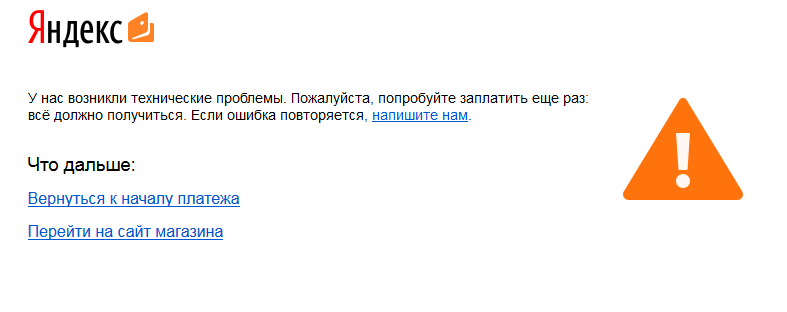
With errors, you can encounter even when paying through a virtual wallet.
Now we will list the most frequent cases:
- There is no verification of the wallet. According to the legislation of Russia, anonymously becoming fashionable to pay products only within the country. To make payments in foreign stores it is necessary to fill out the questionnaire. With it and the rules of filling, everyone can find on the site Yandex money.
- The buyer does not indicate all the data, for example, the shipping address should include a country, an area, settlement, street, house number and zip code. Fill in all the lines will not arise difficulties.
In addition to this Aliexpress there are special codes denoting problems with the specified card.
It's them:
- IPay RS ***** 2606 - a card may be unsuitable (running time);
- IPay RS ***** 2616 - Little money on account;
- IPay RS ***** 2618 - the resource is loaded or error in the payment service;
- IPay RS ***** 2911 - Shopping Limit improved From the card exceeded, and there was a blocking;
- IPay RS ***** 3010 - Error in Protective Code.
Knowing all the data you can quickly take action. In addition, it is always possible to write to the support of YandexDengi.
How Aliexpress Does the return of money on Yandex Money?
Return your money simply. It happens on the details that the buyer indicated when paying for the purchase. Therefore, when ordering goods from you, you need to carefully specify your data and the number of the electronic wallet. Then the return will not be problems. Usually, the return is carried out for 1 - 2 days. If the funds are not listed, you need to view disclaimers, after which you write a request to the store and if they listed the means, then write a request for a search for money in YandexDengi. This procedure may take up to 7 days.
Yandex Money Cashback with Aliexpress
This wallet offers its users a lot of different bonuses. So until October 17 current year The action is valid, when buying a Yandex map, you get cache Beck 10% of the purchase. Also, together with the trading platform, a variety of shares are carried out. For example, the sale of "youth summer" in which a dozen of active users could return to 4 thousand rubles, when paying Yandex money. Therefore, the owners of the Yandex wallet must be constantly familiarized with the proposed shares.

This article describes the electronic wallet Yandex money. Speak as they can pay for the order on the site and in the application. Using the information of the article, you can avoid errors when paying and returning some of the funds from the purchase. Good acquisitions.

