How to pay for Aliexpress through Kiwi Wallet. How to register kiwi wallet

Every day, electronic payment systems are becoming increasingly popular. Not all purchase on the network can be paid, for example, a card, but for money from the electronic wallet completely. Aliexpressit offers different types of payment, this includes webmones, and Yandex.Money and Kiwi, as well as a card, money transfer and cash. What kind of payment to choose, depends only on you and your features. Today it will be discussed, about paying goods on the shopping site using the Kiwi payment system.
Contents.
What is kiwi wallet

About such payment systems, as webmones know a long time ago, but Kiwi wallet for someone may seem wing. In fact, this payment system is not so young, it was founded back in 2007. This international payment service is a payment electronic system that allows you to make payments. Kiwi users are given the opportunity to use payment by cash, cards and other methods of non-cash payments. Use this payment system to pay for services and goods, both in the World Wide Web and in stores. Also, you can easily pay for utility services without any difficulty, to replenish your mobile phone, repay loans and much more.
How to register kiwi wallet
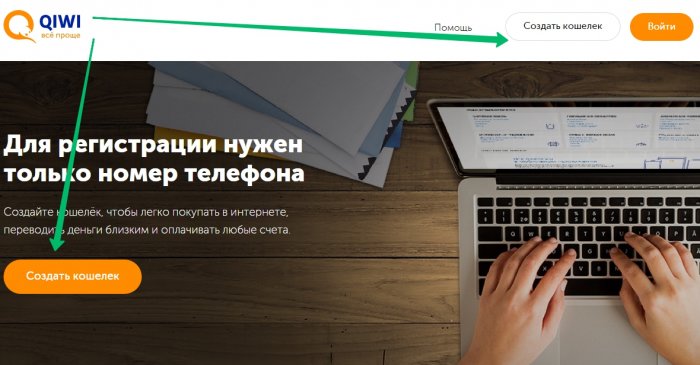
Register wallet will take you just a couple of minutes, and the benefits of its creation will be great. So. We go to the official website of Kiwi qiwi.com.. The presentation is immediately striking on the main page, and on top of the page and on the presentation itself there is a "Create Wallet" button. Click on it.
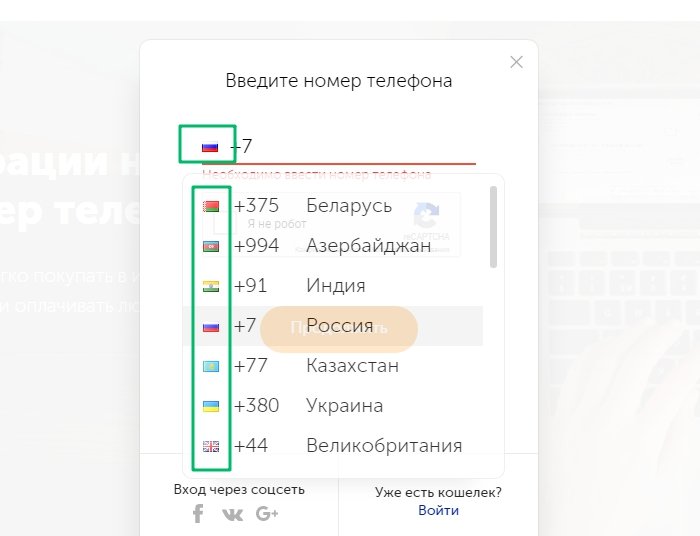
Immediately pops up a small window, where you need to first click on the country's flag, choose your own state, and then enter the phone number. You only need to enter your real number, so grab your phone. Confirm that you are not a robot, then click the "Continue" button.
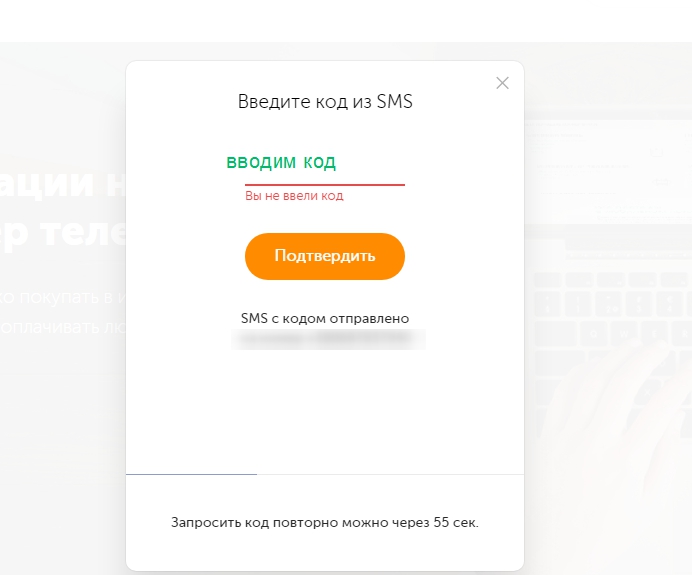
Then the SMS message will be switched to your phone number, which you must enter in a new window.
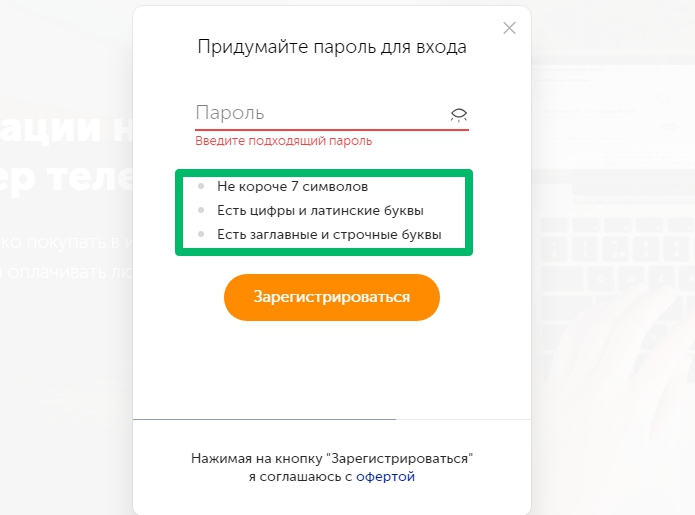
The next step will come up with a complex password. Follow all the instructions on the screen to create an original and heavy password for hacking. Click the "Register" button.
A new window will open, where you will be collected with the fact that you have successfully created Kiwi Wallet.
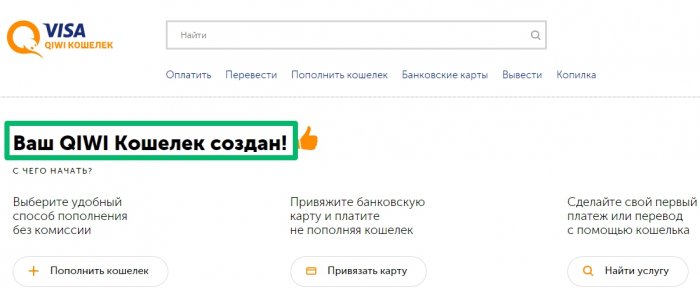
How to put money on kiwi money
The Kiwi payment system is quite popular among many countries of the world, it is not for nothing that is considered international. You can throw money on the wallet via the Internet, through self-service terminals, as well as through a mobile phone.
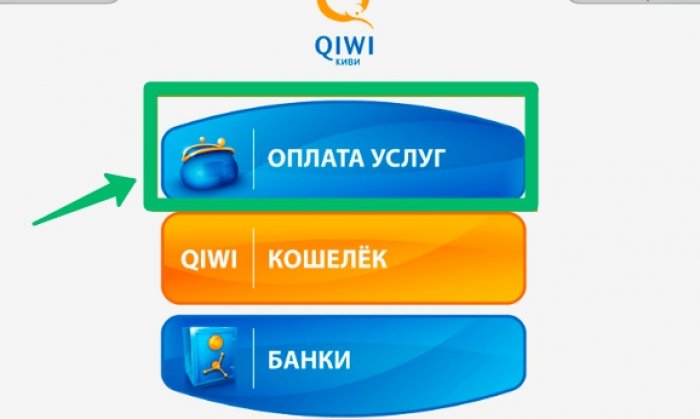
Replenishment Wallet through the Terminal. Terminals who cooperate with Kiwi in any city are more than enough. They stand at the entrances to large supermarkets, as well as in local popular shops. Click in the Terminal to "Payment Services".
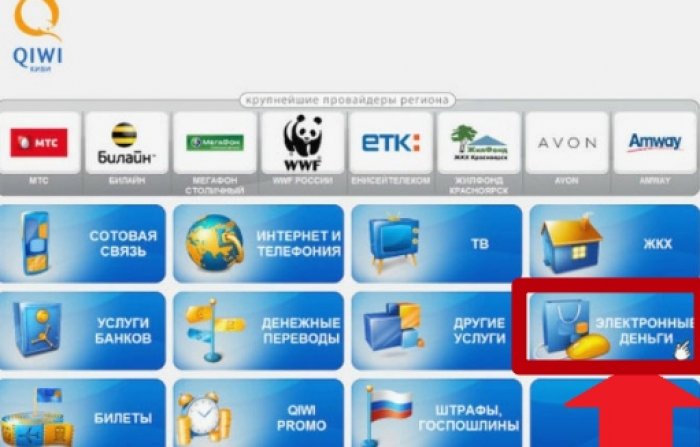
Further, among the whole list of services, you need to find and choose "electronic money".
Now choose Kiwi wallet. We enter the number of your mobile, the one you specified when registering on the Kiwi website. You will be given the opportunity to write a comment, you can not do this. Make banknotes in the bill acceptor, after which you confirm the operation. Money will score instantly. If this did not happen, and you entered all the data correctly, do not worry, perhaps the system had force majeure, and the money will go to your account a little later. This method is not tied to the World Wide Web, there are many terminals, and the commission for committing this operation is absent.
Replenishment Wallet over the Internet. For lovers not to strain, the site allows you to replenish your wallet without getting up from the sofa. Go to your office on the website of the payment system, then click "Replenish the Wallet." All payment methods will be shown before you.
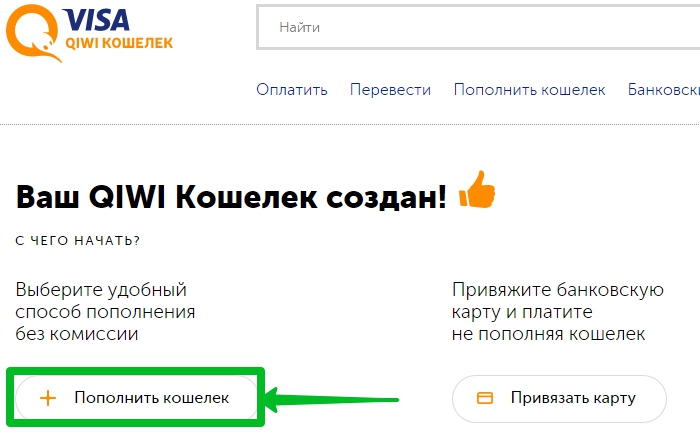
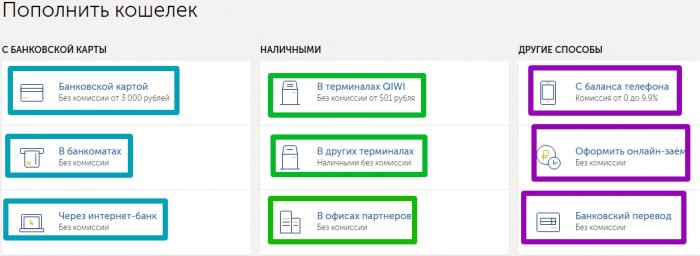
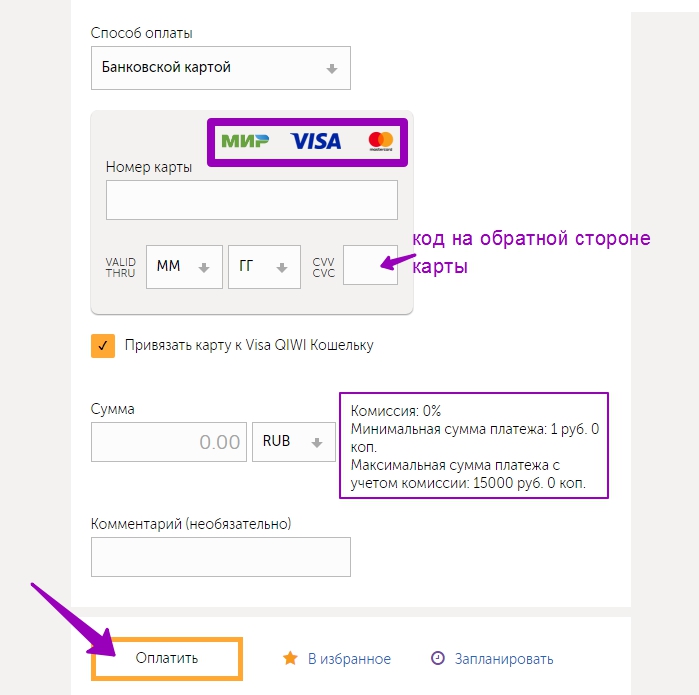
Choose a bank card. By the way, you can attach your card to kiwi wallet and no longer have to replenish it just and comfortable. We introduce the card number, the deadline for the expiration date, the secret code, the number with the amount of replenishment, currency, then click "Pay".
Replenishment via phone.Another way to replenish the wallet in the case if you have money on your mobile operator's account, and you did not find the CWI terminal, or it is not common to get up with a sofa for such a small goal. To replenish the kiwi wallet from the phone, you need to choose "Top up the wallet", then select among the proposed options "online", then choose "from a mobile phone account." We choose that operator whose number was specified during registration, it will not roll from the other. Click "Translate". Money will instantly enter your account.
I would like to note that the Commission has its own from 0 and to 9.9% to each mobile operator. The largest commission at the tele2.
Kiwi wallet entrance to your personal account
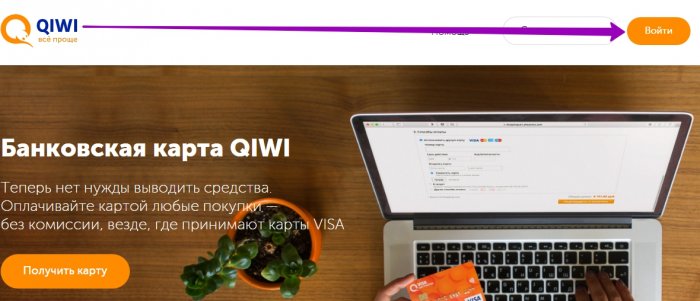
After you have created the Cabinet and closed the browser, the login will not be automatically entering the payment system. Now we will tell you how to get to your personal account. Go to the official website. In the upper right corner there is a "Login" button not to notice it unreal, it is bright, click.
We enter the phone number (first choose the country by clicking on the flag) and the password that you have been specified during the primary registration. And click the "Login" button.
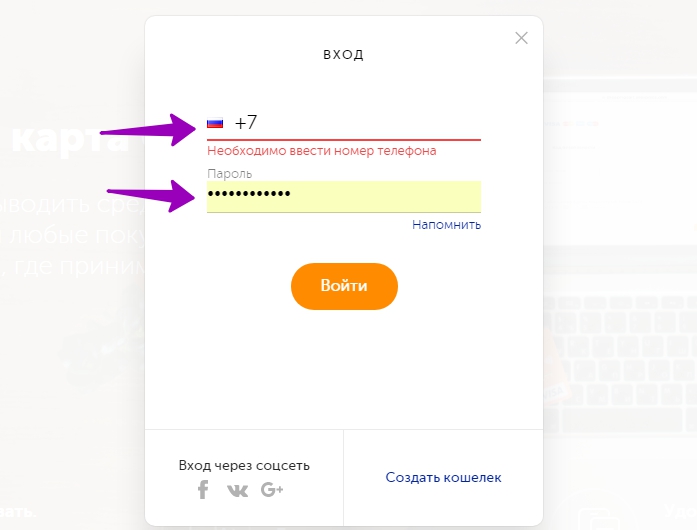
That's so simple, you fall into your account in the electronic system Kiwi.
Payment through kiwi wallet orders with Aliexpress step by step
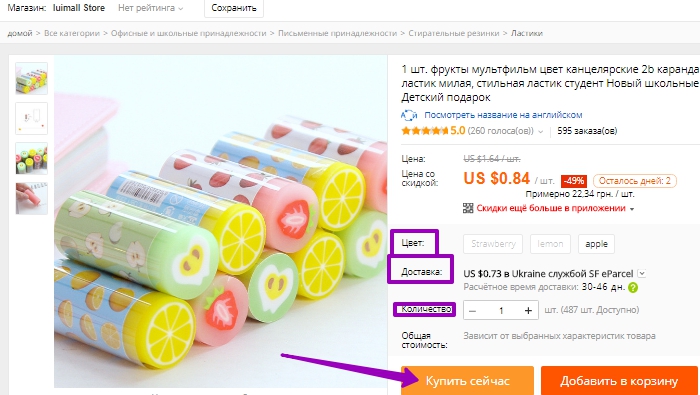
As mentioned above in the article, Aliexpressit offers various options for the payment of goods, it also includes payment from the Kiwi wallet. Today, on the example, we will tell you in detail how to pay products on Ali. Pick up the goods, we chose an interesting eraser for schoolchildren. Choose color, delivery and quantity of goods. Click "Buy Now."
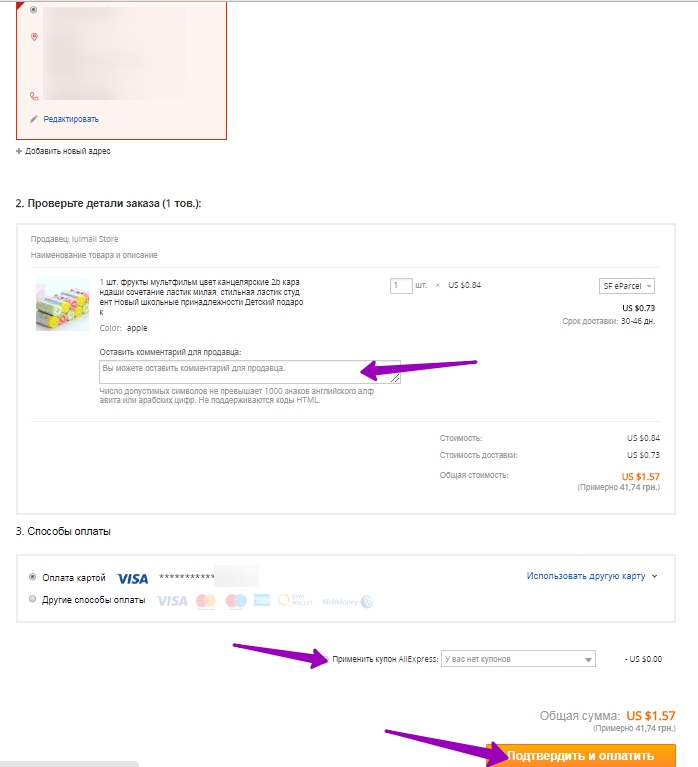
Check the shipping address and phone number. In the comment field, you can write wishes to the merchant, and you can leave it empty at all. Click "Confirm and Pay".
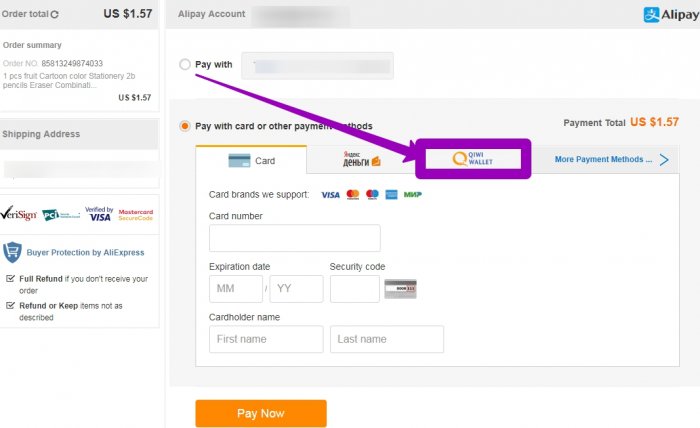
You will open the window in which all the payment methods are indicated, choose Kiwi.
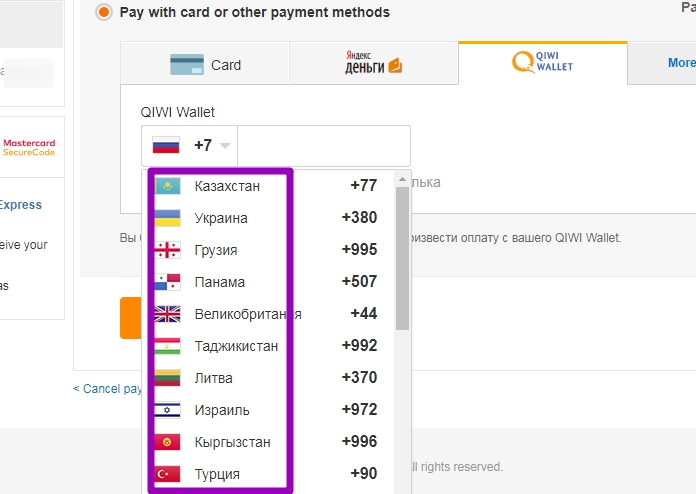
Select the country checkbox, enter a mobile phone number. Press "Pay Now".
After that, you will send you to the payment page, where you confirm the write-off of funds, with Kiwi wallet.
Finally, I would like to say that you pay the wallet with Kiwi as simple as from the bank card.

