How to place an order with Aliexpress without payment: on the site and mobile application

Do you know that the shopping site offers several options for payment of orders, including cash payments? This is done so that every person who does or, who does not want to start a banking card or an electronic wallet can make payment of orders. In other words, the Chinese decided to dive them all the segments of the population. Today we will tell you how to pay orders from the application and from the site without having any of the above, but only a desire to buy on Aliexpress, as well as cash.
Contents.
- How and where to download in Russian mobile app alixpress
- How to make an order for Aliexpress without payment on a mobile application (step by step)
- How to place an order for Aliexpress without payment on the site (step bypass)
- How to make an order for Aliexpress without payment using a gift certificate (step by step)
How and where to download in Russian mobile app alixpress
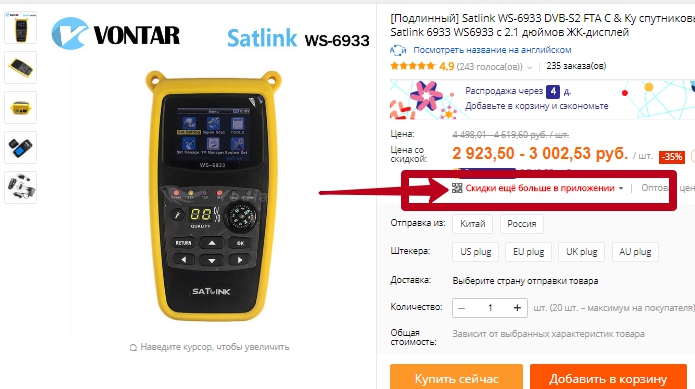
We are all harsh about AliexpressMost of us have already managed to evaluate the work of the site, but not everyone knows that there is a mobile application. This application allows you to perform all the same manipulations as on the site. You can use the search string, you can climb in rubrics, you can open the disputes and communicate with merchants and much more. But that's not all, the app equally saves your money even more significantly. You probably faced the fact that the site price is indicated, and at the bottom of the QR code with the asscription: "Discounts are even more in the application." And if on the site and so the prices is not lower, then there is even lower.
The app for Android phones and phones of the company EPLs are located in Play Lamarkete and Aytyuns, respectively. Put in the search engine corresponding to your phone, Market: Aliexpress Shopping. Select the application from the list of recommended
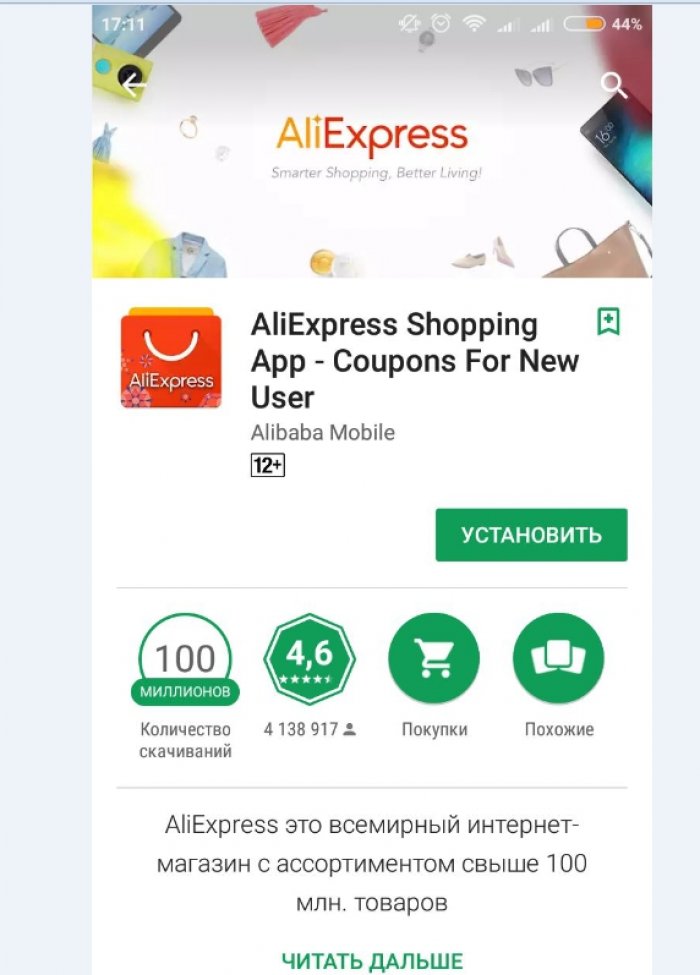
Click install, wait a couple of minutes, and go into the app.
How to make an order for Aliexpress without payment on a mobile application (step by step)
The Chinese make it all so that we do not have the desire to close the page of the site shopping. Bright photos of the goods, the possibility of free shipping, protected transactions, as well as the possibility of paying a large number of ways from anywhere in the world, this is all the way and puts us a giant from the Middle Kingdom. Returning to the possibilities, we will focus on the payment of the goods in the application you downloaded above. Let's find an interesting product, and step by step will try to buy it. So we found a jacket for a girl.

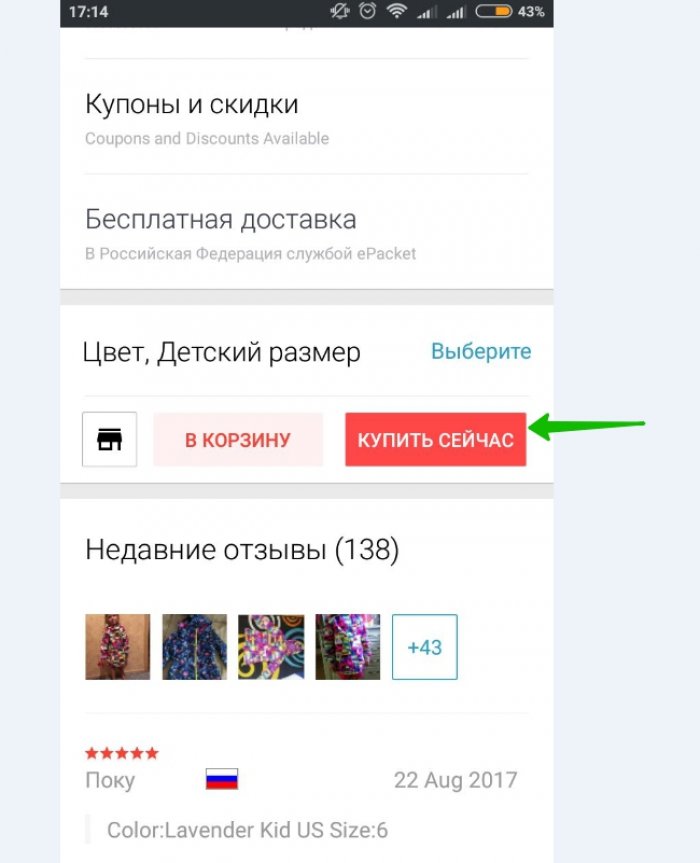
They read the reviews, as always the rating of the store was not left without attention, they decided that we did everything. Click "Buy Now"
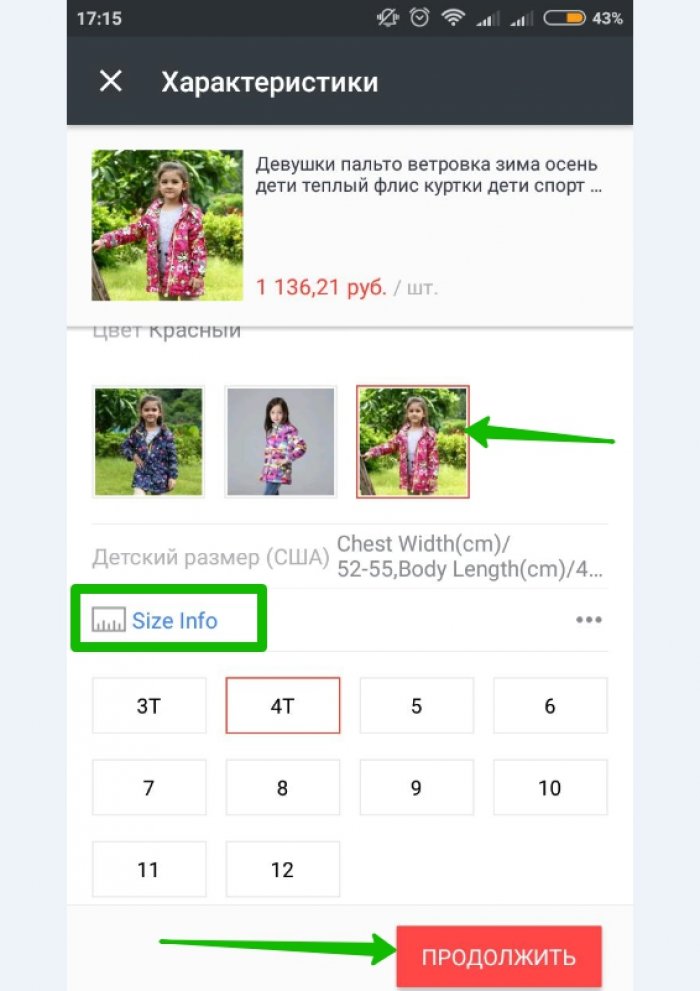
The next step will be the choice of colors, or parameters, depending on which goods you decide to purchase. Click "Continue"
At the top you have a shipping address that can be changed, and just below the payment methods. Click the "Change" button to see all possible ways.
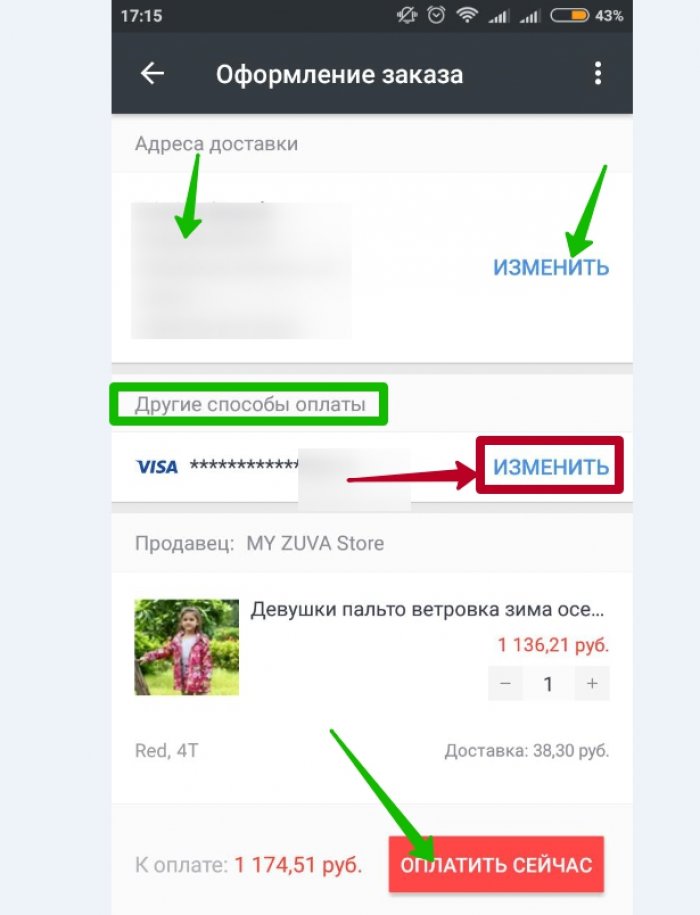
There will be three lines in which the card already attached to the account is displayed, the ability to add another card, as well as other payment methods, click on the latter.
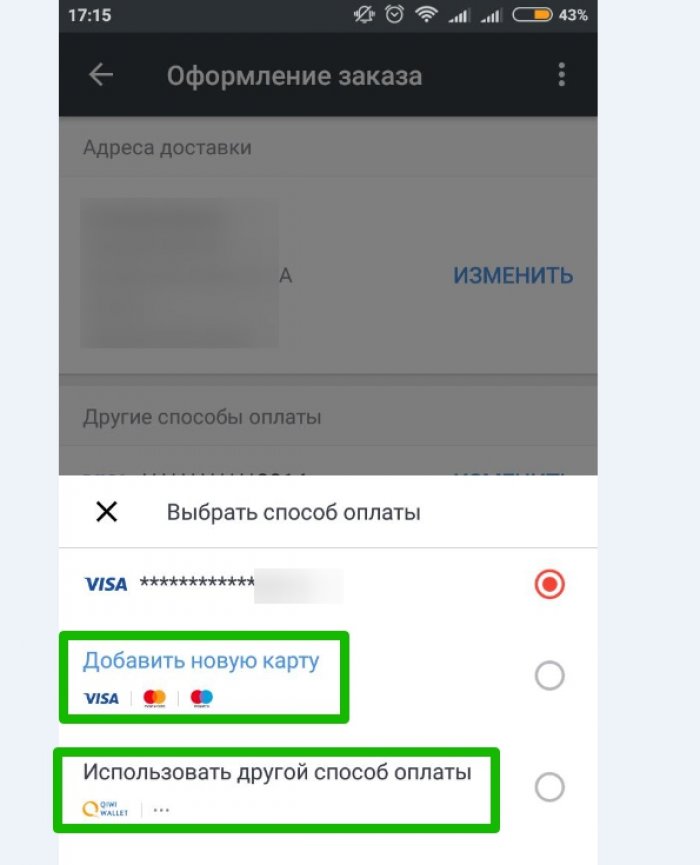
Not much changed in the new window, namely the QIWI card.
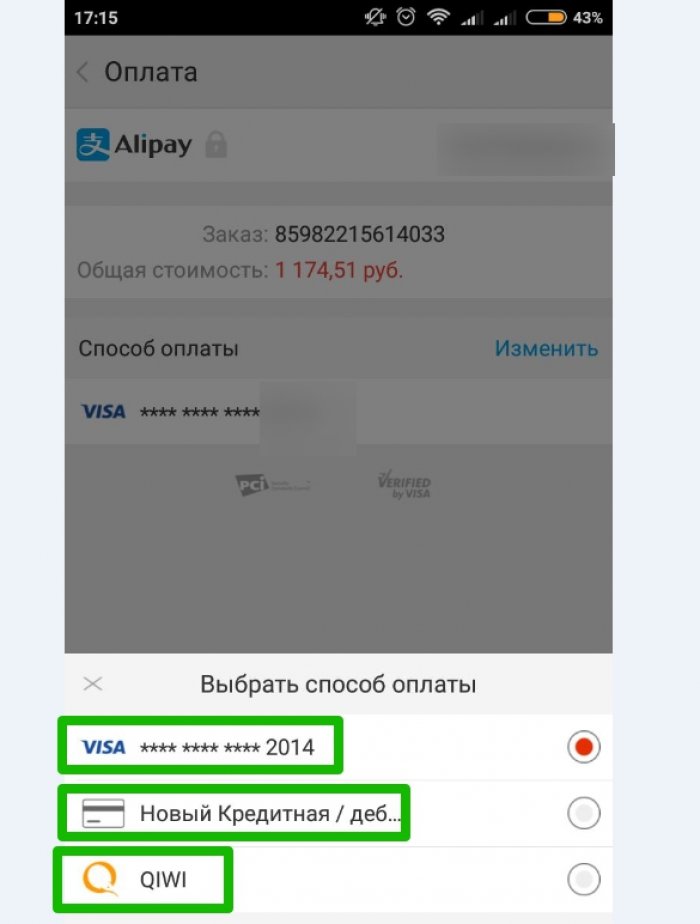
Unfortunately, in a mobile application you can not choose cash payment. It can pay either a bank card or a QIWI wallet.
How to place an order for Aliexpress without payment on the site (step bypass)
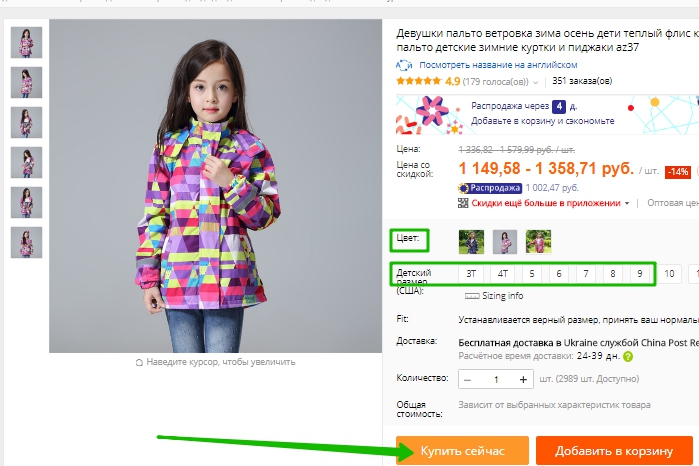
Let's start with the same as in the application, we find the goods. We decided to show on the same example - a children's jacket. Choose color, size, delivery and click "Buy Now."
Next, a new window will open, in which your address will be from above (it can be changed), the ability to write a comment, as well as apply the coupon. The third paragraph shows payment methods. As mentioned above, the bank map is attached to our account, so we choose another payment method, then click "Confirm and pay".
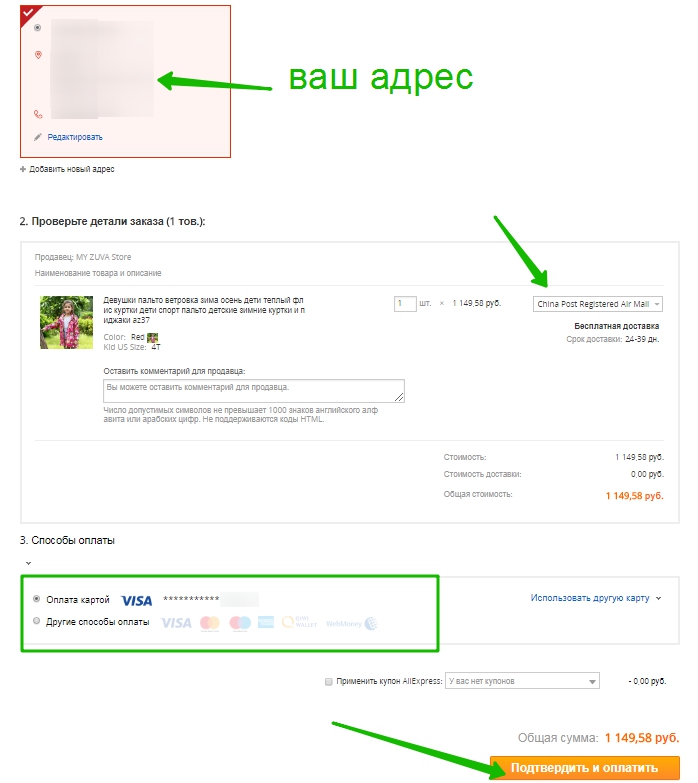
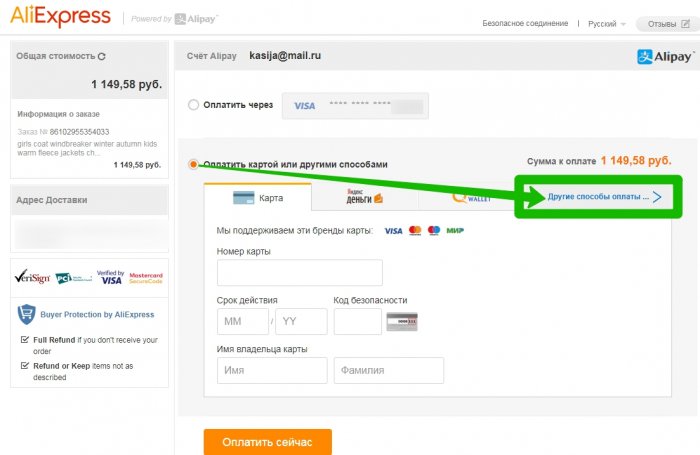
It will work redirection for payment. All possible payment methods are displayed in the table, you need to choose "Other Methods".
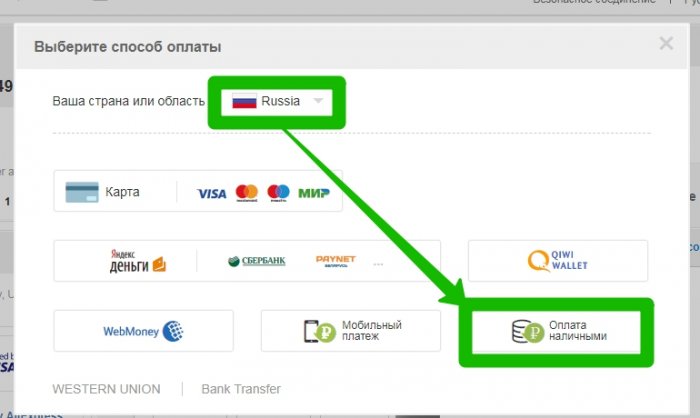
For residents of Russia is possible payment by cash, for example, no opportunity for residents of Ukraine. Choose the last point "cash payment".
Now enter the number of your current mobile phone, then click to continue. On the specified only number will receive a message with a special code. Message do not delete.
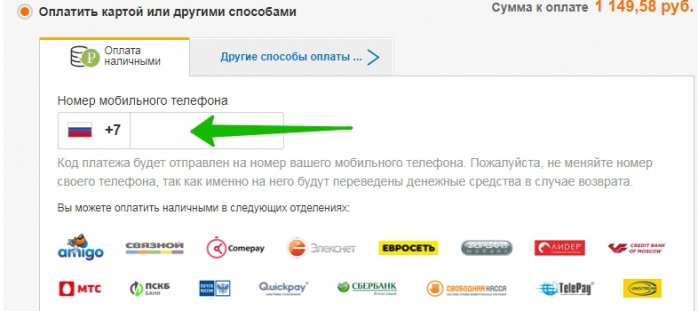
Now I put in any nearest partner store. This includes: Amigo, Euroset, MTS, Svyaznoy, Sberbank, the leader and many others (with all partners can be found on the website of purchases during order). Show the SMS-ku cashier with a secret code, after which it prints the check on which you put your autograph. Be careful, check the amount. Sum for the goods you have seen on the site, nothing should be different from the amount in the check, this is the final price for your order. Check leave until the parcel comes to you and you do not confirm its receipt. I would like to say that you need to leave the phone number. And he needs, because if the funds return, they will return to you for the phone.
How to make an order for Aliexpress without payment using a gift certificate (step by step)
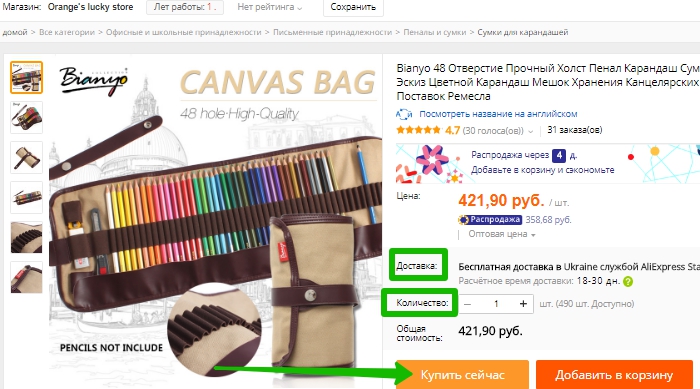
Payment by cash implies permanent beganin to partners stores, and if you buy a lot and often, these trips are derived from themselves. While certificates are beneficial only to such people, since there are no more need for them. They cannot be transmitted until, and the return of funds will be made to you at the expense of the certificate. The duration of their duration is three years. Payment certificates are not much different from simple payment. We find goods, choose all the necessary parameters, a complete set, color gamut, or what gives you to choose from, there may be only delivery or quantity. Click "Buy Now."
In a new window, all that you see every time shopping will appear, but added an additional point in the payment of goods. In the third paragraph, the possibility of payment certificate will appear, there will also be the amount that exists on it. With the help of the certificate, you can pay the full amount, part of the amount (this is if the balance on the certificate does not cover the full cost. In this case, you will have to pay the remainder from the card). Click "Confirm and Pay".
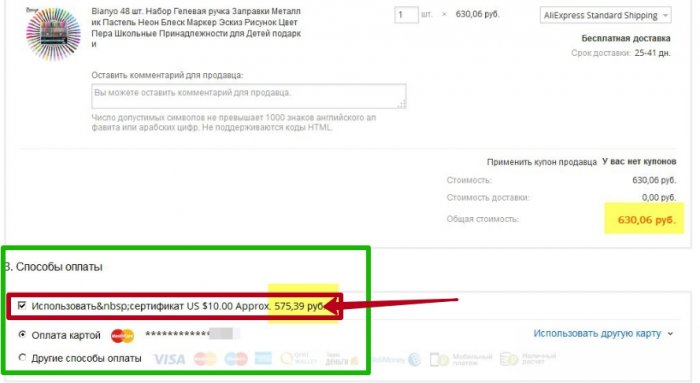
The write-off of the funds from the certificate is configured instantly, and confirmation is not required ..

