Payment for Aliexpress via Sberbank Card. How to pay for the order card Visa, Maestro, MasterCard

Many Internet shopping lovers face such a problem as payment of the order. Every time it comes to the case before paying the goods, the World Wide Web Store offers the Client to pay the purchase that is not suitable for it. Another thing is the site AliexpressWhere buyers are at the disposal is a huge list of a wide variety of payment methods, among which - payment using Sberbank Visa, Maestro, MasterCard cards. How to pay for the purchase of these types of cards and for which Mobile banking is intended for you to get acquainted in the next article.
Contents.
How to connect mobile banking
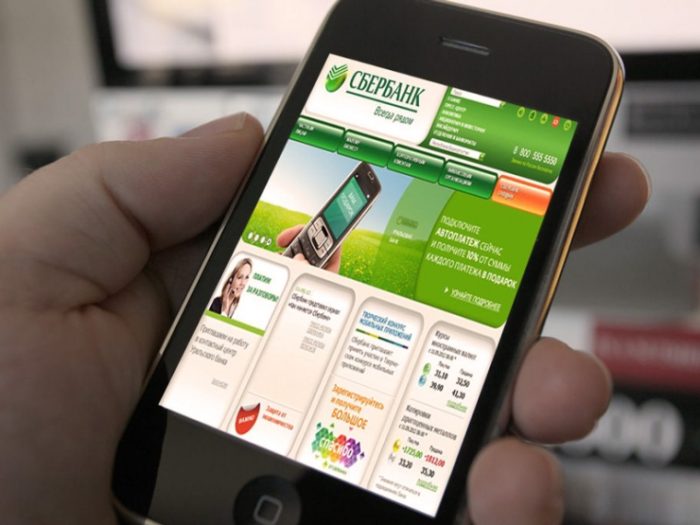
To attract new users, as well as to maintain existing user users even more comfortable, Sberbank was developed mobile banking.This service essentially saves customer time, because it replaces regular calls to the count or a bank visit. The main condition for connecting a mobile bank is the presence of a mobile phone with any active telecom operator.
pros Mobile banking:
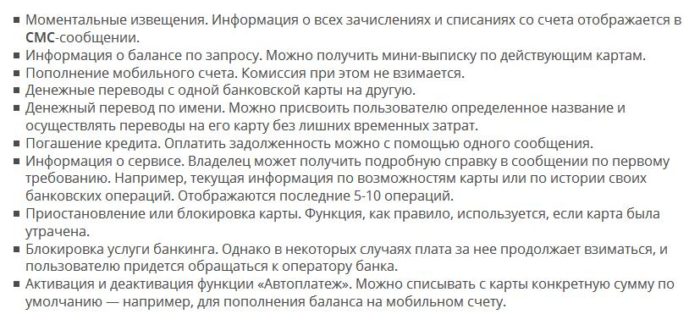
Mobile banking is a good opportunity, solve all problems and questions without leaving home.
Connect this service is possible in various ways, all of them do not take a long time:
- in Sberbank. You need to fill out a statement of providing this service. With you, you need to have a document certifying the personality. The service is activated after three working days after filling out the questionnaire.
- through the count. After communication with the operator, it should be answered all his questions, including specifying its passport details.
- with the help of Sberbank online. To activate a mobile bank using Sberbank online, you need access to the Internet. Come in your personal account on the site, choose the option mobile bank connectionand click activate.
- through the self-service terminal. Insert your card into it, enter the PIN code, find the option "Mobile Bank" option, choose the desired tariff.
Mobile banking is very popular among Sberbank users. This feature allows you to know everything that happens to your bank accounts and allows them to manage without leaving your home.
How to pay an order for Aliexpress Cancer Bank Visa (step by step)
Visa Sberbank Card is the most common and classic card for shopping on the Internet, traveling or paying various services.
If you are a site lover AliexpressYou can easily pay any purchases with this card. For this, after selecting the desired product, when you pay, select the "Map" method:
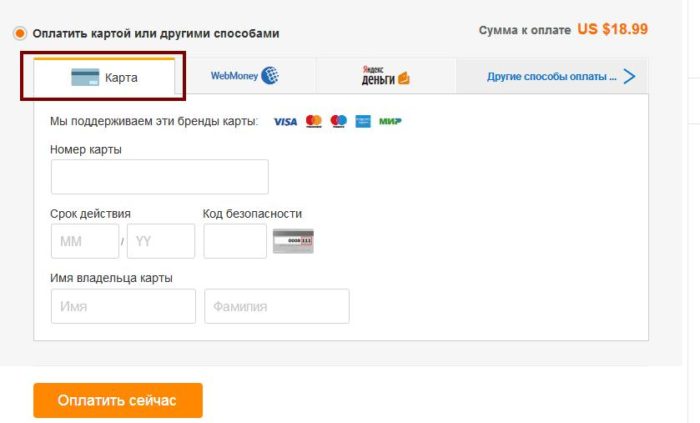
The link will appear on the screen, which fits the data from the Visa card, namely:
- card number
- the term of its action
- name and surname card holder
- security code located on the reverse side of the card
The first three items are located on the front side of the card.
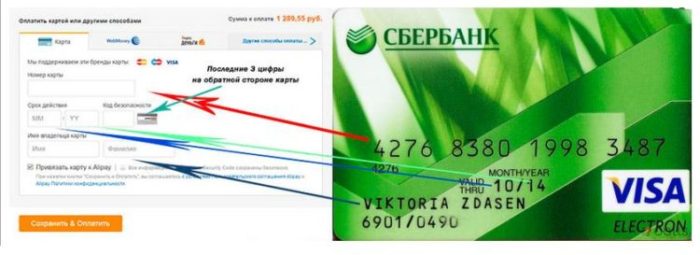
In the filled form it looks like this:
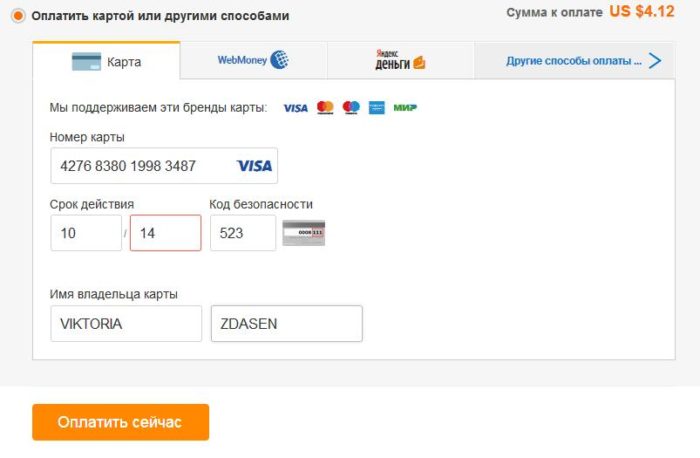
By clicking the "Pay Now" button, you confirm all the data and thereby pay your purchase.
How to pay for an order for Aliexpress by Sberbank Maestro (step by step)
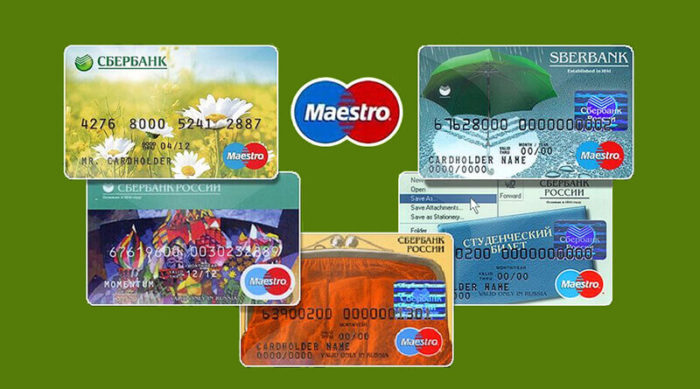
The Sberbank Map today is equally demanded among the population than Visa or MasterCard cards. She is also easy to make purchases in online stores, including on the site Aliexpress. If you have chosen the goods and want to pay your purchase, then you choose "Map" in the card or in other ways.
Currently, paying purchases on the site AliexpressYou do not need to choose a view of the Sberbank card. The system independently recognizes it when entering the card number.
Now, to complete the payment procedure, you should fill out the questionnaire displayed on the PC monitor. To do this, take your Maestro card and enter all the data as shown in the following photo:
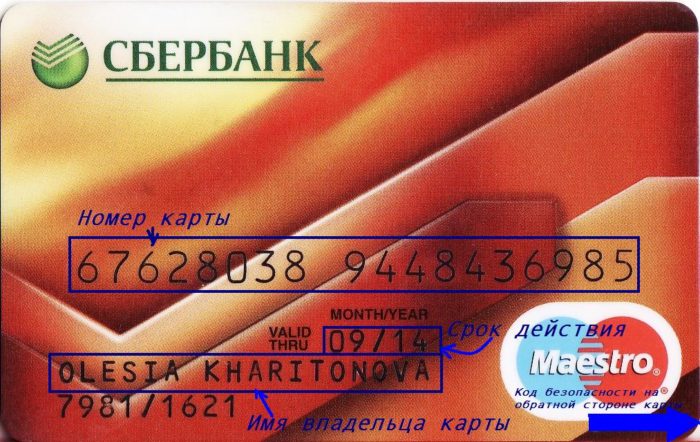
On the reverse side of the Sberbank map Maestro is a security code - this is a three-digit number.
In the filled form you should have the following:
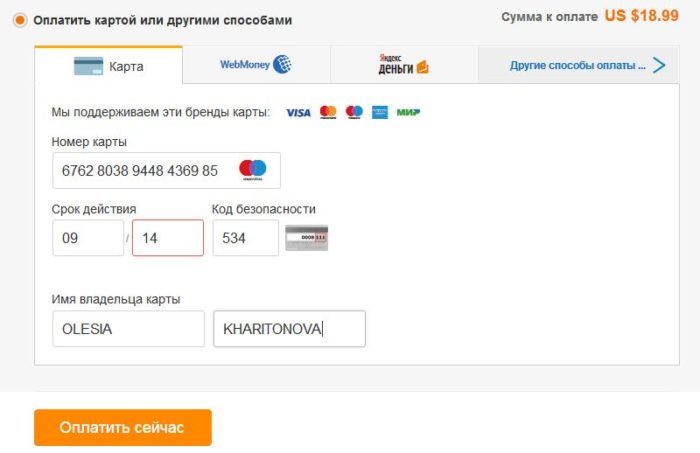
Before pressing the orange button "Pay Now", do not forget to carefully reweper all the data entered.
How to pay for an order to Aliexpress by Sberbank MasterCard (step by step)
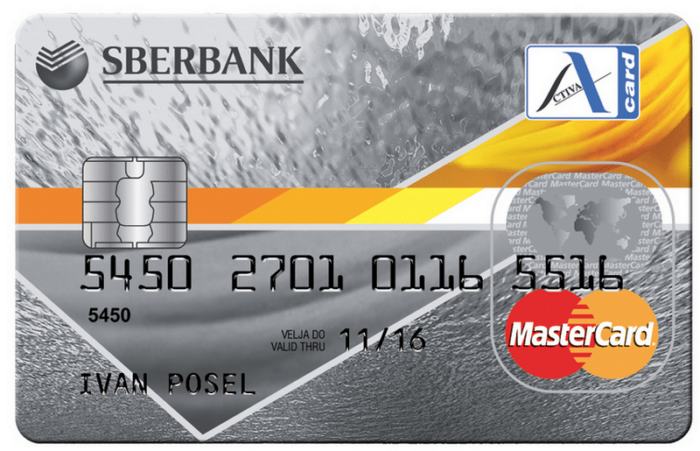
Pay purchases in the trading platform Aliexpressalso possible by Sberbank MasterCard.
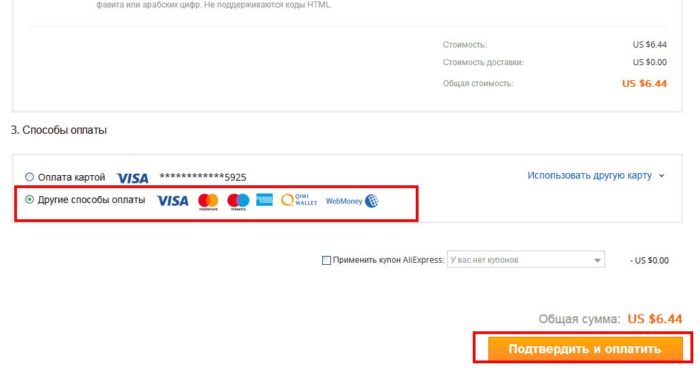
After selecting the desired product and specify all the necessary parameters, click " Buy now". The system will automatically redirect you to the address of the recipient's address and select payment method. "Payment method" is under the number three. Near the inscription "Other Payment Methods" put a point and click on "confirm and pay":
The product payment page will open on the screen. To pay the Sberbank MasterCard map you choose "Map".
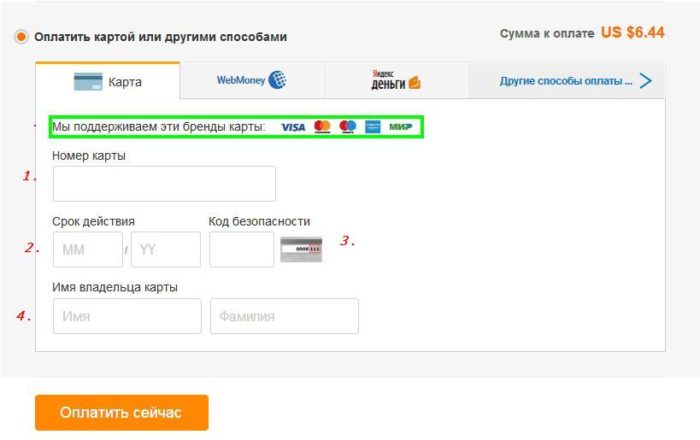
Now you should fill out empty fields, according to your card.
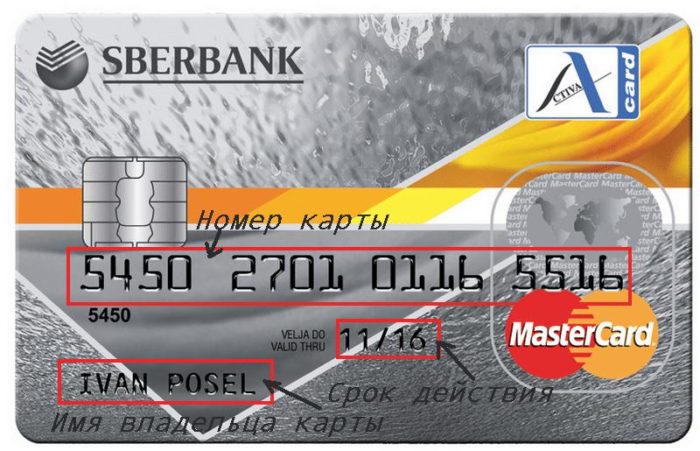
- The map number is the number of sixteen digits;
- Under the term of action implies a month and date to which this map is valid;
- Safety code is a three-digit number located on the reverse side of the card;
- The name of the cardholder is the name and surname, who owns this MasterCard card. The name and surname should be entered in Latin, as displayed on the front side of the map.
In the float form, this page will look as follows:
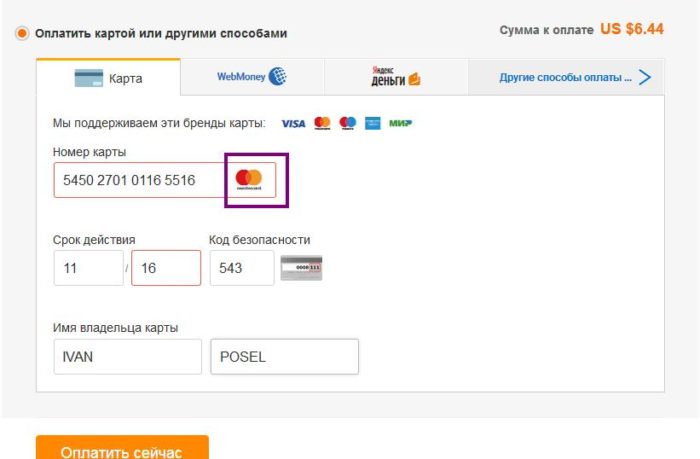
Entering data into empty fields, the system automatically recognizes your card and indicate its name. In this case, the MasterCard icon appeared, on the screen it is marked with purple color. Now it remains to click "Pay Now" and the purchase process will be completed.
Pleasant time on the site Aliexpress!

