Paypal payment system. How to pay for the purchase of aliexpress via paypal

We have already written many times about different payment systems, just described in detail how to use them, but I have never been talking about Pail. The most popular payment systems in RuNet are webmoney, Yandex.Money and Kiwi, but the most popular in the world is Papeal's payment system. Today we will tell you what it is for the system, how to use it, as well as show in practice how orders are made on Aliexpress.
Contents.
What is paypal and how to use it
Palepal is one of the most actively developing payment electronic systems around the world. Western and American stores have long provided their customers to use Pailepal, both when remote purchases and buying goods in ordinary markets.
The popularity of this system is determined by a number of factors immediately:
- globality, which is the possibility of payment in any store of the world;
- easy to use service. You do not have to enter the darkness of passwords and details to pay for payment;
- Pail, like Aliexpress, Protects buying users in a number of stores connected to it, and helps to make a return of blood.
- and, perhaps, the most important thing is safety.
The principle of working with the system is next. We bind a payment card to Pailepal account, you can immediately several or the bank account. We replenish the wallet of Pail or from the card, or from the terminal, or from an ATM and make purchases. Also on these tied cards can be output.
It is also worth saying that for countries such as Ukraine, Belarus, Kazakhstan and the other countries of the former union, except for the Baltic countries and Russia, the payment system does not yet provide a complete package of maximum capabilities of the system.
How to register at paypal
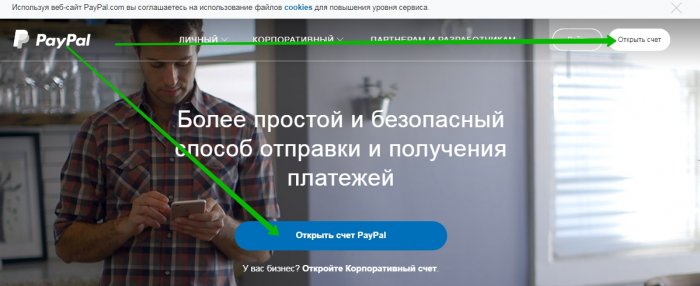
It is not difficult to guess what you need to go to official site Paipal. Pay attention to the start page, everything is simple and accessible, externally resembles the main page of Kiwi. In the very center of this page, we see the "Open PayPal account" button, you need to press it for registration. The same button is in the upper right corner.
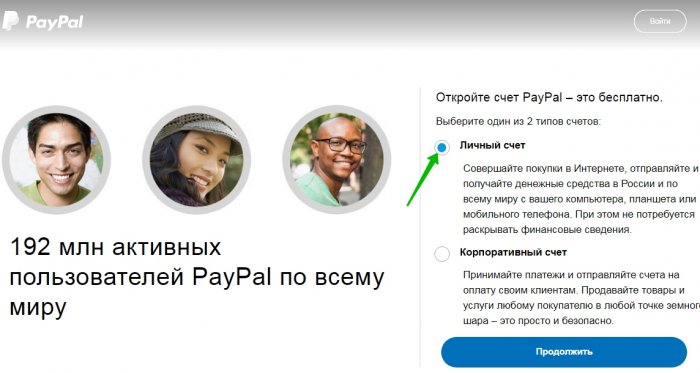
Choose what expense we want to open corporate or personal. We put a daw and click "continue."
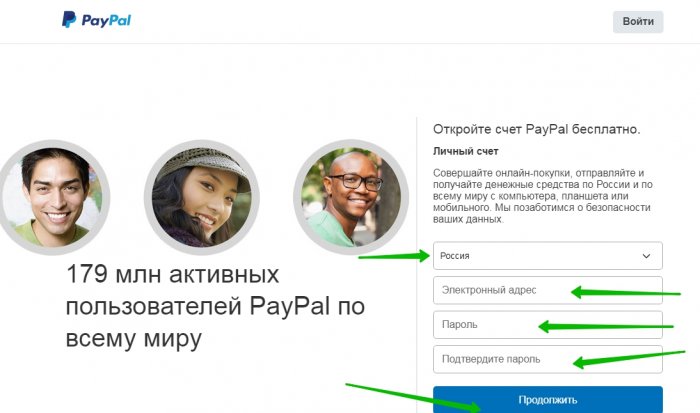
Choose your country from the pop-up list, then enter the mail and invent the password. I want to stop at the post office. Pailepal does not trust such free services like @mail, it is better to create mail, for example, to Gmail. We click "continue."
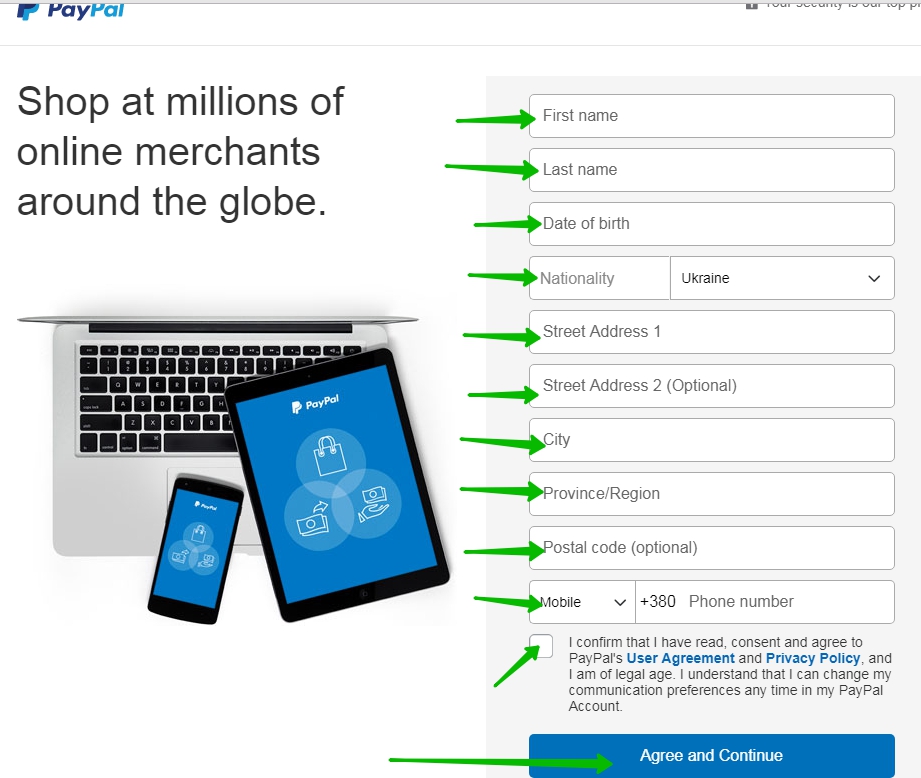
Go to the next form. Fill out a lot of fields and not only in this form, but also in the next. We draw your attention to the fact that only reliable information needs to be specified is how to give details to the bank or to another serious structure, otherwise you will not get to use all the delights of this system, in particular pay for purchases. Fill the fields (name, surname, date of birth, nationality, address, zip code and phone number). We put a tick on the fact that you have read all the conditions and agree with everyone, then we click on the agreement.
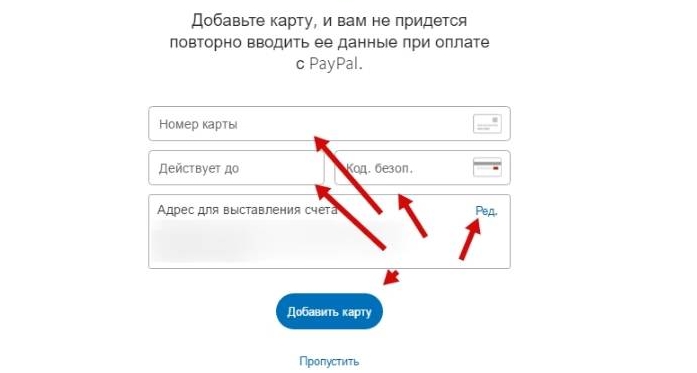
Next, you will be offered to attach a bank card. We want to emphasize the fact that on this map you should have at least a pair or a triple bucks (equivalent in any currency). You can not attach the card if you do not have it yet, or if you want, do it a bit later. We accept the solution and click on the corresponding button.
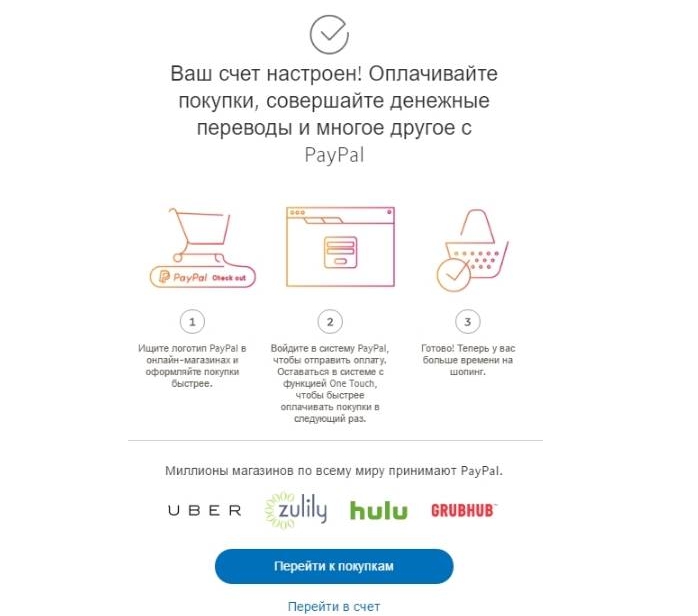
Next, you will seem the window in which there will be an alert that your account is successfully configured. You can immediately go to or in your own account, or go to shopping.
We have already talked about what will have to fill in the fields with information. You will need to configure the account for yourself, confirm the password, as well as configure notifications, you will immediately be warned in your account with appropriate notices.
How to pay money on paypal
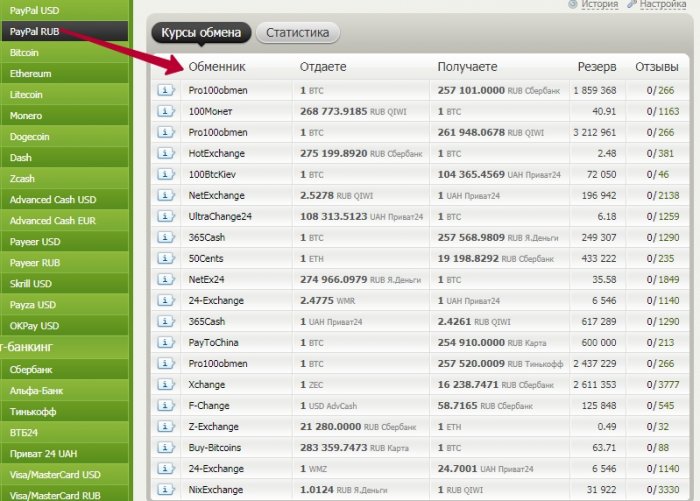
It is important for you to understand that all transactions from the account papal will be transit with the map tied to the system. If for any reason you need to put funds on Pailep, then you can ask a friend, throwing money to your account, the identifier is not a wallet number, such as on webmoney, but your attached email address, which significantly simplifies the task. Another option can be exchanger. There are many exchangers in the network, the most popular is considered bestchange..
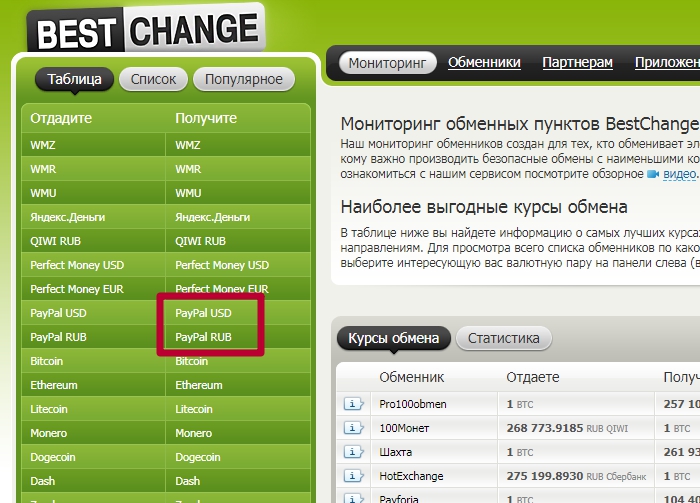
We choose in the second column Pail and the currency that you need, and then choose from the list of exchanger. Let me know with the Commission, choose any card (not attached to Pailepal) and make an exchange.
Is it possible to pay for Aliexpress via PayPal
The trading platform offers a large selection in terms of payment options. The most popular view among residents of Ukraine, Russia and Belarus has long remained bank maps. However, this does not mean that other species are not popular. Paypal among ours was not such a popular service, such as webmani, but with it, it was previously easily requested to pay orders on the shopping site. Today Aliexpressand Paepal do not cooperate. This is due to the fact that Chinese fraudsters often deceived customers AliexpressBy offering the price below if the payment is held outside the shopping site. There were also cases when with an open dispute, the Chinese asked the electronic and sent money to Pail, pointing that there was payment of services, and then challenged the translation and returned money. As a result, the client closed the dispute on Ali, since he returned to the money on Pail, and the Chinese returned to himself, and the client has no money or the goods. There were a lot of complaints, and Aliexpressstopped working with this payment system. Essentially papal in case Aliexpress It was not strong and relevant. And all because the money was filmed from the card, and why buyer to make extra movements, if on Ali and so you can attach any map of the world?!
How to pay Aliexpress from the card (step by step)
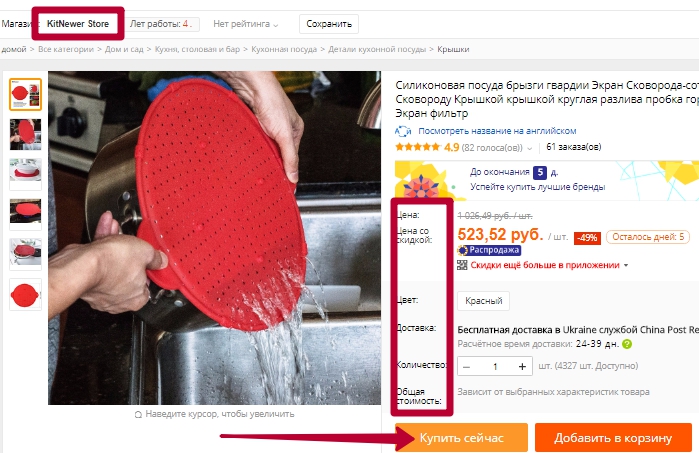
To buy something on the site, you need to find something. We decided to bring you an example on kitchen utensils. We found this cover for saucepan With holes (peculiar colander). They re-read the lot of positive feedback, also checked the seller, and decided to take the decision. Chose all the necessary components of the order and confirmed their solution to the "Buy Now" button.
We standard check your personal data, we write or do not write a message merchant. In the third paragraph, choose other payment methods. We are tied to the site of shopping, so it is immediately displayed exactly by default. Apply the coupon if it is available, and click "confirm and pay."
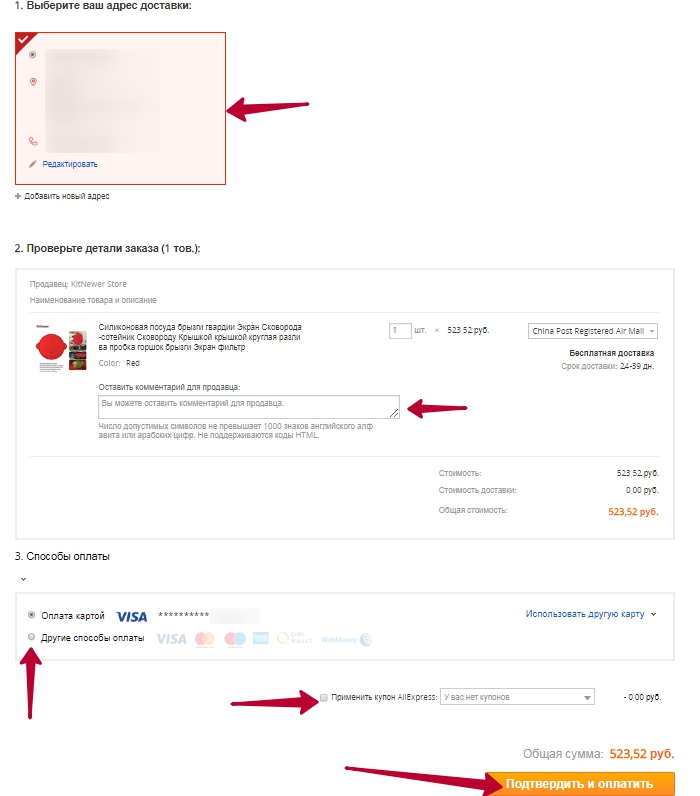
You saw standard steps. Now it starts all the most interesting. In the table, choose the payment option for the card. Enter data in the field. Then you will seek the CVV2 code, which can be found in your bank, or via the Internet banking, enter it, then comes the confirmation code, confirm and wait for the shipment.
How to return money with aliexpress on the card
If the goods did not arrive, if it looks bad, or has constructive, or other defects, you need to immediately open the dispute and do not regret the Chinese to take your money back. The dispute is opening up according to the standard procedure, point out all the shortcomings, you can even remove your unpacking on the video, then you will have indisputable evidence that good quality goods. After opening a dispute, some time will pass, while the seller himself will surrender and agree with your conditions, or so far Aliexpressit does not intervene and will not accept your side. After closing the dispute in your favor, within two weeks, it is on average (happens faster and longer) money back to the card.
In conclusion, I just want to say that the system itself gives many opportunities to pay for goods in foreign stores, and if you often buy not only on AliexpressBut also on American sites, then you have your account in Pailepal just Mast Hev for each amateur remote shopping.

