Aliexpress Mobile application: how to download, cachek and discounts for mobile application users?

You can make profitable acquisitions not only on the main site. Aliexpress, but also in the mobile application. Navigating in Aliexpress Shopping is as convenient, all the main options are available, and prices are 3-7% lower than in the computer version of the online market. Where to download applications for various operating platforms, how to make purchases through mobile devices and get cache - tell me in the article.
Contents.
- Mobile version of Aliexpress
- How to download an aliexpress mobile application?
- How to shop through the Aliexpress mobile app?
- Cashback Aliexpress via Mobile Application
- How to use a discount in the mobile application Aliexpress?
- How to extend the defense in the mobile application Aliexpress Shopping?
- Dispute on Aliexpress in a mobile application, how to open a dispute?
Mobile version of Aliexpress
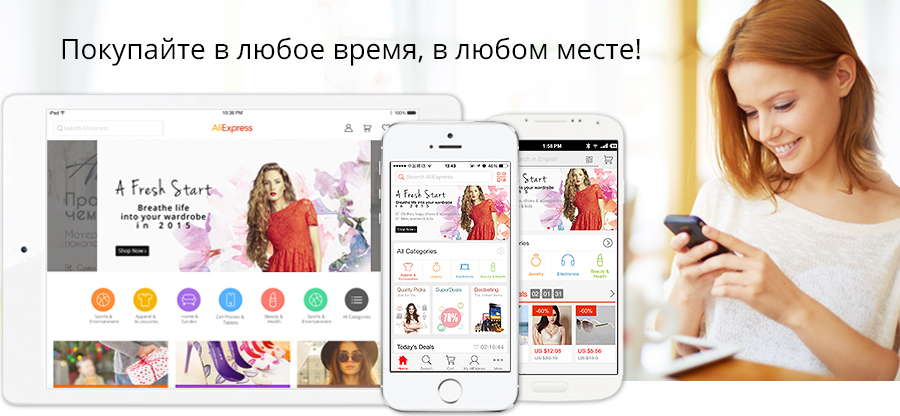
Mobile version of the Internet hypermarket - Aliexpress Shopping is compatible with devices running on operating platforms iOS, Android, Windows and others. Application Aliexpressadapted for comfortable shopping and fast mobile shopping literally in several clicks. If before installing Aliexpress Shopping, you have already registered your personal account on the main resource, all data of your account and settings will be automatically synchronized with the mobile application.
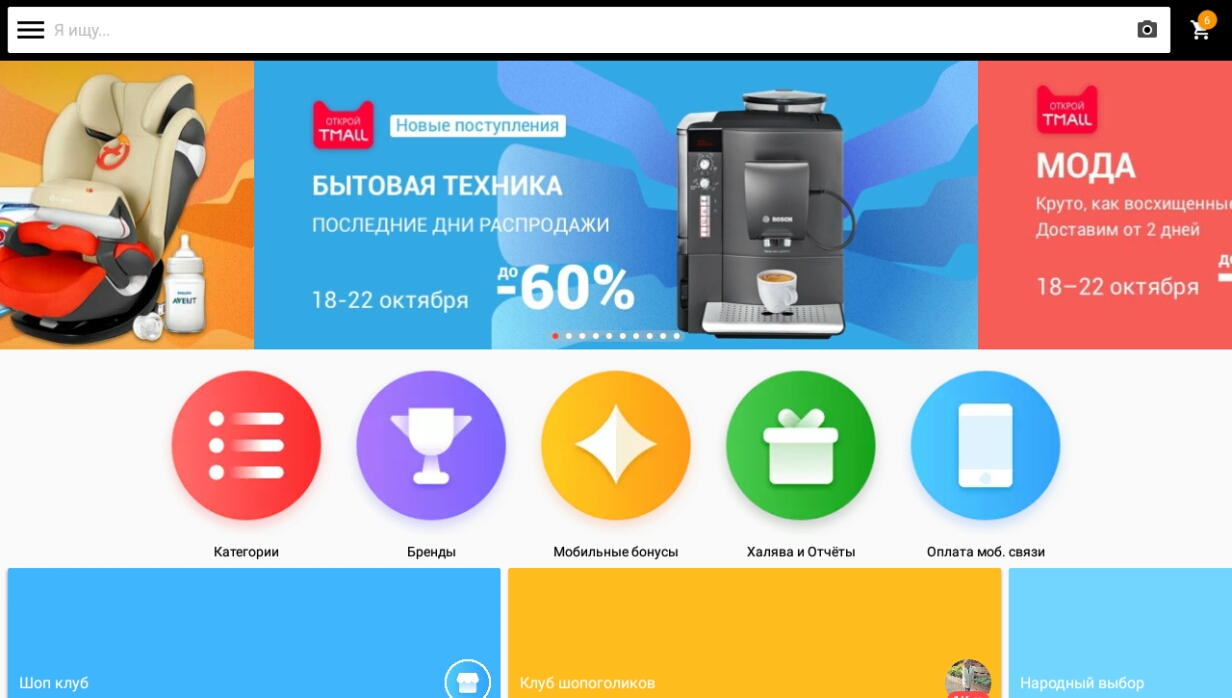
In major trading sections Aliexpress Shopping you can:
- search for goods with text requests and photos;
- get acquainted with collections of original brand products;
- view the range of virtual markets by category;
- use lists of sorting filters;
- leave messages to sellers and communicate online chat;
- take trade transactions, choosing optimal delivery methods and types of payment.
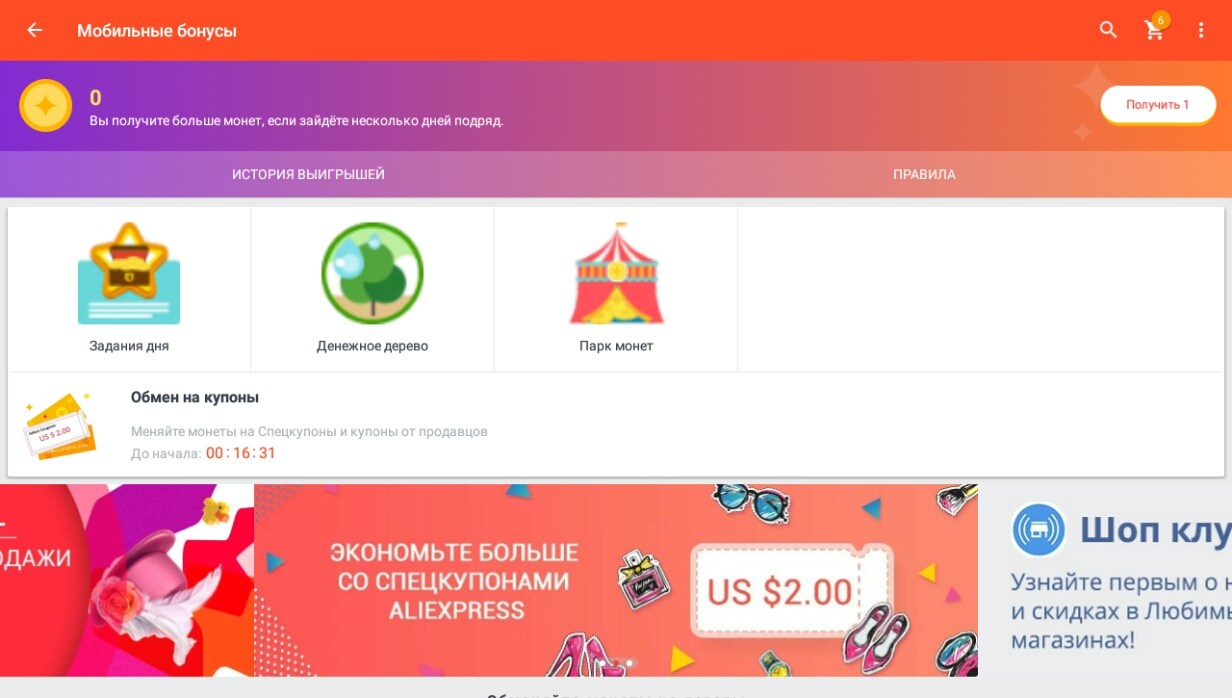
In additional sections of mobile Aliexpresscan:
- scoop prize "coins", participating in daily promotions and games, and exchange them for special packs;
- do profitable acquisitions on burning products, "Halewa", "Fast transactions";
- replenish your mobile phone balance;
- use currency converter.
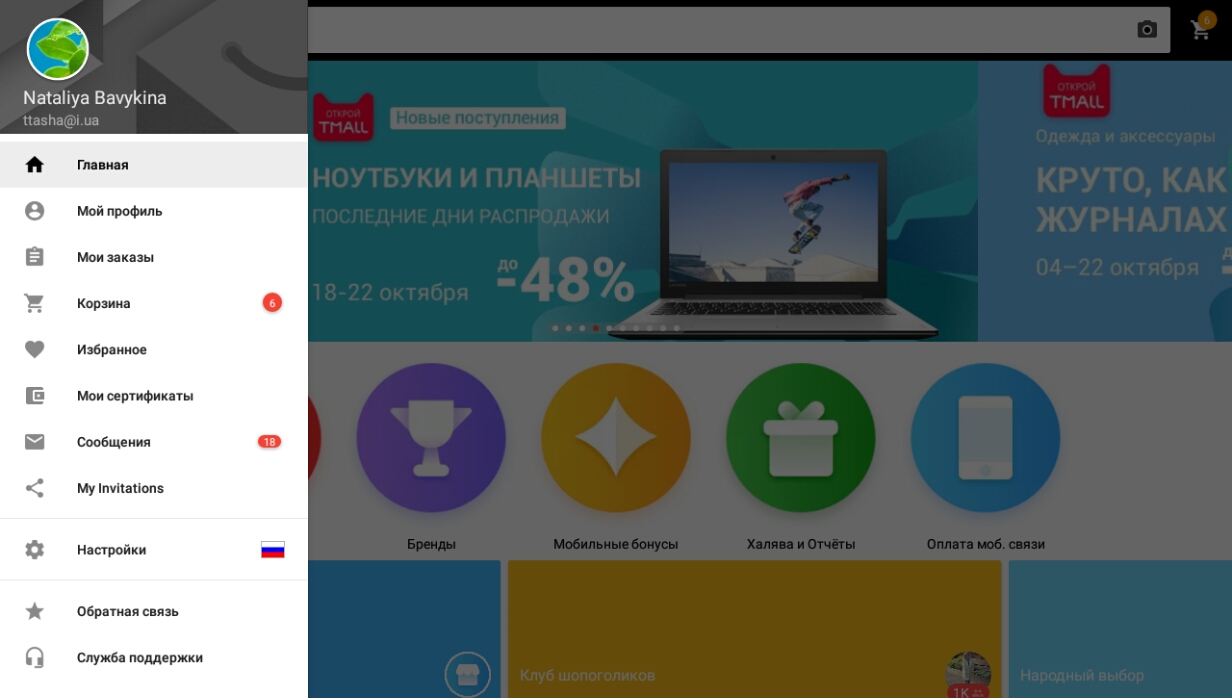
In the mobile version Aliexpressall Options for Personal Cabinet are available to you:
- account information;
- list of all orders;
- Shopping cart;
- Wishlists;
- list of coupons and certificates;
- correspondence archive with sellers;
- communication with support service.
How to download an aliexpress mobile application?

Download Aliexpress Shopping for Android You can in the Google Play directory. Download mobile Aliexpress for iOS - At the APP Store resource. To install the application to a stationary computer or a laptop, a special adapting program will be required. On how to quickly download Aliexpress Shopping to devices with various OS, we will describe in detail below.
how to install a mobile application on your phone and tablet?
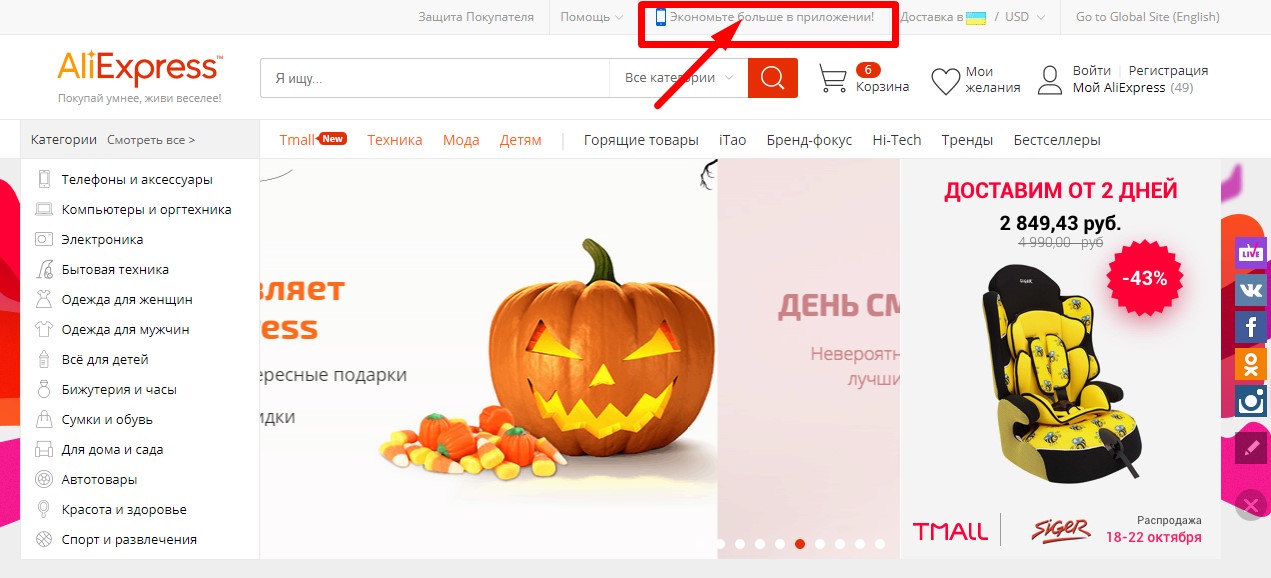
1. Open your application market for your mobile device on a PC or laptop. Go to app stores can be directly from starting Aliexpress. For this click "Save more in the application" At the top of the page.
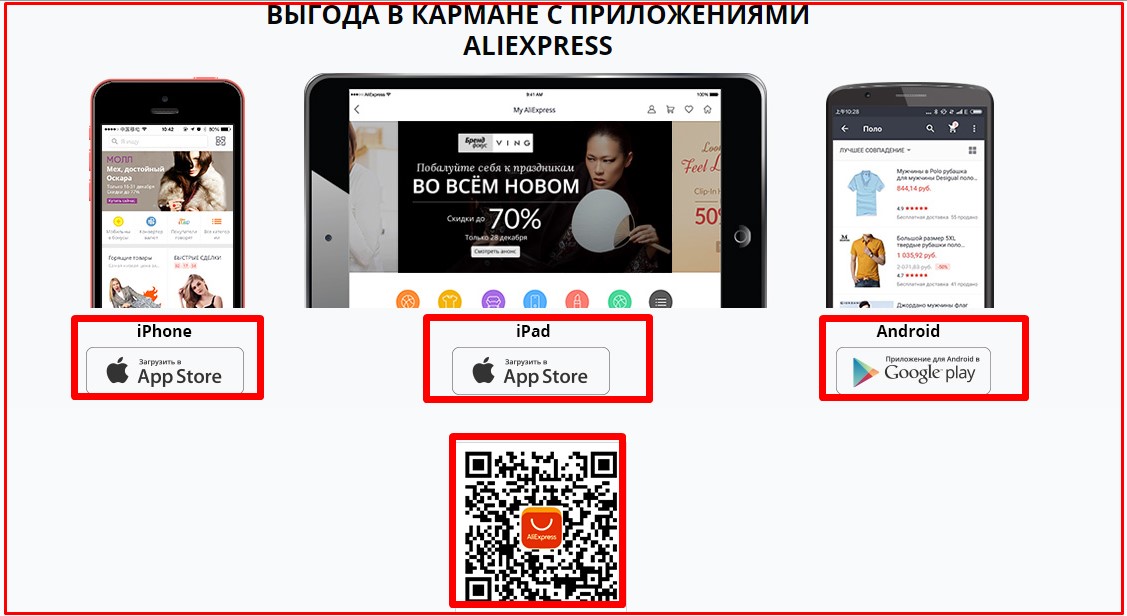
2. On the tab that opens, you will see links to download. Aliexpress Shopping, as well as QR code for quickly downloading a mobile application. Select a convenient way - click "iPhone Download to App Store", "iPad. Download to App Store "," Android. Download to Google Play "or scan the QR code and go to the Application Market.
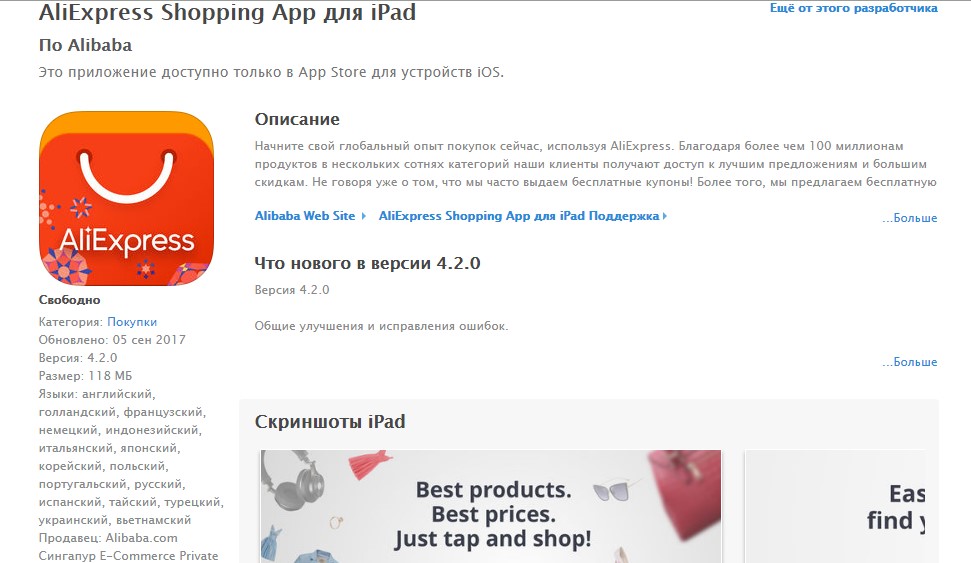
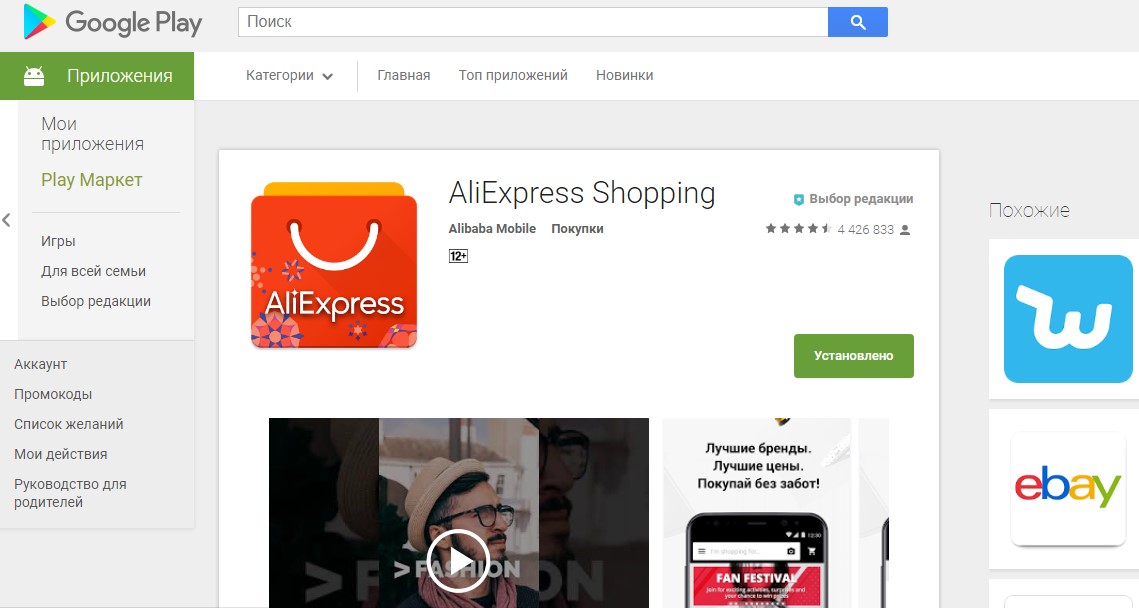
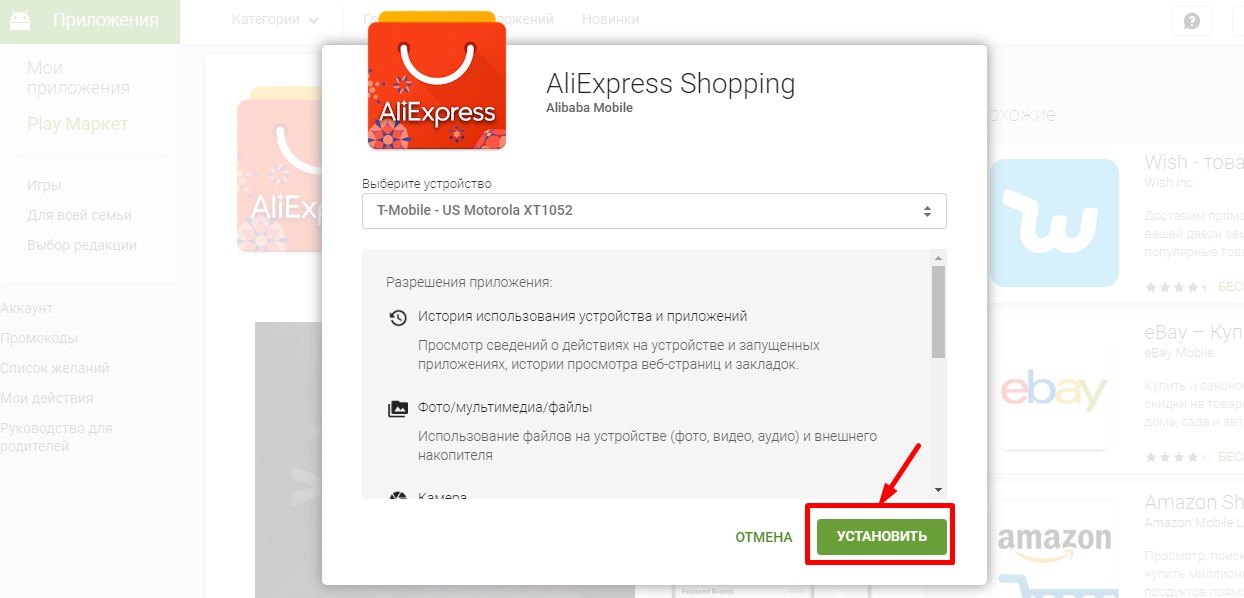
3. Load Mobile Aliexpresson a smartphone or tablet. Select the device in the list compatible with Aliexpress Shopping. Click "Set".
how to install Aliexpress Shopping on a computer?
1. For correct download Aliexpress Shopping on a PC, you will need to pre-install the emulator program. For example, BlueStacks. For Android or Air iPhone emulator For iOS.
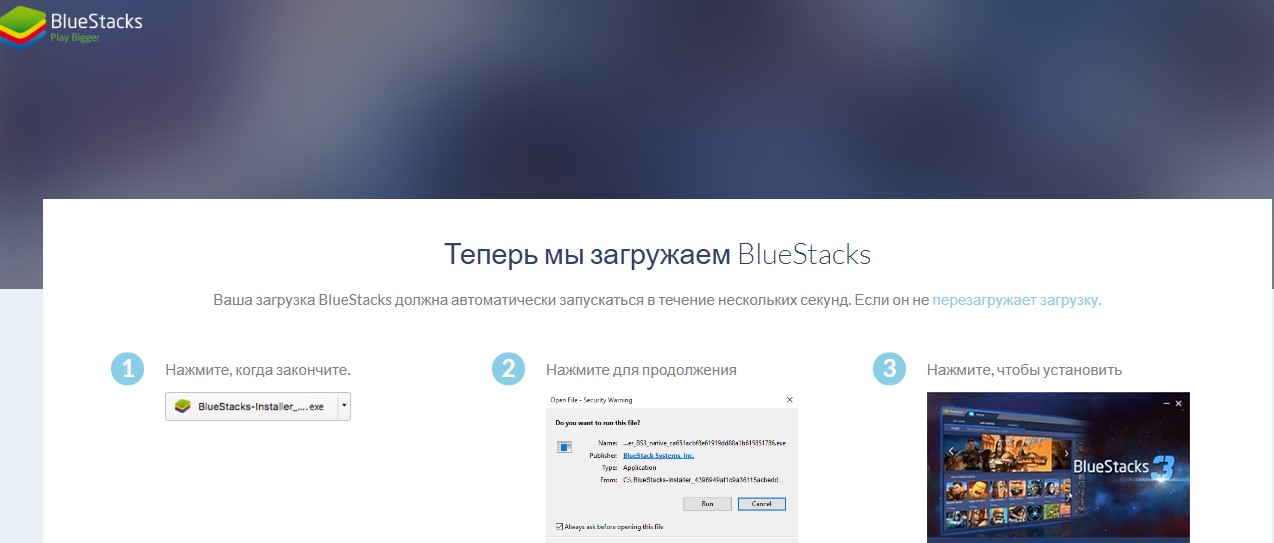
2. Log in by following the program prompts, or create a personal BlueStack account account through one of the social networks.
3. In the search bar, type " Aliexpress" Click "Go to Google Play" or find Mobile Aliexpress In the "Application Center" section.
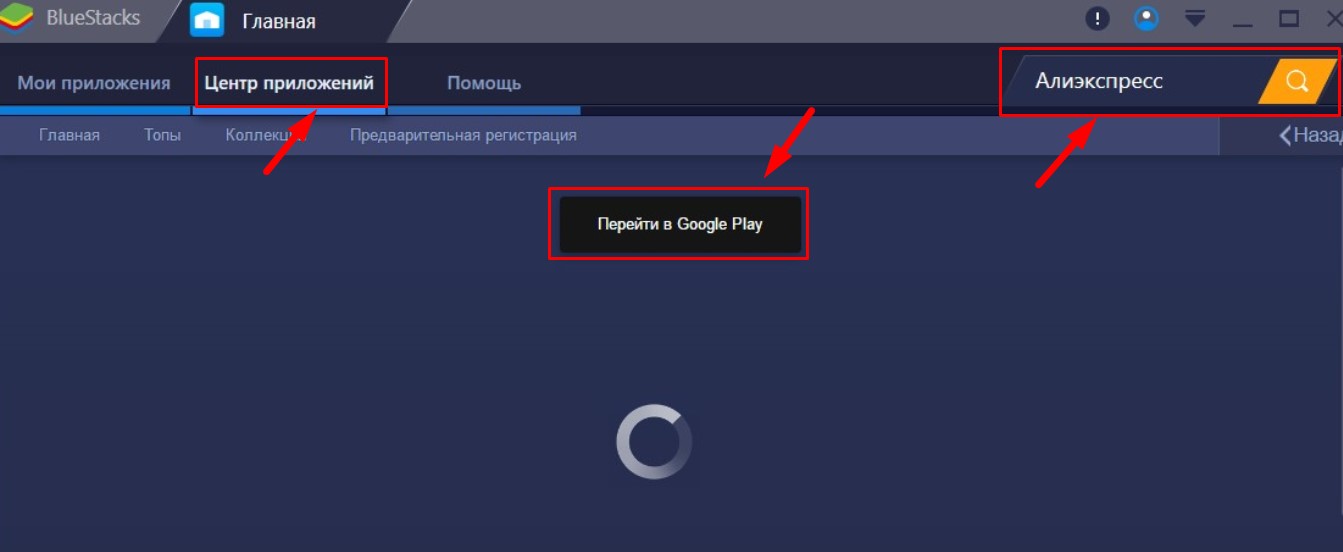
4. In the virtual market, select Aliexpress Shopping and boot the application to a computer or laptop.
How to shop through the Aliexpress mobile app?
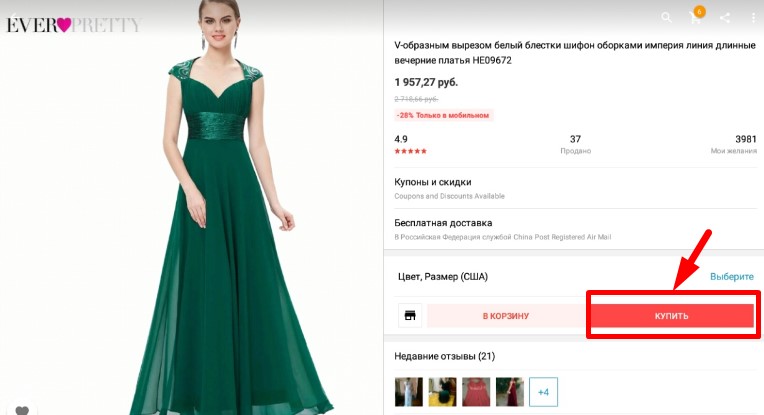
Shopping sequence Aliexpress Shopping Show on an example of an order of the female evening dress Ever:
Step 1. Expand in Mobile Application Aliexpresstab with dresses description. To do this, click on the photo in the gallery of the goods. Check out the characteristics of the product, the terms of delivery, reviews. Click "Buy".
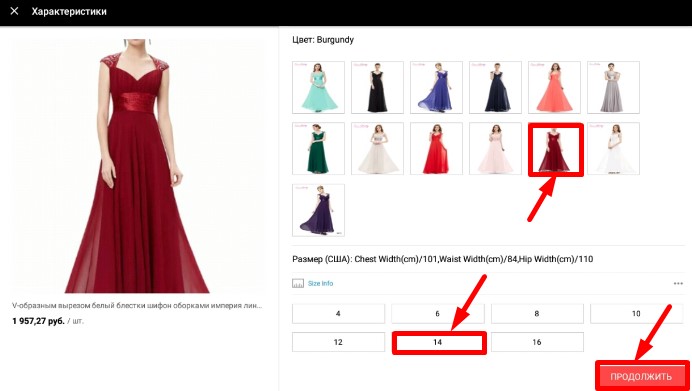
Step 2. Sellers Aliexpress It is often offered products of various colors, sizes, completeness, etc. in one lot. You can select the desired characteristics on a separate tab of the mobile application. To go to the next purchase step, click "Continue."
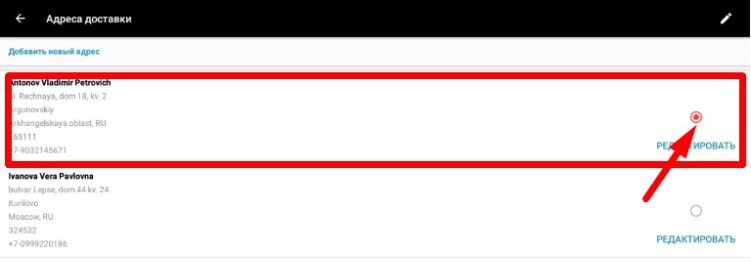
Step 3. If you have already made orders in the desktop version AliexpressAll the saved delivery address system will be available in the application and you will only have to choose the desired one. If you buy on the Chinese trading resource for the first time or you want to send a parcel with a product to a new address, you will need to fill out and save the address form.
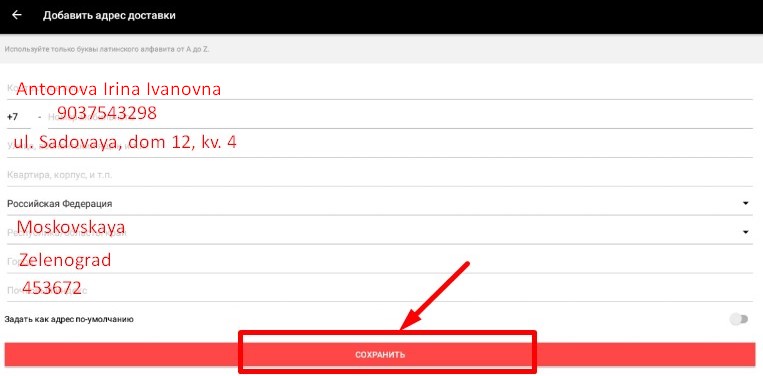
Step 4. Important: All address data must be dialing with a translite (English font). For orders sent to the Russian Federation, be sure to indicate the full name of the recipient. The order of forming a form: First, enter the name with the name and patronymic, then the mobile phone and the shipping address. In the following graphs, please inform: the country, the area, settlement, as well as the compartment index in which the parcel should be sent. Upon completion, check the form, and then click "Save".
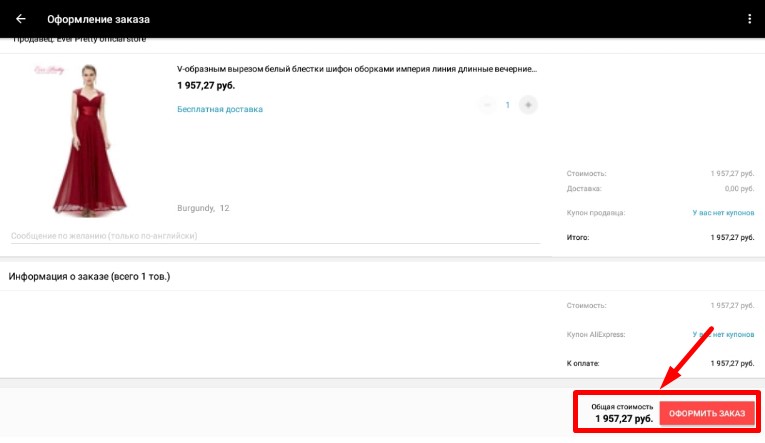
Step 5. Make sure your order is in the mobile application. Aliexpress Decorated according to your desires - check the form, read the final sum. If you have a coupon with suitable conditions, do not forget to activate it when buying it to get a discount. Select a convenient option to calculate with the seller - make the appropriate mark in the "Payment" column. Click "Place an order" and go to payment.
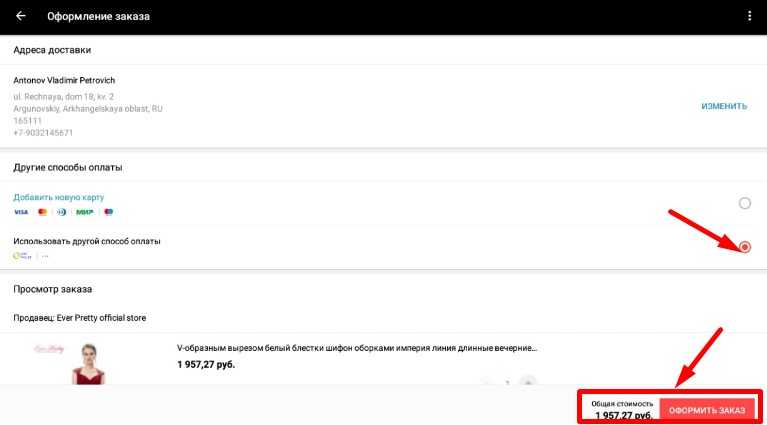
Step 6. If you have chosen a bank credit card, make it details in the downloaded system Aliexpress Shopping electronic form. Check and confirm this data - click "Pay Now." After that, you will be transferred to the payment service website, where you can complete the payment.
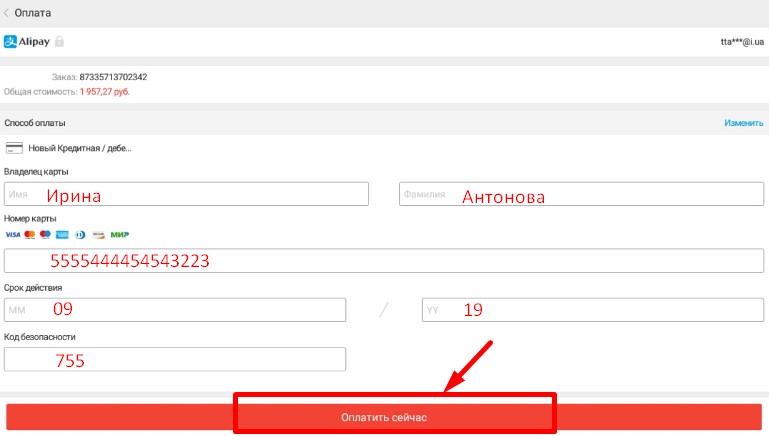
That you have successfully calculated with Aliexpress Shopping, the resource system will notify you in a message that after a couple of seconds after confirmation of the payment will appear on the display of the smartphone or tablet. Information about the goods paid by you will be saved in the personal account of the mobile application Aliexpress(Section "My Orders"). After checking the payment, the order will be transferred to the seller processing during the day, and after another few days later, registered in the postal register and sent to the address you specified.
Cashback Aliexpress via Mobile Application
Receive refunds on cashback service can be, and for purchases in the mobile Aliexpress. What will it take to believe you cashback has been taken into account:
1. Visit cashback-life, for example, in LetyShops, mobile browser. Be sure to log in.
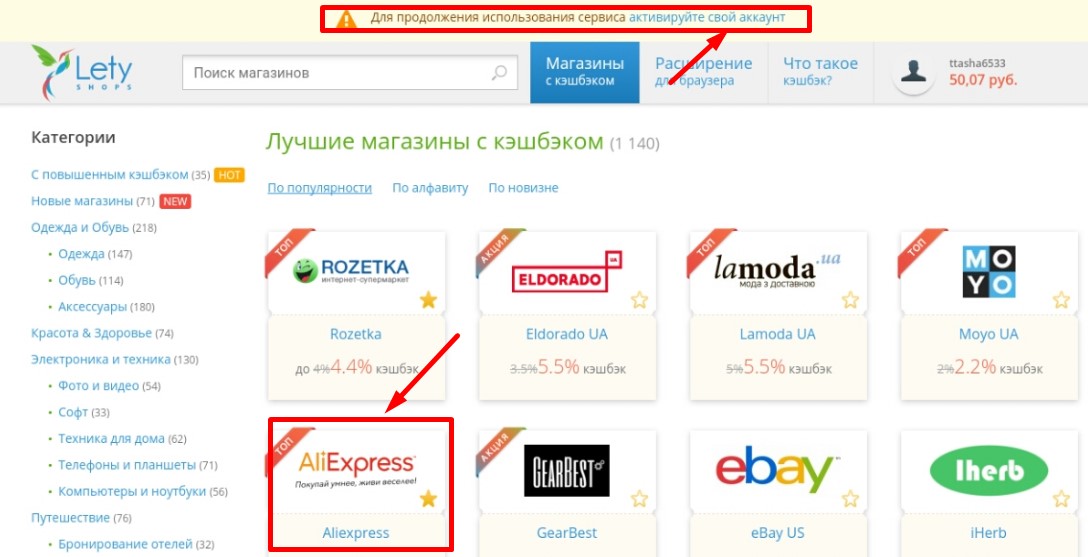
2. In the list of stores cooperating with the service, click "Aliekspress" and navigate to the application Aliexpress Shopping.
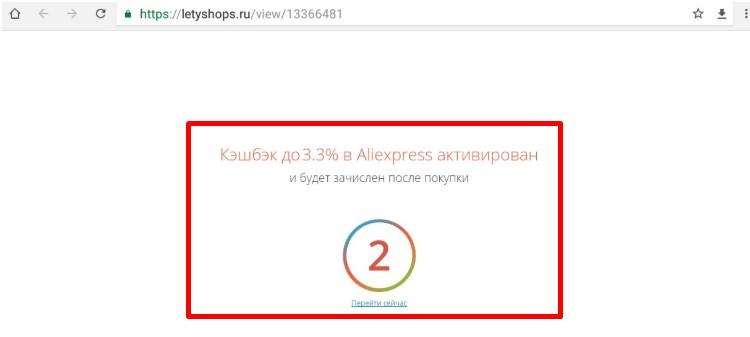
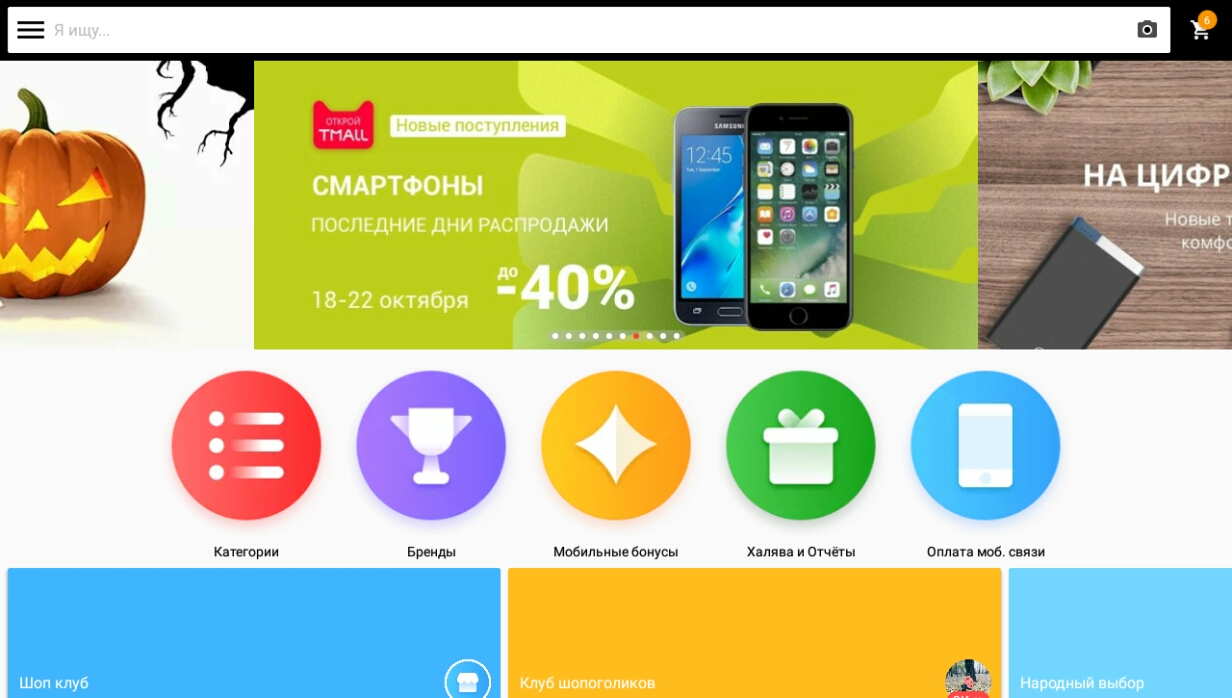
3. Choose products, process, and pay purchases in a mobile application Aliexpress, normally. Your cashback will be activated automatically. To ensure that you receive a refund of the payment, it is important to take your order on the AliExpress Shopping within an hour.
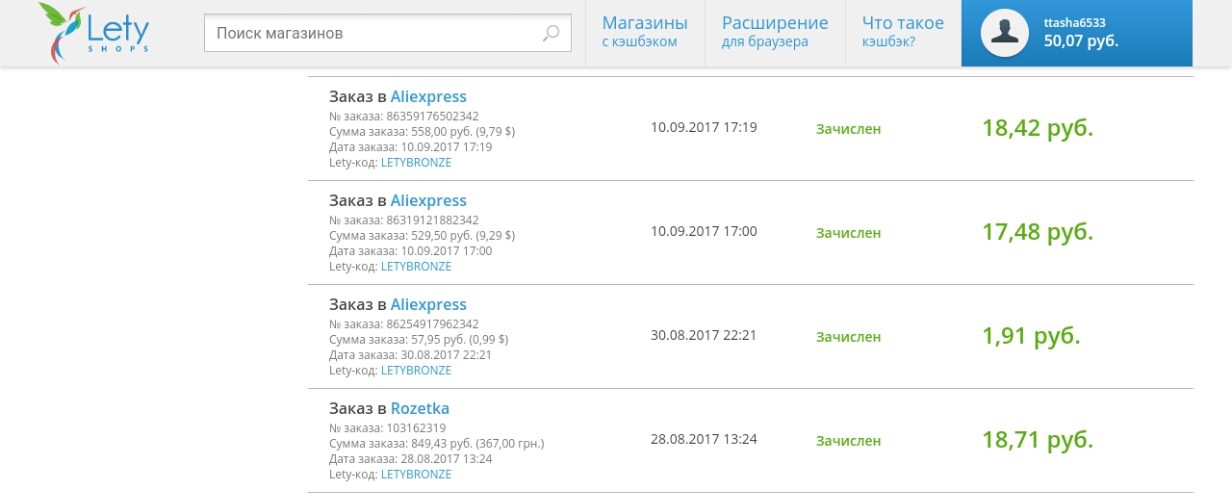
After the payment to you via e-mail will be sent for confirmation and enrollment bonus for a certain amount. Get a refund can be on the terms of your chosen cashback-service.
How to take advantage of a discount on the mobile app Aliekspress?
For shopping in the mobile app does all kinds of discounts, available to users of the computer version Aliexpress. Looking products in the directory, look for the option "Discounts and rebates" in the descriptions of the lots. Here you can find coupons from merchants online hypermarket and offers additional discounts. As a rule, they are activated, if the order value exceeds a certain amount.
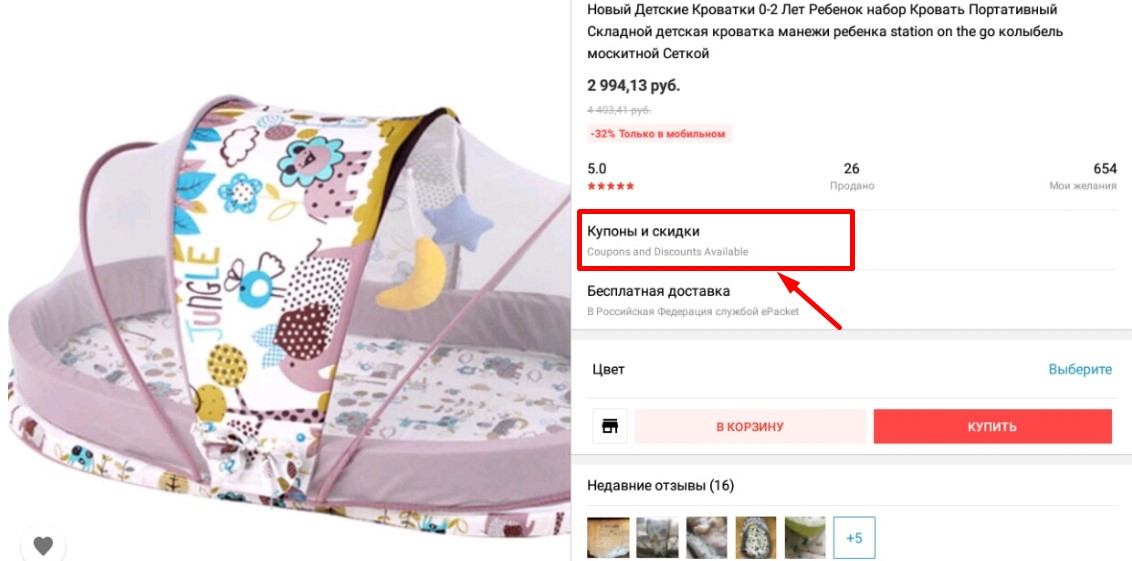
How to get a discount when buying in Annex Aliexpress Shopping? All eligible under the terms of coupons and special discounts from vendors will be automatically taken into account in the order confirmation form and the formation of the final account.
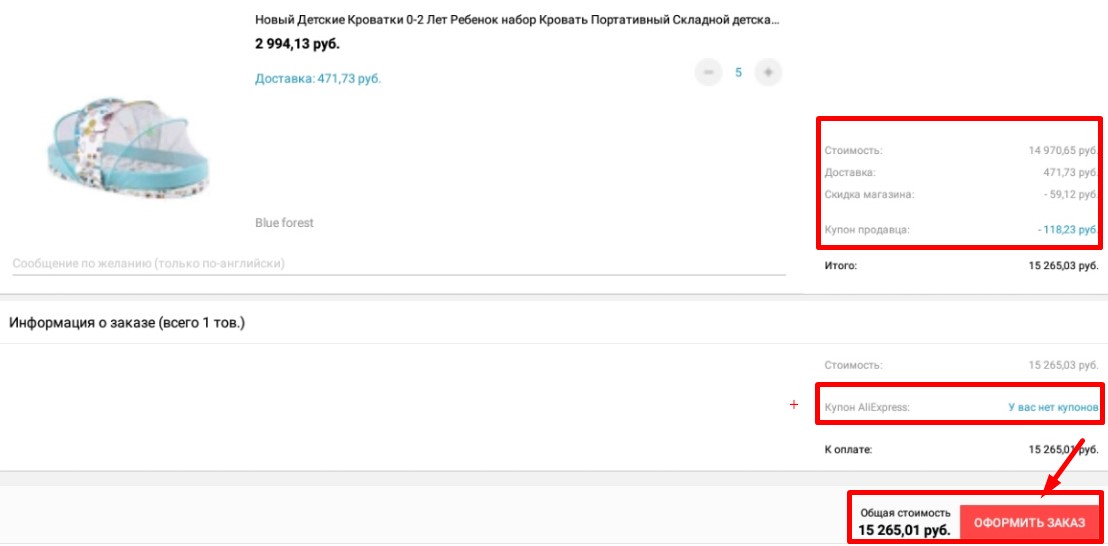
If you have plenty of coupon AliexpressIt must be activated in addition to the existing discounts and coupons Seller - click the "Apply Coupon".
How to extend the protection in a mobile application AliExpress Shopping?
The possibility to extend the "buyer protection" in the mobile version Aliexpressit is not provided. However, you can request to change the terms of protection directly to the seller. Click on the icon "list" in the left corner of the home page AliExpress Shopping. Go to the "My Orders", then click the order in which want to extend the protection. Then click "Messages", fill in the text field and click "Submit".
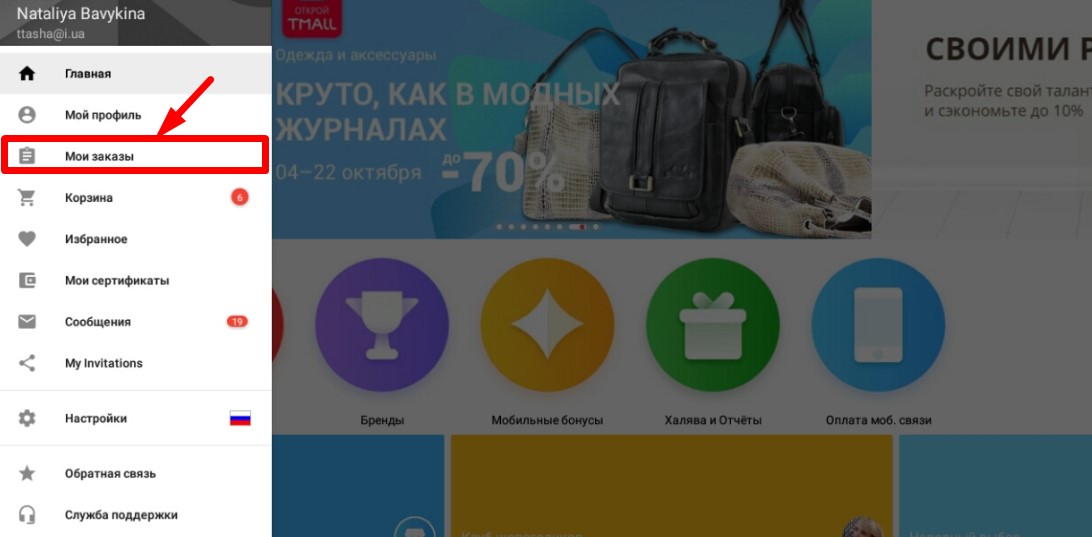
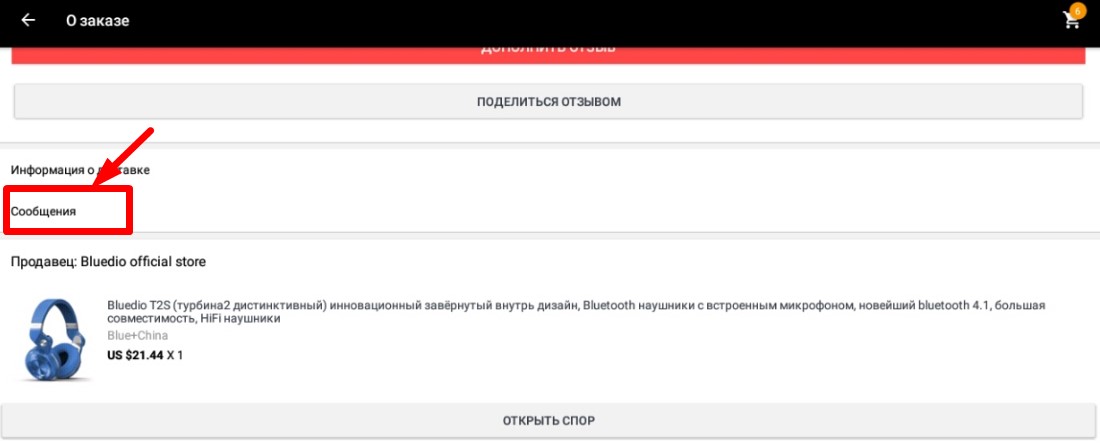
In addition, you can open the browser smartphone or tablet full version Aliexpressand increase the protection of purchases in the usual way.
Aliekspress dispute to the mobile app, you open the dispute?
If the order is to Aliexpress not sent / not delivered the promised time, or you are dissatisfied with the quality of the goods, you have the right to open a dispute.
This can be done in the mobile version of the Chinese resource:
1. Click the "List" icon in the left corner of the starting Aliexpress Shopping. In the list of sections, click "My Orders".
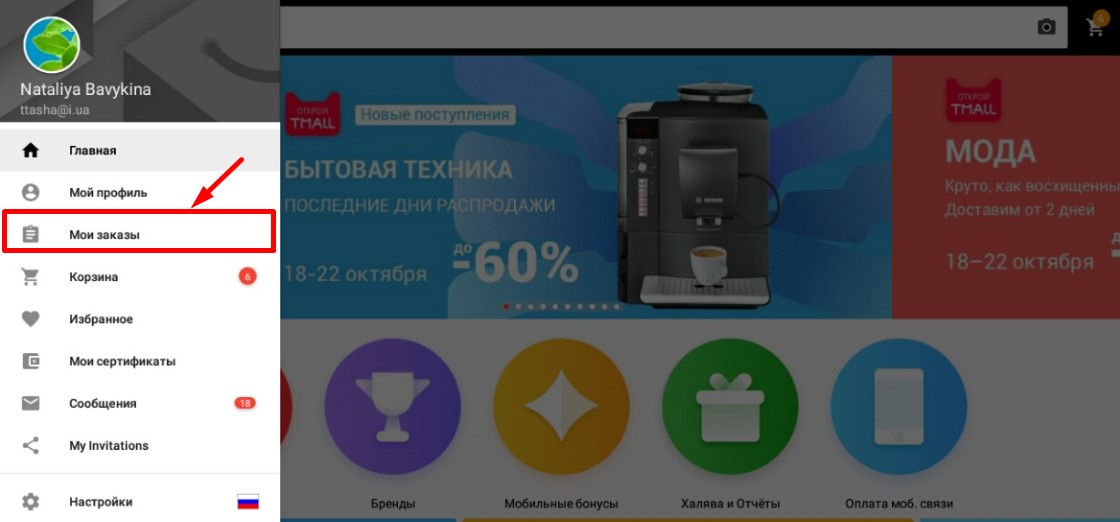
2. Open the order for which the dispute intend to start. Click on the name of the goods.
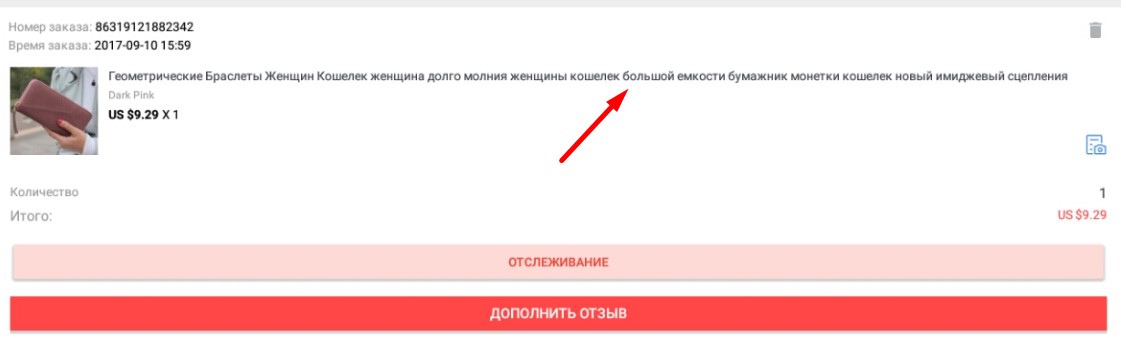
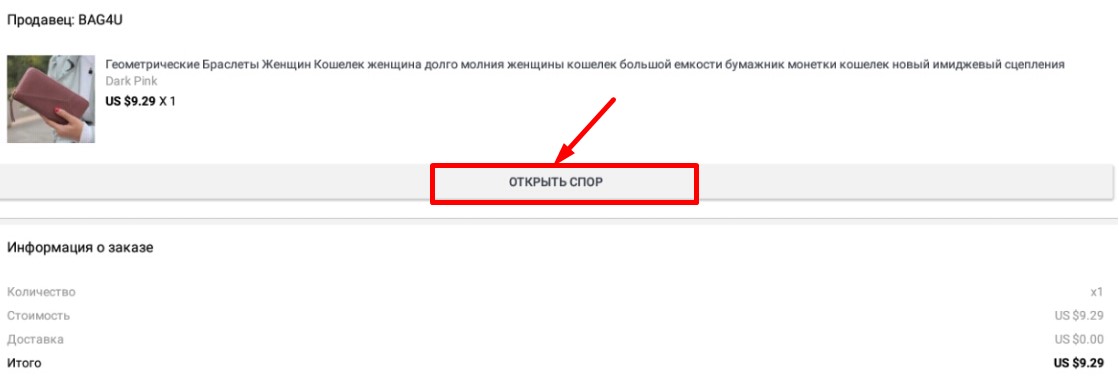
3. In the next tab, click "Open Spore".
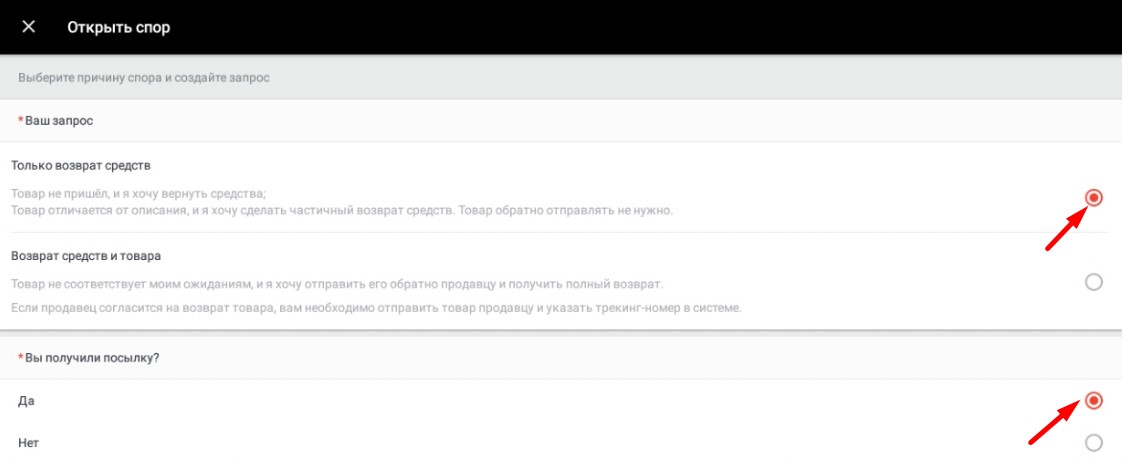
4. Indicate what type of compensation intend to request Aliexpress: Return money without returning the purchase or refund of funds in exchange for goods. Notify whether the order received.
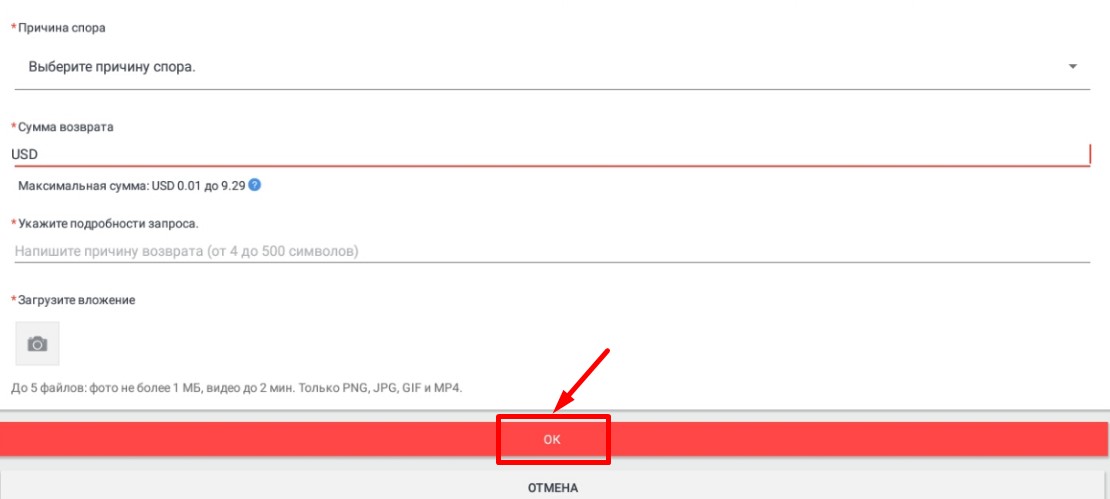
5. Select the progress in the list. Next, enter the amount you expect to get along the dispute. In short, set out the essence of the claim in the text field. Load a few photos or videos as evidence. Click "OK".
For five days, the problem can be resolved in the personal correspondence of the seller with the buyer. If during this time they can not come to the agreement, the decision helps the dispute settlement service Aliexpress.
We wish you a pleasant shopping!

