What cards accepts aliexpress: map of Tinkoff, corn, Sberbank card?

During the order of goods on the famous resource Aliexpress I want to save maximum way. Free shipping is always available for users, as well as gratuitous ways to transfer funds for purchases. The most popular option for calculating without commission fees for the transfer is the payment by bank and payment cards. With the help of them, you can not only pay for the goods you like, but also earn. We will tell about these and other nuances in the article below.
Contents.
- Aliexpress, how to pay for a Sberbank card?
- Does Cashback Aliexpress on Sberbank Card?
- Return of money with Aliexpress to Sberbank Card
- Corn Map Aliexpress, how to pay for corn map Aliexpress?
- Aliexpress Cashback on Corn Map
- Return with Aliexpress on Corn Map
- Map Tinkoff Aliexpress, how to pay for the purchase of Aliexpress by Tinkoff card?
- Map Tinkoff Aliexpress 50+ for the first purchase
- Cashback Aliexpress on Tinkoff Card
Aliexpress, how to pay for a Sberbank card?
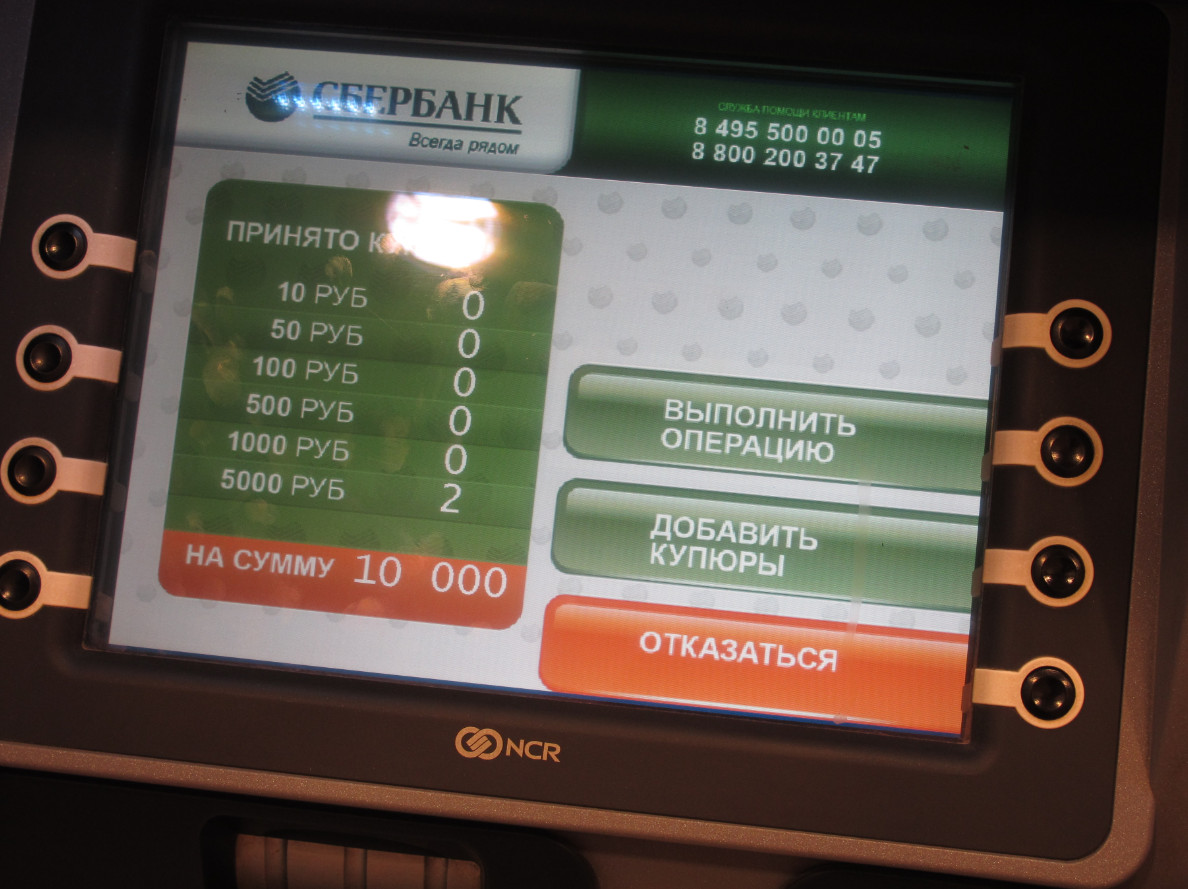
The Sberbank Card is perhaps the most common card that the Russians enjoy. It comes to salary, social payments, pensions, it is given to personal expenses. Sberbank releases Visa, Maestro, MasterCard payment systems cards, peace. It turns out that there are always some means on such maps, and if they are over, they can be easily paid through an ATM or cash desk.
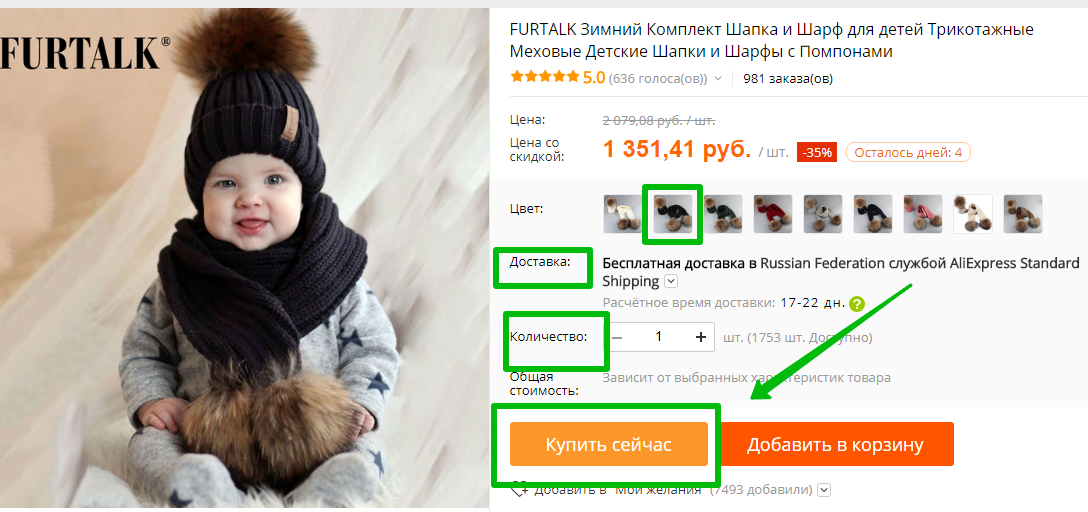
When paying a Sberbank card on Aliexpressthe bank does not take the commission. Moreover, it concerns both credit and debit cards. Agree, very convenient. You can use payment immediately after selecting the desired product. Get to the "Buy Now" key.
Several information fields will appear on the next page, where data will be specified with the address, the order items. Go down to the field 3 — Payment Methods. By default, there is a payment by a bank card. Specify the data specified on the front and reverse side of the card. As an example, use the photo attached below.
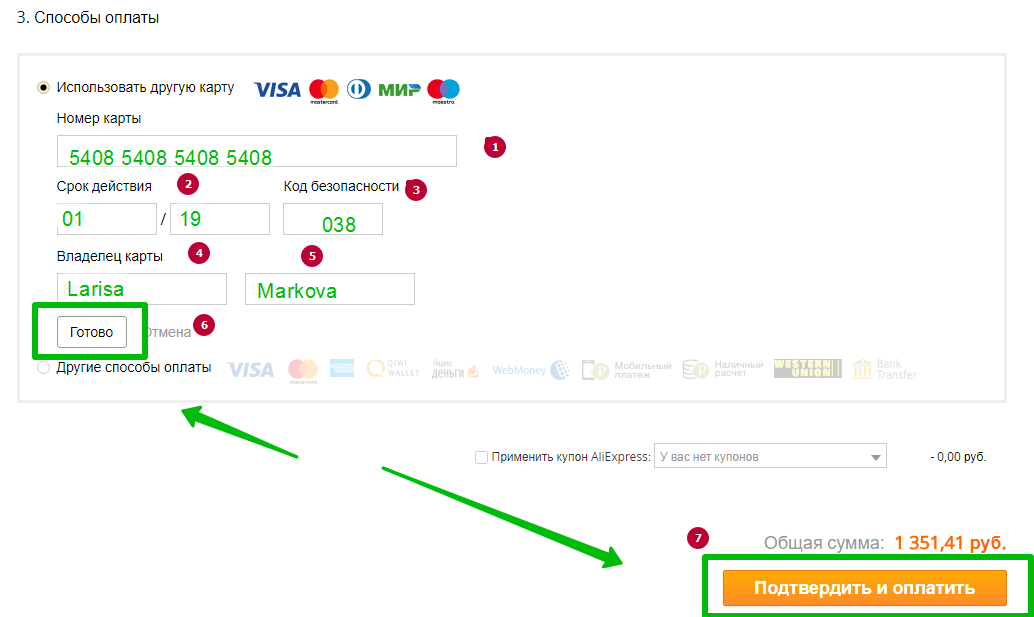
- First indicate the card number. Depending on the type of payment system, it can take from 13 to 18 digits;
- After that, specify the validity of the card. This information is on the front side of the card;
- Next, fill out the security code that is on the circulation of the card at the end of the Customer Signature Field. For maestro cards, this field is not always filled;
- In this field, specify the name of the card holder exactly as on a bank card, in English font;
- Specify the surname, too, in English font;
- After filling out all the information, click the "Finish" button;
- Before paying, press the "Confirm and Pay" key.
Does Cashback Aliexpress on Sberbank Card?
Cashback or return the share of spent money on a Sberbank card can be carried out literally from each purchase. To do this, you should become a member of the bonus program on the Sberbank website online or subscribe to a bank, an ATM. However, equivalents are not currency, but bonus points. You can spend them in the outlets specified in the Sberbank List.

So paying to AliexpressYou will be accrued bonus points. However, most users are interested in the question of the real cache. You can use this option, you just have to use several other resources. On the Internet there are many sites with an affiliate program Aliexpress. There you can register, insert a link to the goods, make payment and wait for your cachek.
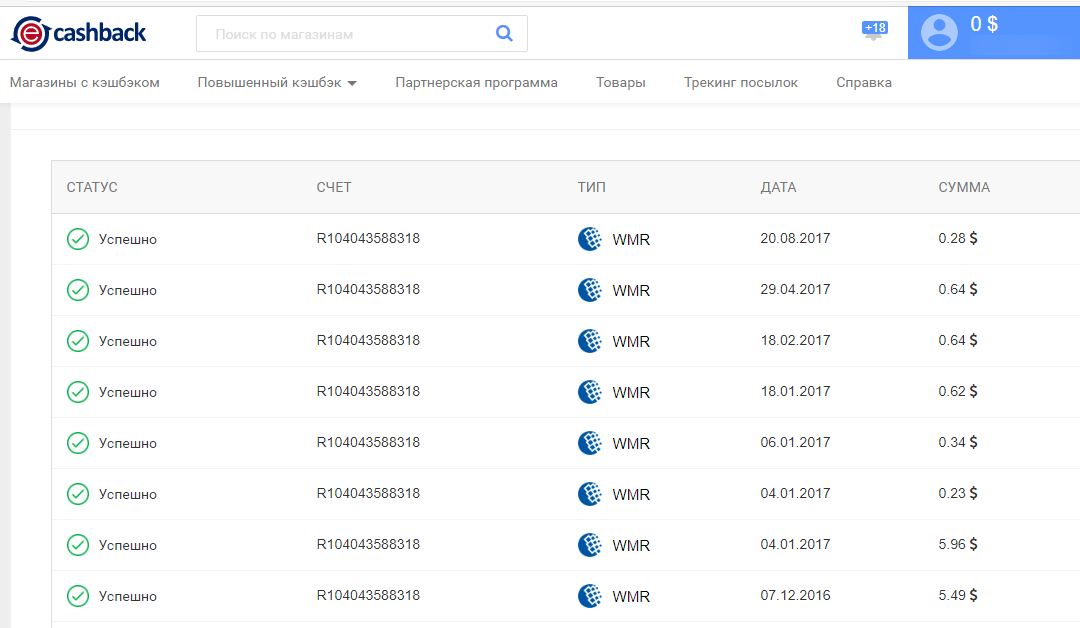
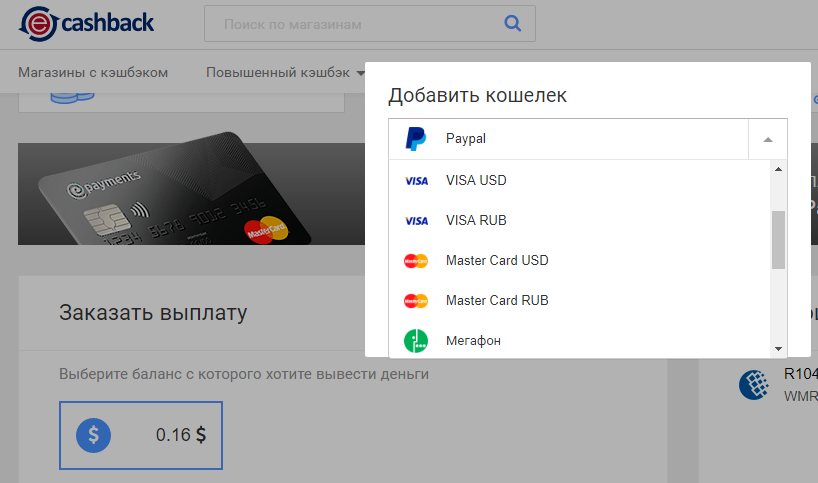
Money will fall to the electronic resource account, you will have your own office there, where you can track the amount of funds and withdraw them to a bank card. As a rule, on these sites there is a minimum level of payments - $ 0.20. Starting from this amount, you can output funds to a bank card, electronic wallet or phone account. Output options depend on what resource you decide to use.
Return of money with Aliexpress to Sberbank Card
Do not worry if your purchase is unsuccessful. You can always return the funds spent from the card. By the way, you need to open a dispute within 14 days from the moment of confirmation of the receipt of the goods or when you received your order, instead of the "Confirm product receipt" key, press the "Open Spore" key. If there are no buttons to open a dispute, then the time is missing and you will not have the opportunity to return the money. But we will not think about the bad, open the dispute, indicate the reason why the product is not suitable for, and wait for confirmation from the seller.

The seller can return both all means and their part. Not all suppliers agree on the banal causes "not liked", "the color is not like in the picture" or something like that. Anyway, some amount of the seller is obliged to return. Return to all the rules is issued within 10 days. During this period, the agreed amount should come to the account of a bank card.

If the dispute is on Aliexpressdelivered, then you can attract the site administration. Then the return period for obvious reasons is postponed, but still from the moment of decision will be counted 10 days. There is here and one more secret if the seller turned out to be a site that supplies low-quality goods and you managed to prove the arbitration side AliexpressYou can also require compensation. And it is about 3 amounts from the paid price tag.
Corn Map Aliexpress, how to pay for corn map Aliexpress?
All owners corn maps MasterCard Standard, Mastercard World, Mastercard PayPassthey can easily pay their purchases without leaving home. This requires only to replenish the card account with a sufficient amount of money. You can replenish the account directly without leaving the limits of the house or work from the bank cards of the visa or mastercard.

To proceed to online purchase, go first on corn payment card website. In the upper right corner of the page that opens, enter the 13th number with the barcode, which is on the back of the map. Below click "Go to Aliexpress". So you can get bonus points for all your purchases with corn card on Aliexpress.
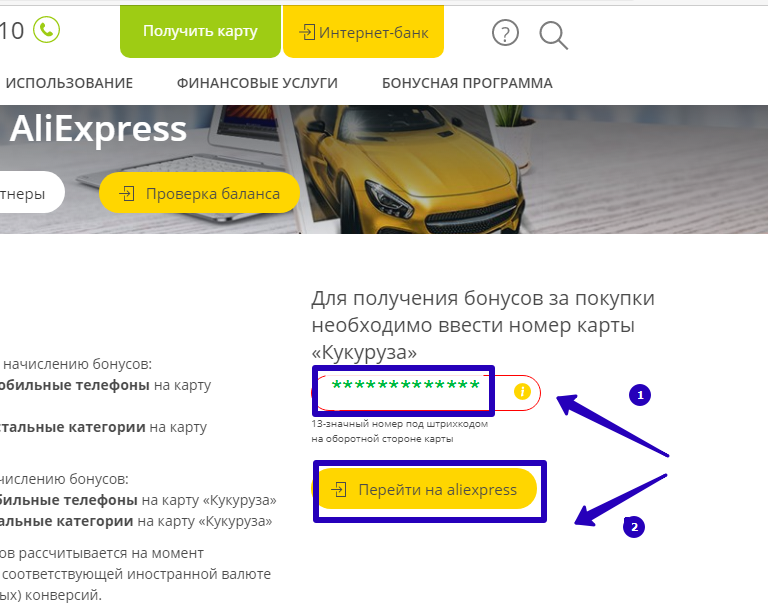
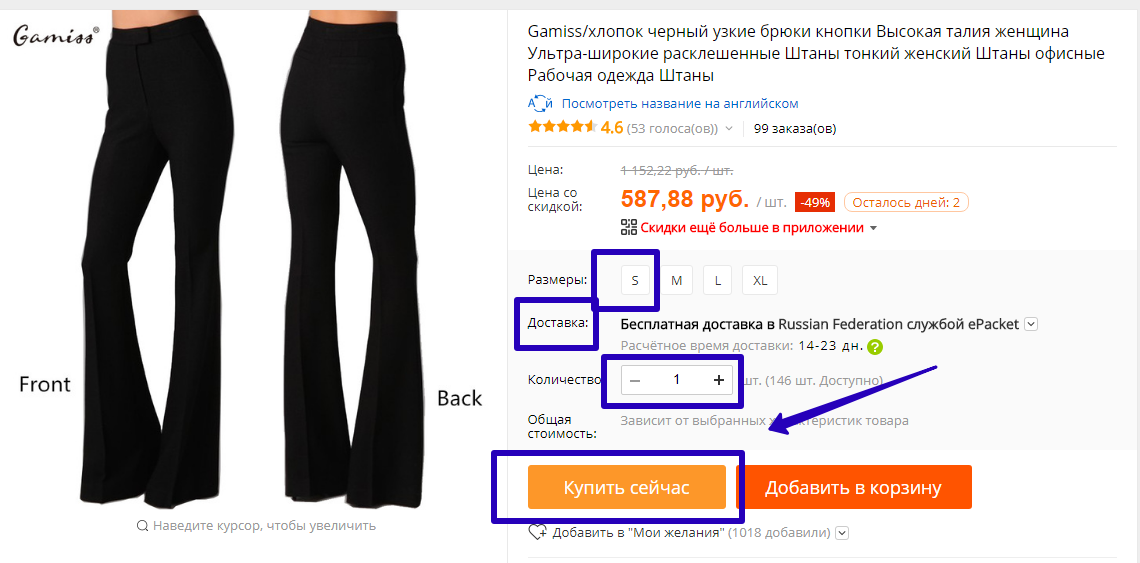
Next, directly on the site AliexpressSelect a section to order the goods. Check out the presented assortment, select the appropriate product, complete the fields for online purchases and click "Buy Now".
On the next page you will need to fill out some of the payment card. Purchase of goods by Aliexpressthrough the corn map, it is similar to the usual order through a bank card. Go down to the point 3 — Payment Methods and fill out the data exactly as on the map.
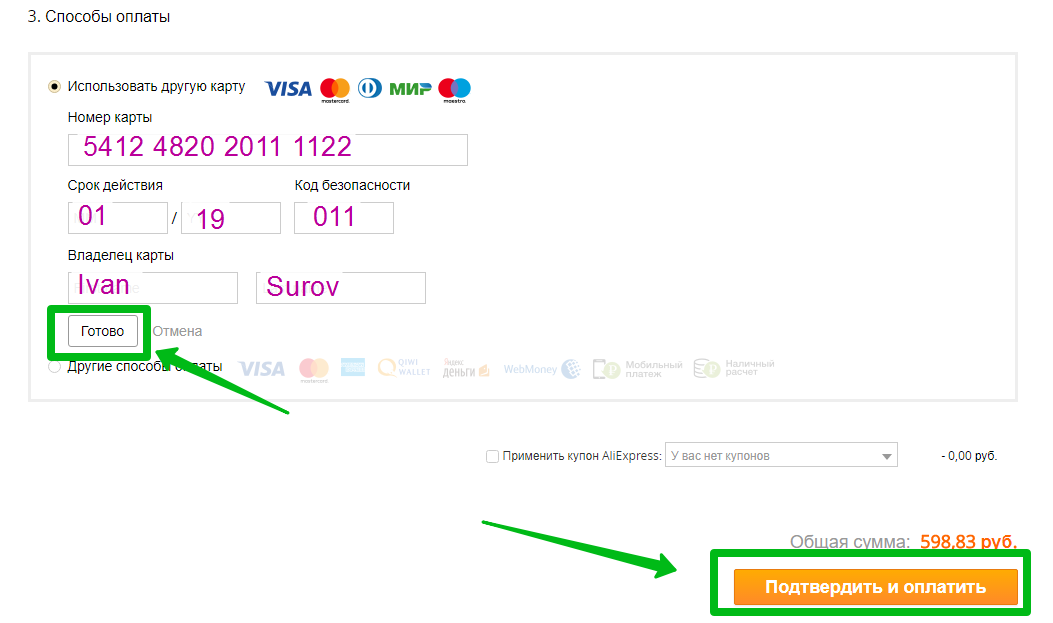
Transfer the number, the card validity period. On the reverse side, look at the three-digit protective code and transfer it to the appropriate cell. Such cards have one nuance - corn cards are not nomadic. They have no name and surname. However, this field should always be left filled. Enter the name and surname in English in the cells, as in the passport or use the Anglo-Russian translator. This data you left in the questionnaire when ordering a map. Upon completion of the information filling, click on the "Finish" key, and go to the next page using the "Confirm and Pay" button.
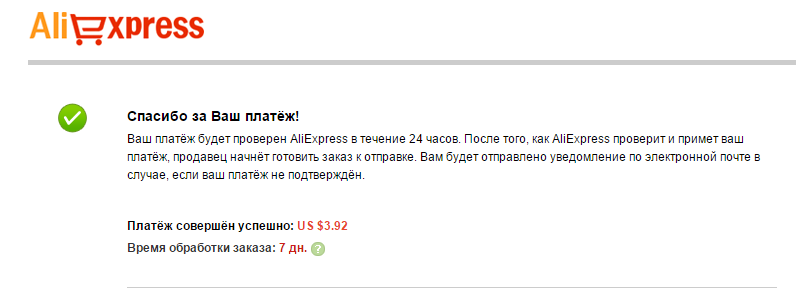
Thus, the corn card will be written off the amount of purchase. Before that, SMS notice will come about the intention to make a purchase. Next, a window will be loaded in the browser where you need to specify the code from the message. Confirm it and wait for the purchase form. Instead of the amount spent on the map, bonus tools that can be used for further purchases will be accrued.
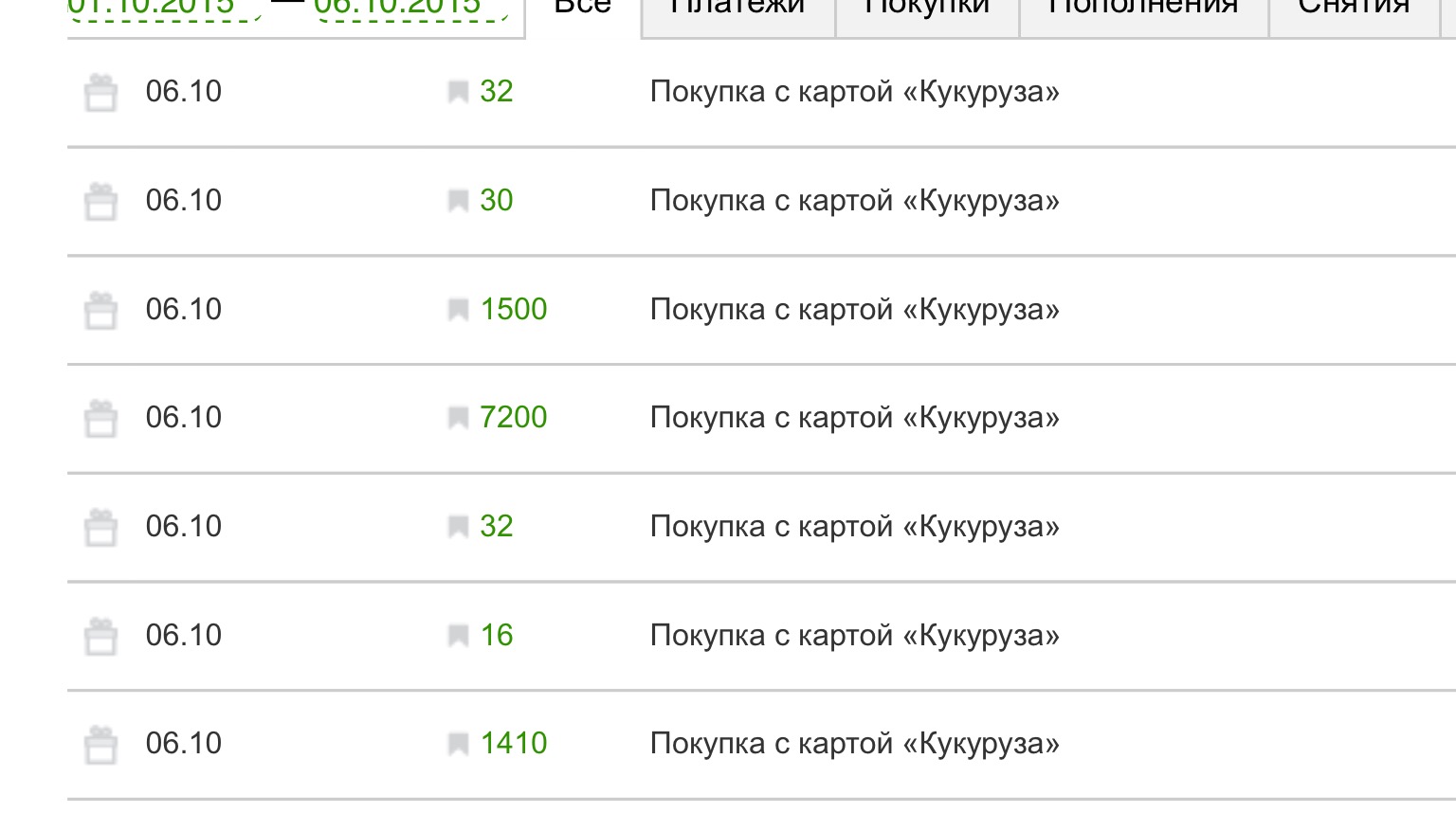
Aliexpress Cashback on Corn Map
Do you know that when payment by corn card is charged Cashback?
To get it, you need to know several rules:
- Proceed to pay for goods purchased on Aliexpress, you need to directly on The site of Corn;
- After entering all the data, you need to pay for the purchase during the first day. Otherwise, you will not get a cachek;
- Additional programs and sites on the accrual of bonuses to use is prohibited, otherwise the cachek will not return;
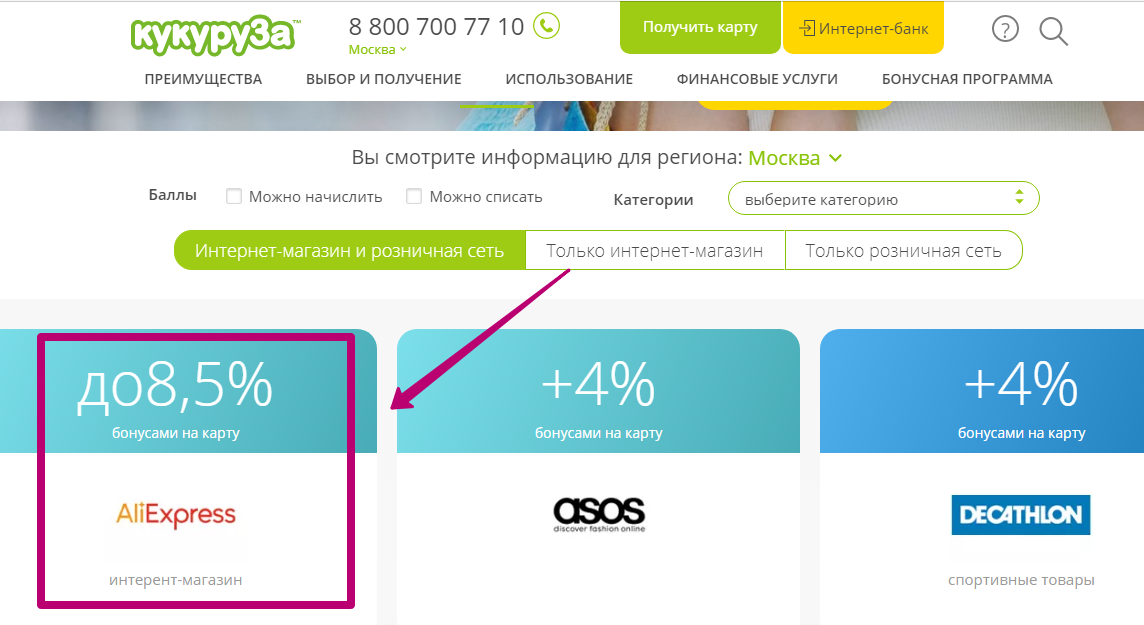
- It is also necessary to take into account the fact that Cashback is not charged for goods purchased in Tmoll.;
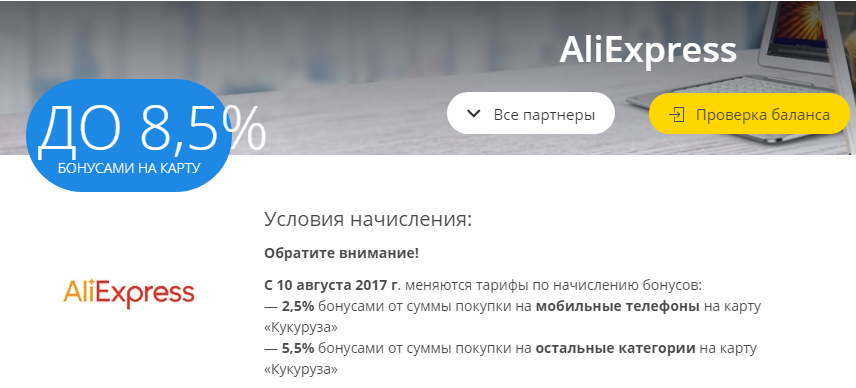
- When paying goods on Aliexpresswith corn card, 2.5% bonuses for buying mobile phones are returned;
- For ordering all other categories of goods on Aliexpress 5.5% cachek is accrued.
Earlier, the percentage of accruals was somewhat more, however, prices and bonus policies change and, despite the decrease in rates, buying with corn card still remain profitable.
Return with Aliexpress on Corn Map
In essence, the Corn Map is not a banking product, so after an unsuccessful purchase in the online store there is a question how to return money back to the corn card? It is not worth worrying about this. First, because Aliexpressalways returns funds according to the result of the dispute won. Secondly, if you have made a purchase on all the rules of corn (through the site of corn), then the money will be returned with a double rate.

In standard mode on the corn map, like on a bank card, money is credited within 15 days. But if you have a buyer's level on Aliexpressnot lower than A2 or made an order from the site of corn, then the money is returned in 4-7 days. Just check the balance in the Personal Office of the Corn Website and make sure the account is replenished. Sometimes it happens that the refund comes the day after the approval of the dispute.

Map Tinkoff Aliexpress, how to pay for the purchase of Aliexpress by Tinkoff card?
The Tinkoff card is drawn up in just a couple of days. Since its receipt, you can pay all products Aliexpress. At the same time, you will be charged a pleasant bonus in the form of cachek. Tinkoff Bank issues cards, both individuals and business customers. With all this, regardless of legal status, you can get a special Tinkoff card Aliexpress. She has more favorable conditions for orders in the online store.
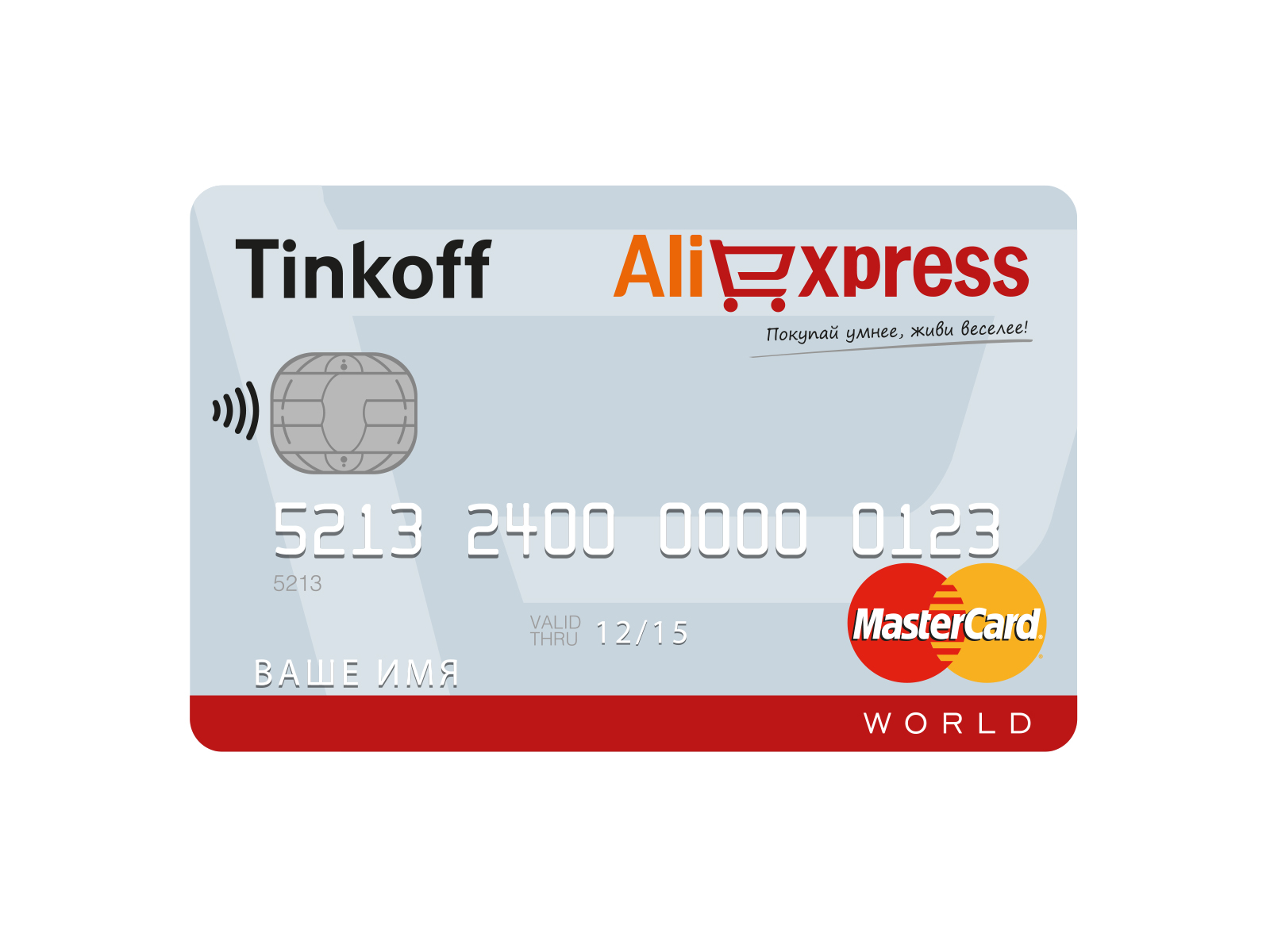
Payment for the order occurs in the same sequence as with the maps of other banks: Sberbank, VTB, Russian Standard and others. Select a suitable product for order. Fill in the fields with the necessary information about the product. Press the "Buy Now" key and wait for the next page.
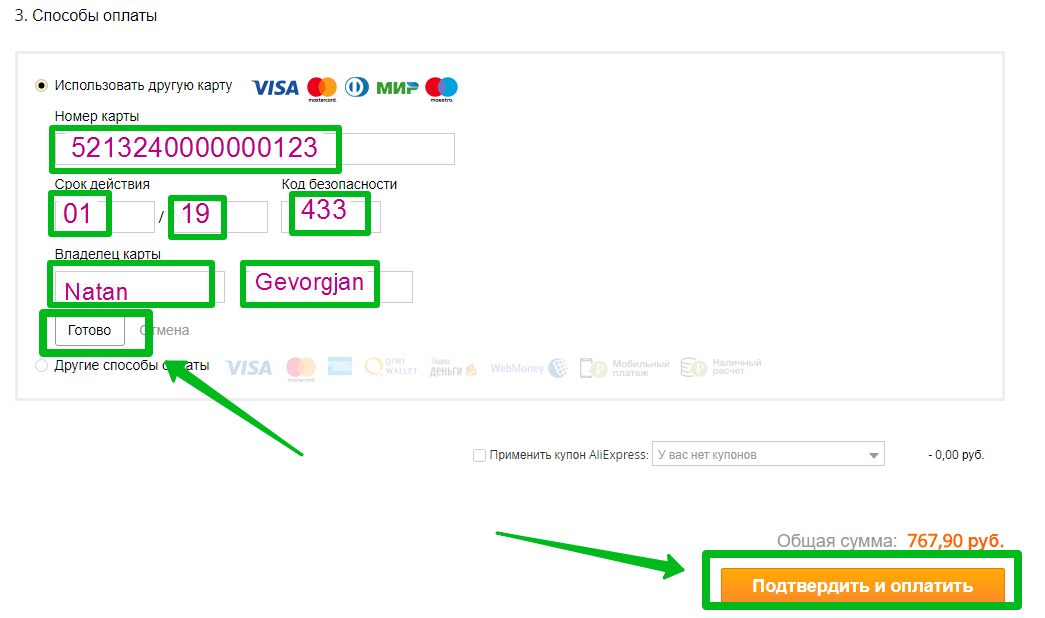
In 3, the default point is the calculation of the bank card. Fill in the fields with the map number, the name, the surname, which are indicated on the Tinkoff banking product. With the front side of the map, transfer the validity period, and from the reverse side, locate the line for the signature. At the end of it, the protective code is to be transferred to the corresponding field. Once you complete all the data, press the "Finish" key. Just below, confirm the payment by the "Confirm and Pay" key. So, you find yourself on the next page, where the system will automatically hold the transaction between Alipay and the Tinkoff card account.
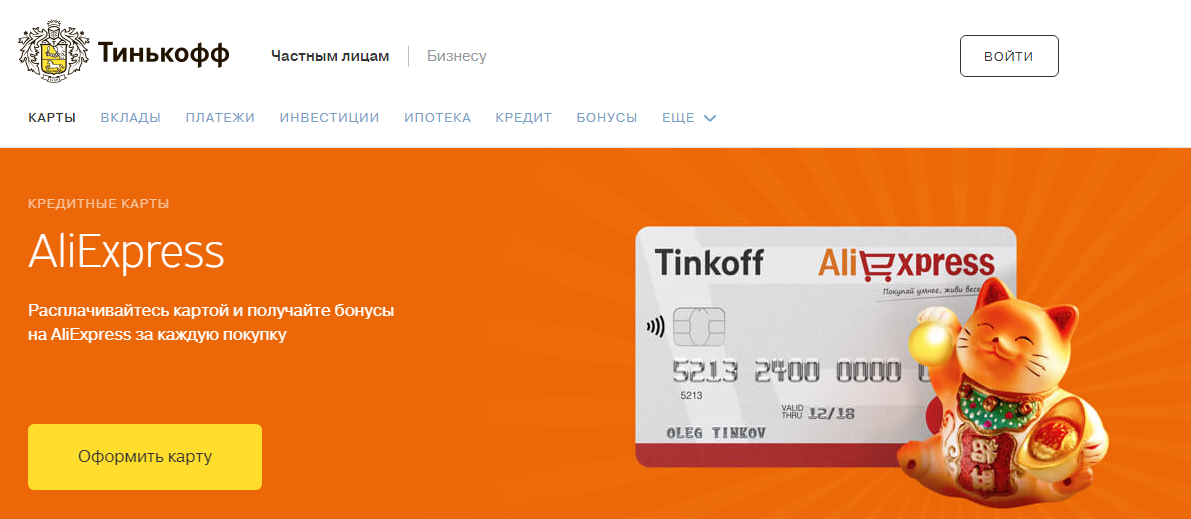
Map Tinkoff Aliexpress 50+ for the first purchase
Especially for users AliexpressTinkoff Bank created a map Tinkoff Aliexpress. According to the Rules of the Offer for the First Purchase, the bonus is charged - 50% cachek. The action extends its operation from August 1, 2017. All subsequent purchases will be carried out according to the established standard - cachekuk at 5%. After making a map, you need to make a purchase on Aliexpress. Within 10 days, the Tinkoff card will be charged bonuses in the amount of 50%. The maximum amount that can be obtained as a cachek - 5,000 bonuses. 1 Bonus is equal to 1 ruble.
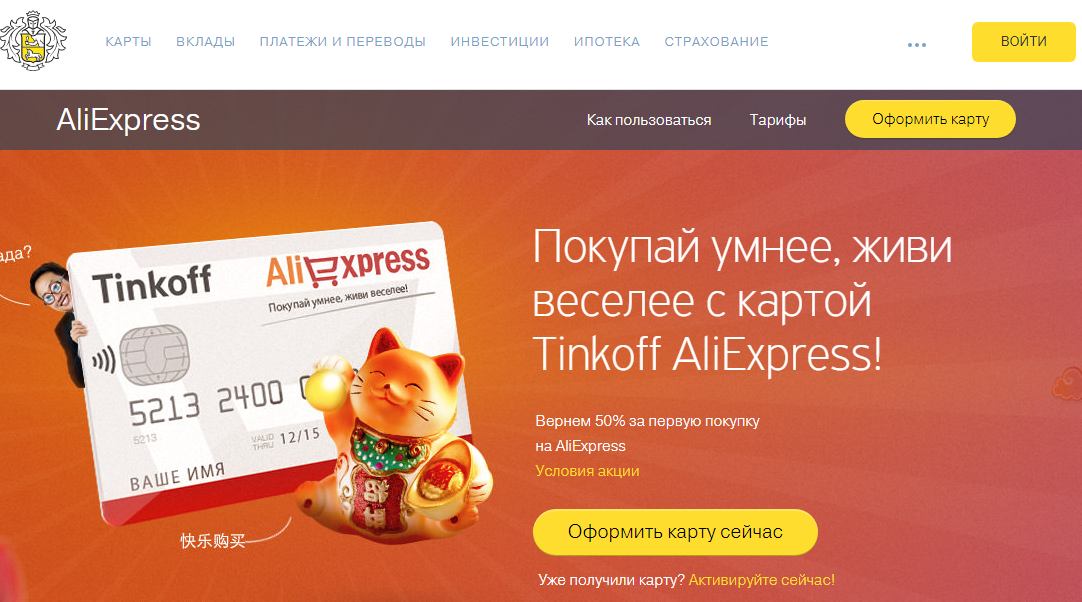
Cashback Aliexpress on Tinkoff Card
As with all bank cards, Cashback is charged on Tinkoff cards. Absolutely all Tinkoff cards receive 5% cachek. It is accrued for 10 days. Bonus points can be spent in the calculation 1 point \u003d 1 ruble when buying goods from 500 rubles. If you are additionally members of the EPNCashBack program, you can get refundable means in the amount of up to 12%. Do not waste too much, live brightly and let all your purchases will be successful!

