Payment Methods for Aliexpress: Payment through a map, payment through Sberbank, payment via phone

The problem of many buyers is the payment of the order. On Aliexpress each buyer can pick up a method for the calculation of the soul, and the possibility of cost. Below we will consider the options for the payment of goods, which will be presented in several variations.
Contents.
- Payment by card in the Aliekspress
- Payment Aliekspress through Sberbank
- Other methods of payment Aliekspress
- payment on Aliekspress through Kiwi purse
- Payment through Paypal on Aliekspress
- Payment Aliekspress WebMoney (Webmoney)
- Aliekspress through payment terminal
- only cash Aliekspress
- Aliekspress payment from the escrow account
- payment on Aliekspress through Sberbank Online
- payment method Aliekspress through Yandex money
- Method of payment via telephone Aliekspress
- Can I pay on Aliekspress upon delivery
- Can I buy on Aliekspress through the map, how to protect yourself
Payment by card in the Aliekspress
One the most popular payment methods in the Aliexpressit serves as a bank card. The transfer does not have to pay a commission, and this type of payment is always the default. You'll find it in "3" - methods of payment.
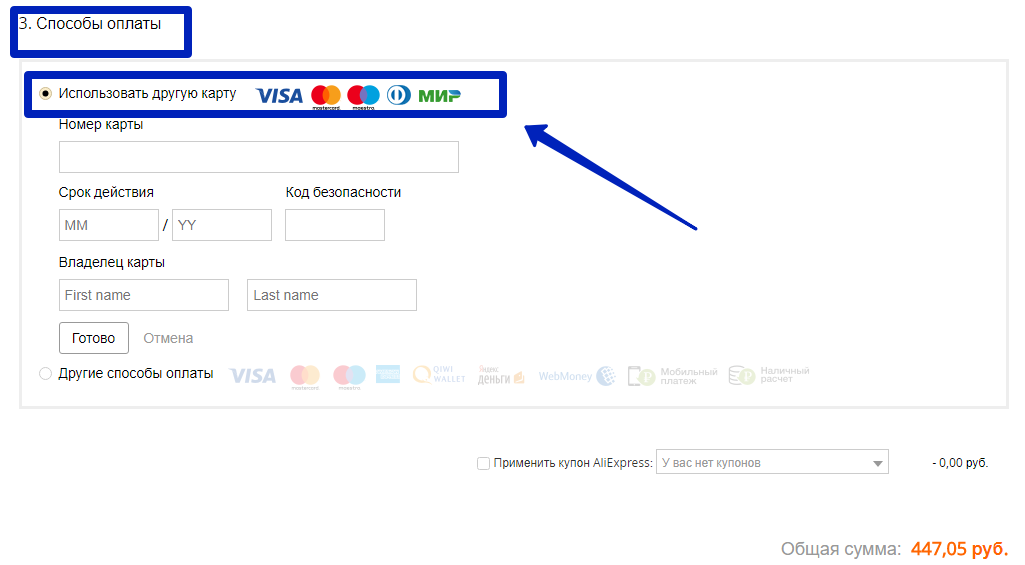
For payment Aliexpressthe world accepts cards, Visa, Maestro, Mastercard, which belong to the banks, Sberbank and VTB Bank Russia, Tinkoff. In addition to credit cards accepted Map Corn. For details on each banking product discussed below.
aliekspress payment on the world map
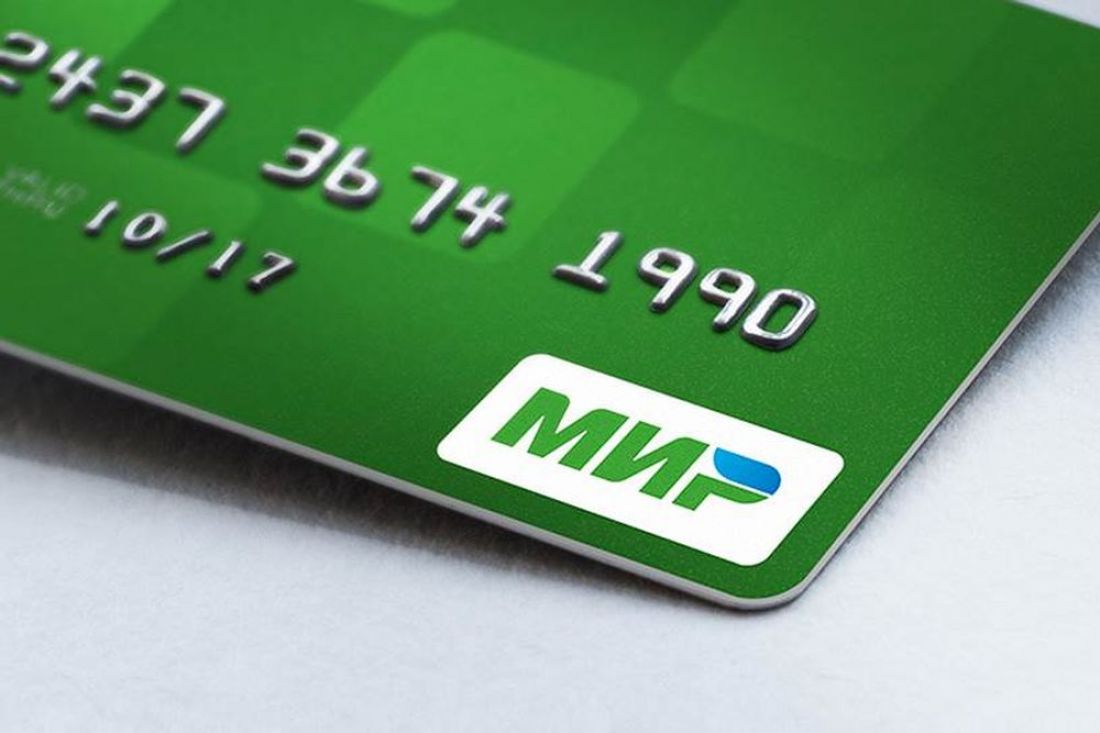
If you have a bank card world, then it is possible to pay for purchases exactly as well as Visa or Maestro cards. This card can belong to any bank: Sberbank, VTB, Zenit Bank, an industrial bank or any other. Even if you have conceived to purchase a banking product of this type, you can contact any bank, since all banks can work with the world's national payment card. At the same time, interest will not be departed from it when paying in online stores.
Make a payment by the world is needed in several stages:
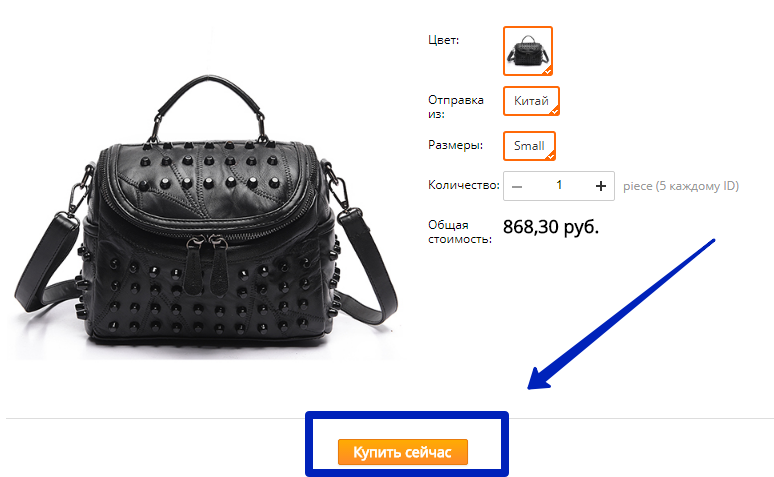
- After pressing the "Buy Now" button, you will be available. Go down to paragraph "3" - payment methods;
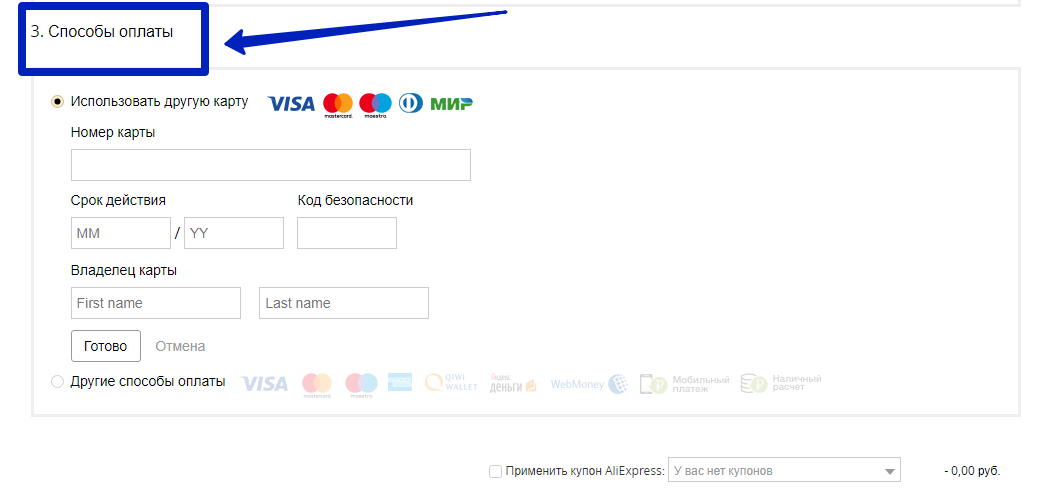
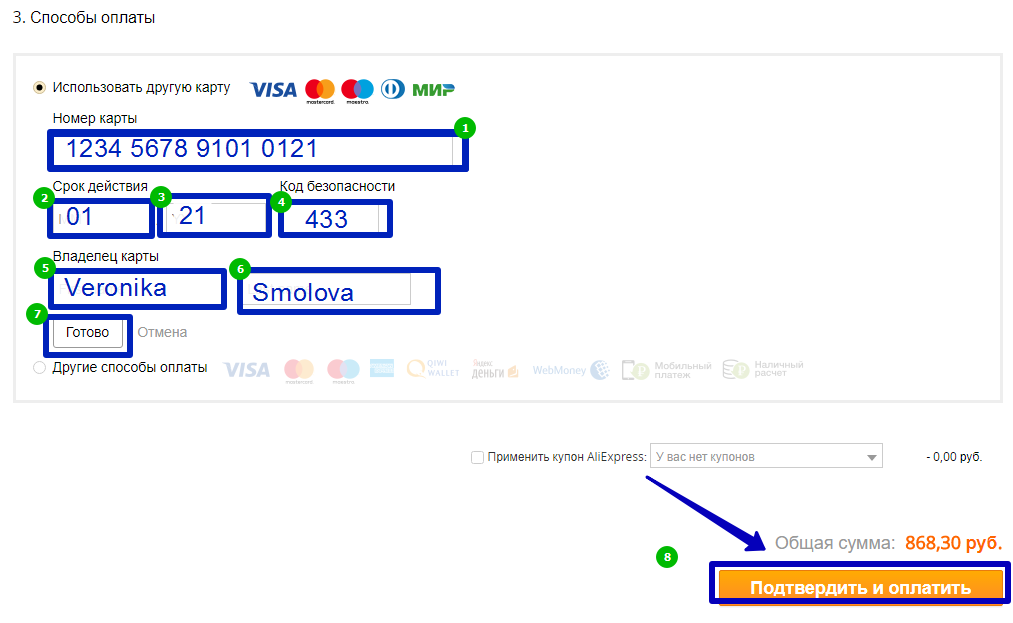
- By default, the priority payment method always costs the card, the photo shows it above that there is already a mark. You can proceed with the payment of the world map right now. Fill out the data for payment: 20 digits are given on the front side. Transfer them to the field - 1. In 2 window - made a month to which the map is applied. 3 Window - Fill a year to which the map is valid. 4 - The protective code is made from the card turnover. 5 - the name of the card holder. 6 - Surname of the owner of the map. 7 - The "Finish" button is pressed upon completion of filling. 8 Step is a transition to a new page. Click the "Confirm and Pay" key;
- On the next page, enter the security code that was sent by the Alipay system with Aliexpress. At the end of the operation, click "Pay". Thus, the payment from the map will be committed without accrualing percent per transfer.
payment for Aliexpress Sberbank Card
Sberbank works with maps of several types: World, Maestro, MasterCard, Visa. They all pass on Aliexpressand they do not pay interest for ordering. Almost all of them are issued according to a single principle. The reservation is only for Maestro cards, about it below in the instructions.
- To start payment, prepare the card. Fill in the data in paragraph "3" - payment methods. Default system Aliexpressselects payment card. Transfer data from the card to the free form fields as on the example of the photo;
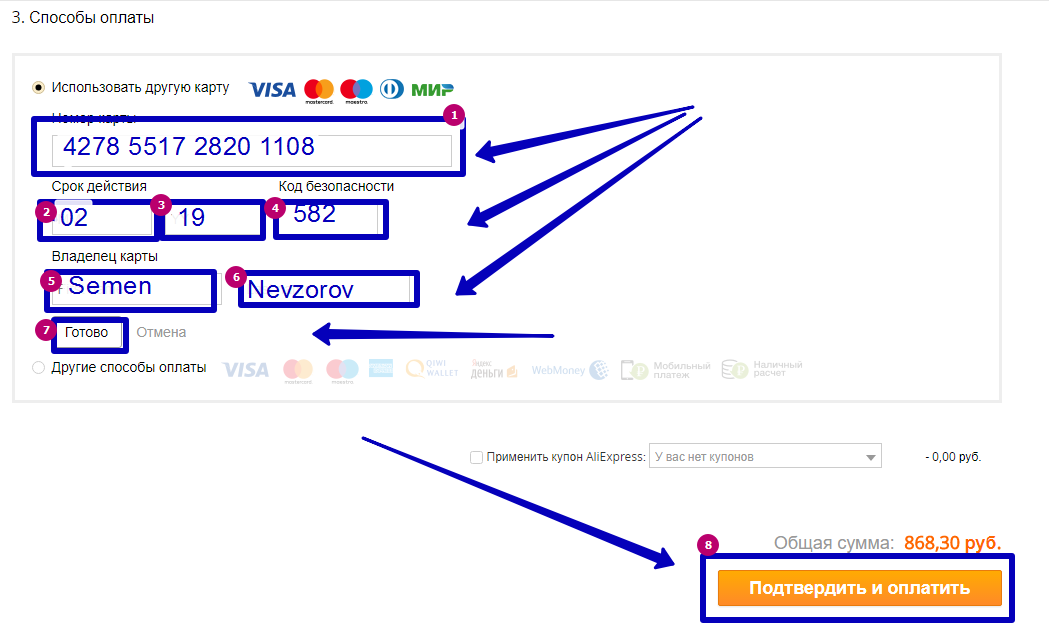
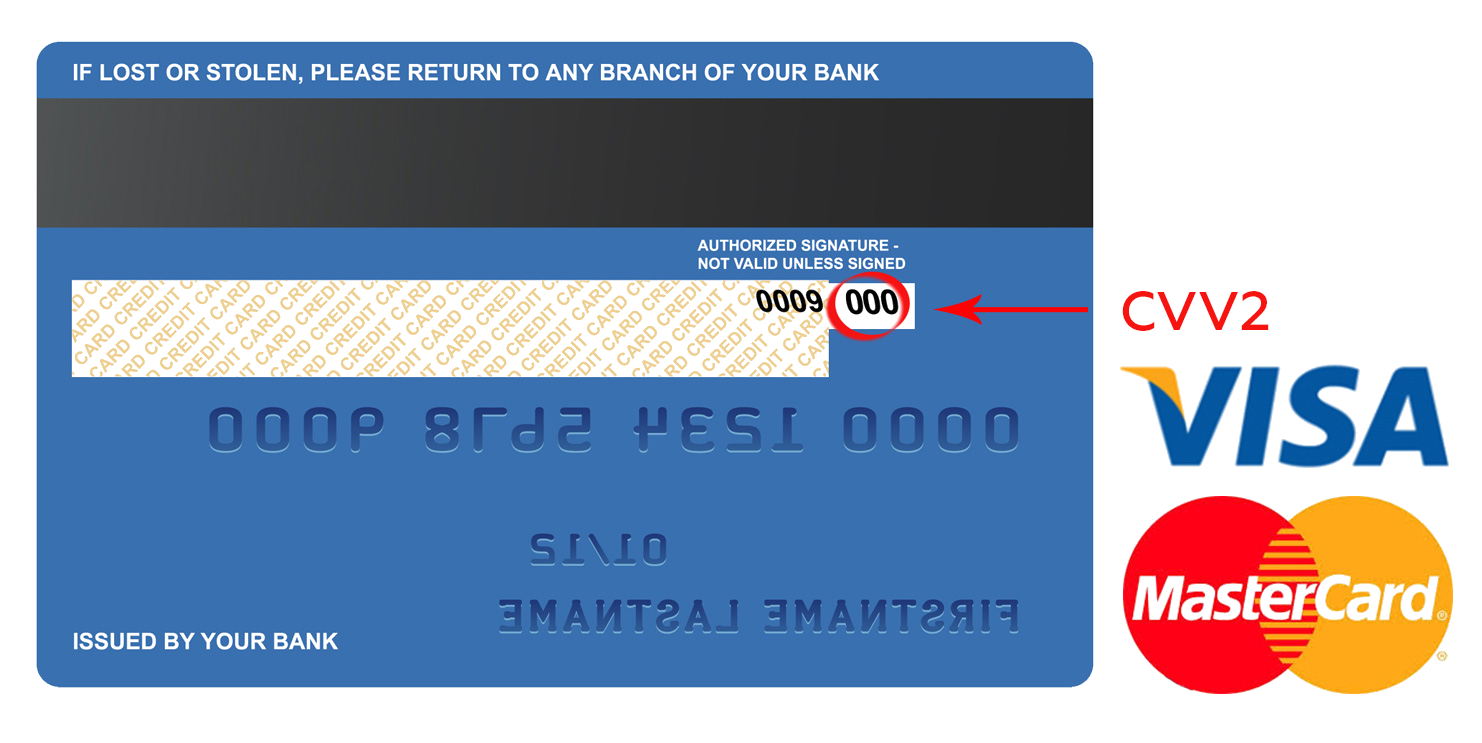
- 1 item - card number. For Visa, MasterCard and the world - it is 16 digits, for Maestro - 18 digits. Sometimes Sberbank also has a card with 19 digits. This is a subsidiary of the main bank card. In the second point, a month is prescribed to which the card is valid, the third paragraph indicates a month to which the map is valid. 4 The field is needed for all cards, except Maestro - they have no such type of protection. Turn over the map and find the CVC code out of 3 digits. 5 and 6 item is the name and surname in English. 7 - Click "Ready" to continue the operation. 8 item - send you to a new page;
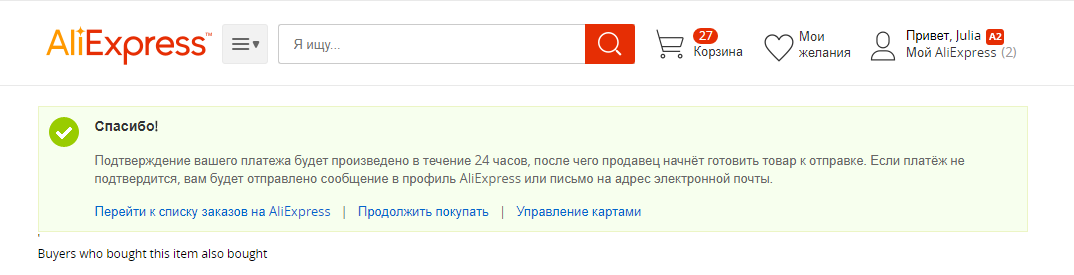
- After successful payment on the next page the window will be displayed, where it will be said that your payment will be checked for 24 hours, and after the seller will be prepared by the seller.
payment for Aliexpress Corn Map
Corn Map - Another good option for payment on Aliexpress. In essence, this is not such a card as others and it cannot be called a bank card. It is issued in the network to Euroset, the offices of the golden crown or other trading points collaborating with monetary translations. It is considered debit and to open an account you need to have 100 rubles on the account. Funds that are entered through the operator on the map you can use to pay for Aliexpress. At the same time there will be no commission fees. On the contrary, you will choose to receive up to 3% of return funds from each purchase.
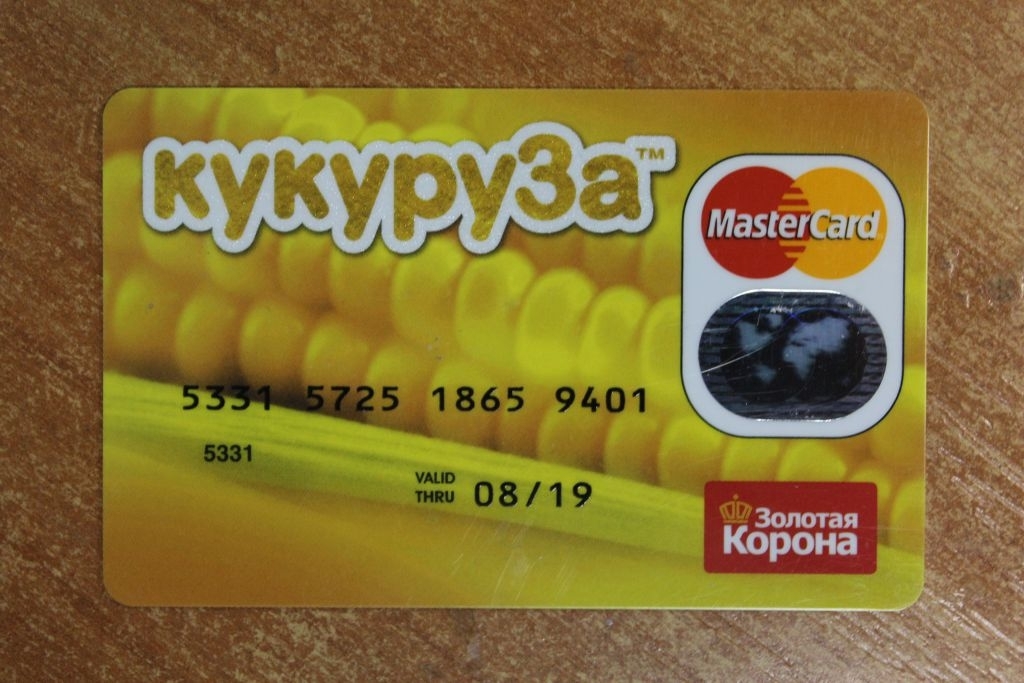
All you need to pay is a plastic corn card and funds on its account. In the future, the calculation occurs as well as with a conventional bank card. Only in payment methods you choose "other payment methods", and then click the "Confirm and Pay" button, which is located below. 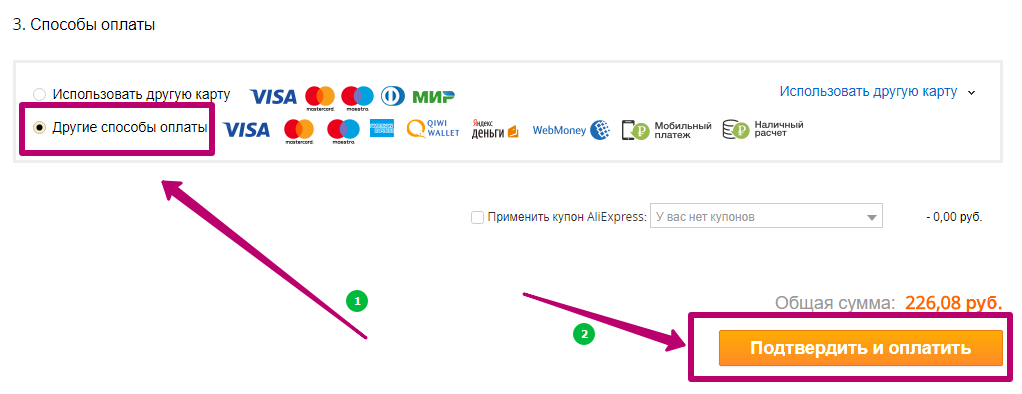
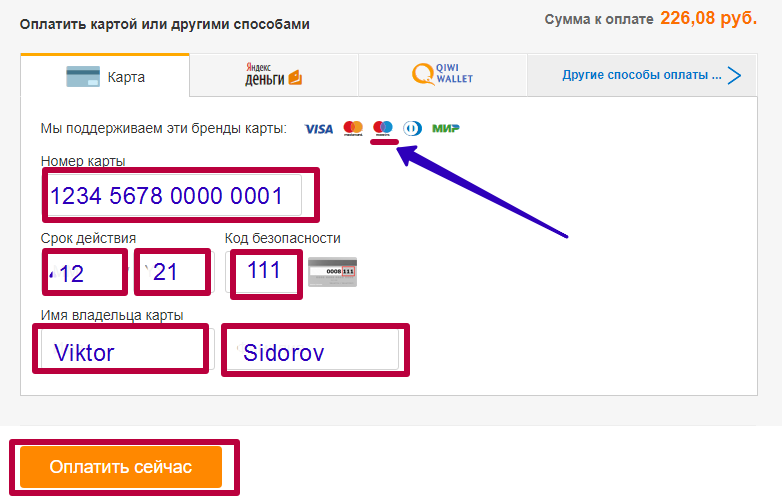
The next page will be loaded the form where you need to note the specific option for calculating. The first tab will be paid by a bank card, this option is suitable for corn. By type is a MAASTERCARD card, only she has no name. Do not be scared, fill out the card number first. It is indicated on the front side of the plastic. Then specify the validity of the card (month and year) and CVC code. Next, the name of the owner and his surname is filled, but since the Corn Map is not nominated, then fill out your data in English (transline). The system will skip such data and allow you to pay. Finally, click "Pay Now."
payment for Aliexpress Map Tinkoff
Tinkoff map is drawn up on the Internet or through the bank employee in the local office. It is convenient to pay on AliexpressSince the policy of this institution in online stores provides for a refund of money to 5%.
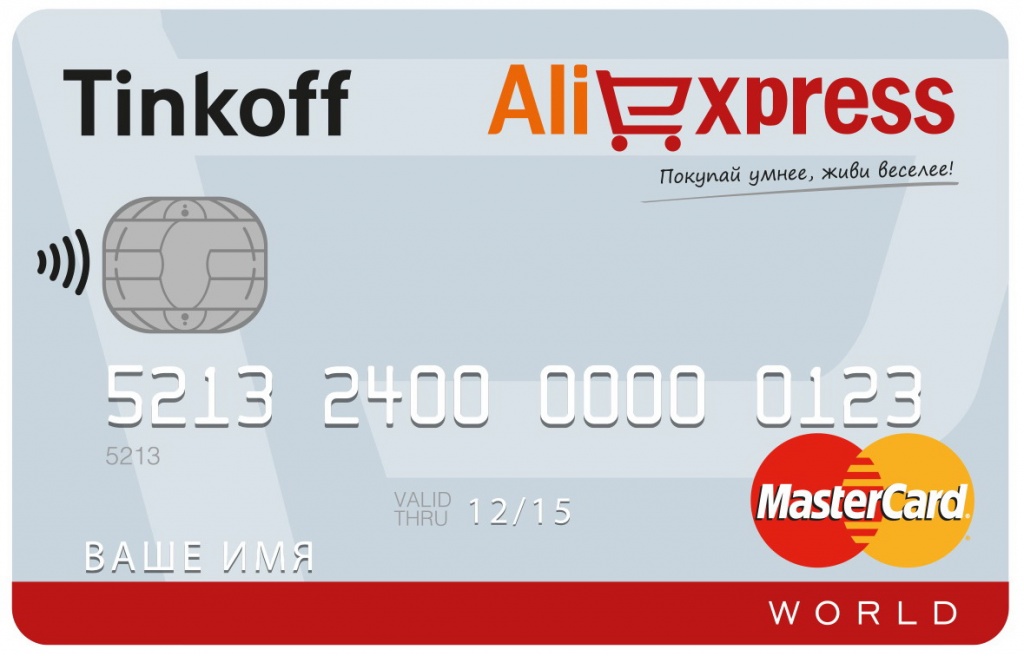
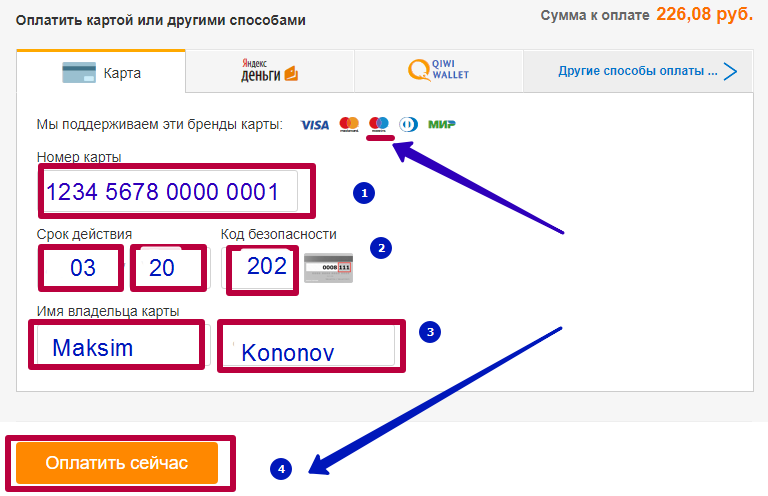
The Tinkoff map refers to the MasterCard type and, if you have issued it via the Internet, then it also does not have a name for her. But everything is completely solved. In payment methods, select "Payment by bank card." Fill out the map number, the validity period and CVC code, as in the example in the photo. Next, specify your name, system Aliexpress Identifies you by map number and compare the name data. After that, click "Pay Now".
payment for Aliexpress Maestro card
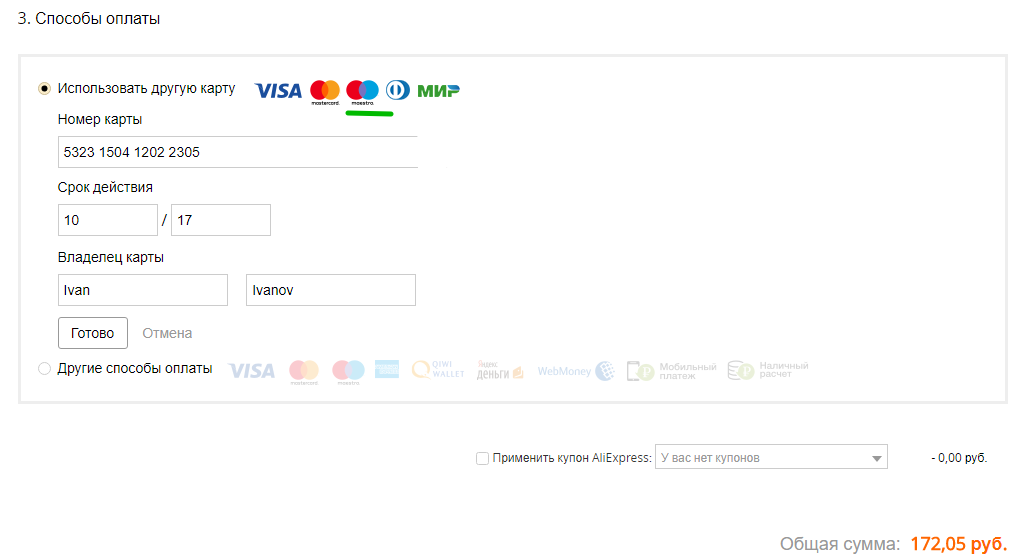
The Maestro payment segment card is a special way. She does not have a CVC protective code, and the number of numbers number is from 13 to 18. It can be released any bank: Sberbank, Industrial Bank, Russian Standard, Rifaysen, Alpha Bank. On Aliexpressto pay this type of card you need to enter the card number, the validity of it and the name of the owner. In this example, the photo below indicates the approximate filling for payment. Upon completion of the data fill, press the "Finish" button, and after "confirm and pay".
Payment by Aliexpress through Sberbank
Most bank customers trust their Sberbank funds. Through this bank you can pay services, translations, and even goods from online stores. To take advantage through the Personal Cabinet Sberbank online, first you need to choose a suitable payment method. In the column with the calculation options, select "Other Payment Methods", and then click on the "Confirm and Pay" button.
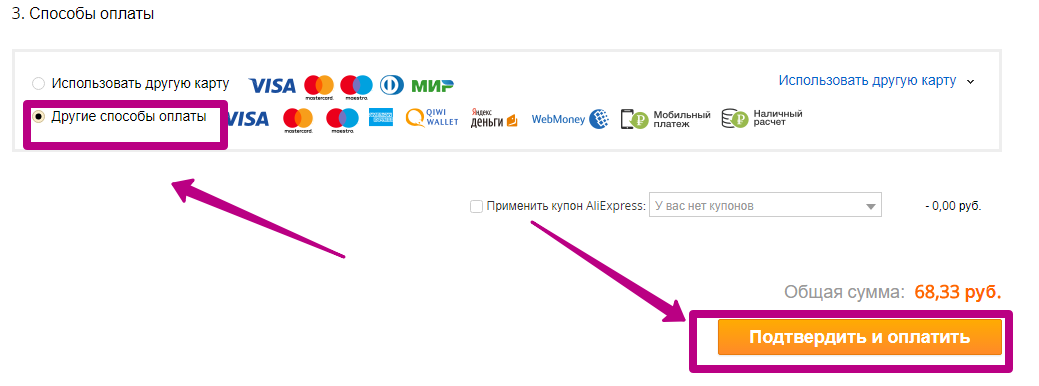
On the next page, select Count "Other Payment Methods", and then click on cash payment.
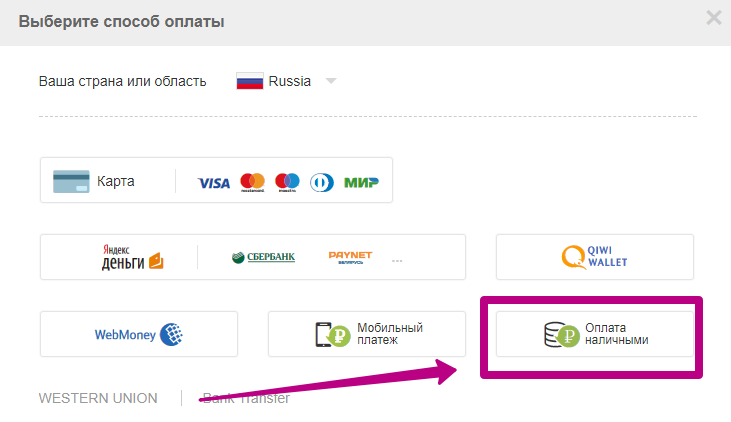
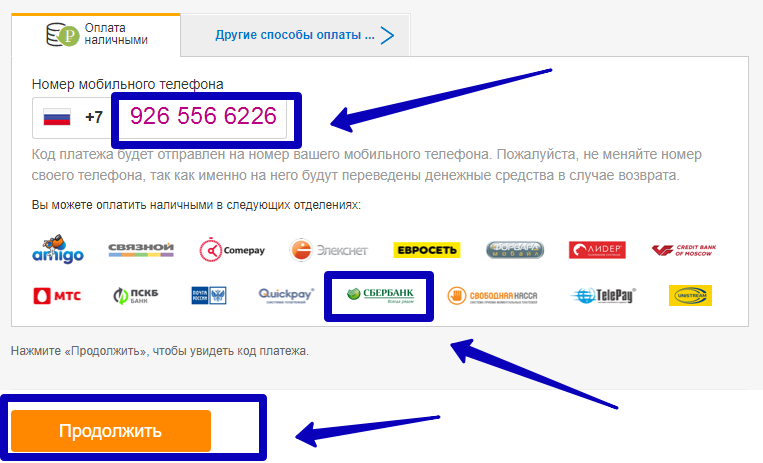
A page will be loaded where you need to enter your phone number. You will be sent to you the payment code. With this code you can go to Sberbank and make payment of your order.
Other aliexpress payment methods
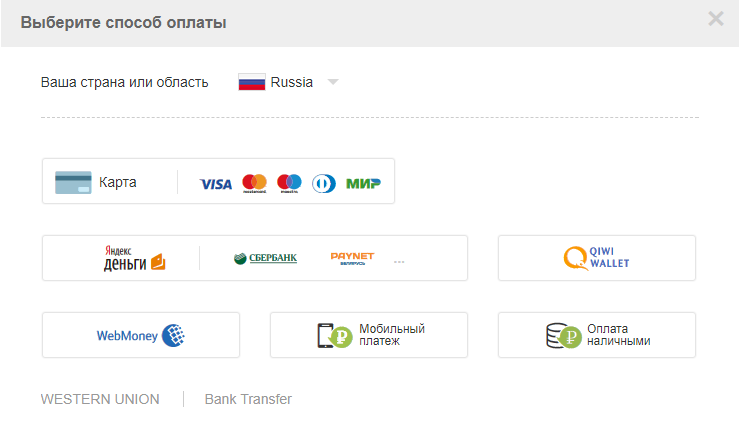
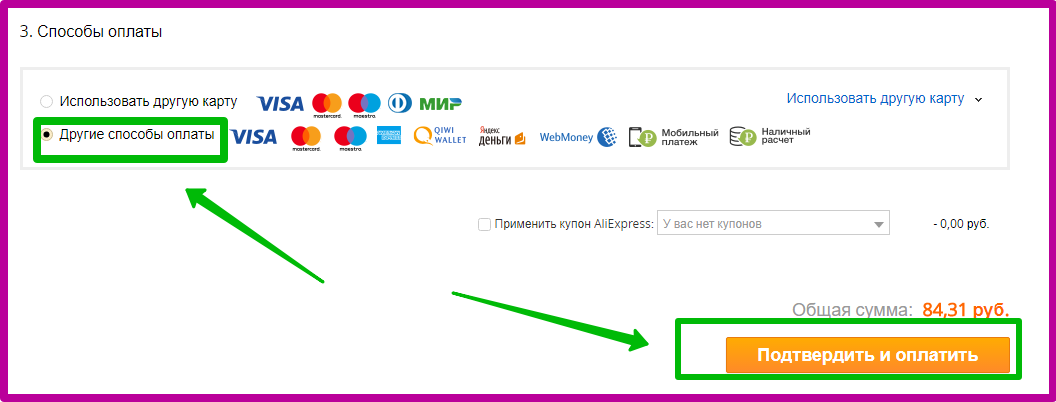
When choosing payment methods on Aliexpresseach buyer has the opportunity to choose the appropriate payment option. For this purpose, two lines are given: "Use another card" and "other payment options". The first line attracts many buyers, as it is an interest-free payment, but not everyone has a map of any bank. Therefore, we offer more familiar with other ways to pay for Aliexpress.
payment for Aliexpress through Kiwi Wallet
QIWI is a Russian operator who is also popular for Aliexpress, as well as payment by the bank card. All you need to calculate is a mobile phone number and some cash on the account.
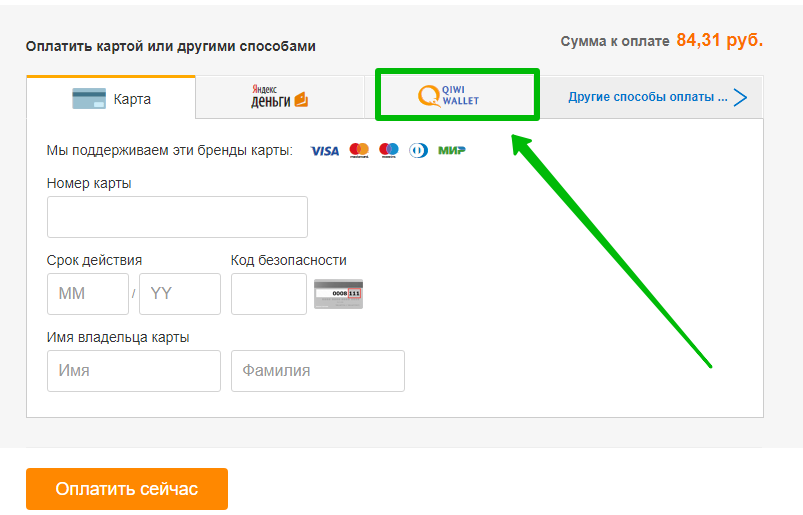
Selects QIWI wallet in other payment options. In paragraph 3 (payment methods), set the cursor opposite the line "Other Payment Methods". Below click the "Confirm and Pay" button.
On the next page, you will need to select a payment option to once again: in the form with the types of payments, select the Qiwi Wallet tab.
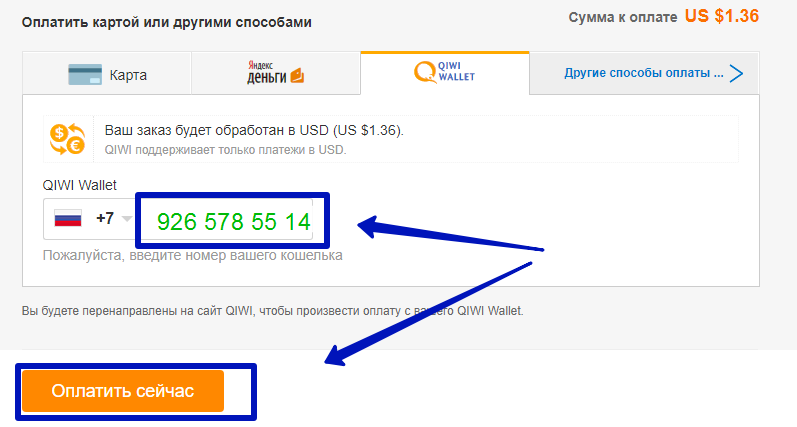
The QIWI operator tab will be downloaded. In the center of the page, you will need to enter the number to which your wallet is tied and click the "Pay Now" button. After that you will be redirected to the QIWI website to pay from your QIWI Wallet. Next, the order will be processed in USD, since QIWI supports only payments in USD. Your mobile will receive an SMS message with payment confirmation. Follow the instructions and complete the payment.
payment for Aliexpress via PayPal
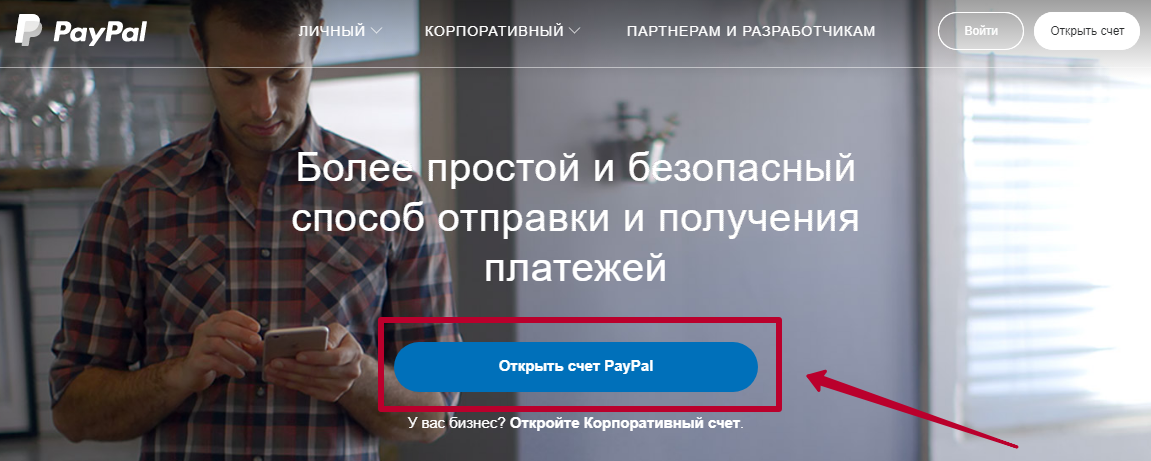
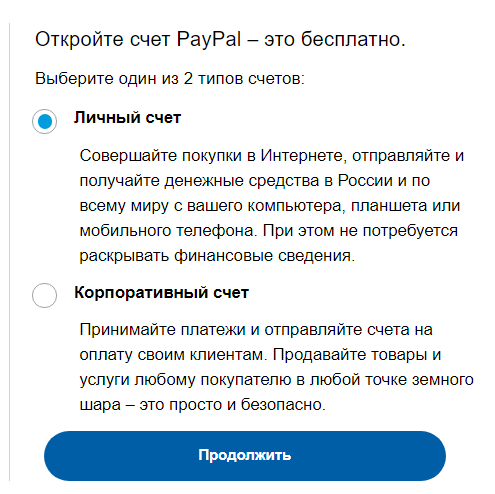
PayPal is a foreign payment system, for Russian users in pure form on Aliexpressit is not available. But you can use it in full on eBay. However, if you bring your card to PayPal's payment account, you can pay for purchases in online stores around the world. To do this, you need to enter pAYPAL site. On the main page of the site, press the Open PayPal account.
Tie a paypal bank account you will be able to use email. To pay on Aliexpressyou choose the payment by a bank card, which is worth the default in paragraph "3" - payment methods. It is extremely recommended to use this payment option, since according to surveys among Internet users, this method of calculation is recognized as one of the most unsafe when paying for purchases in the global network.
payment of Aliexpress Webmoney (Webmoney)
WebMoney users prefer to pay for their purchases on Aliexpressthrough the electronic wallet. First, it is very profitable, based on the course of the USD. And, secondly, purchases are safe. Payment data is securely protected in the Alipay system. You can find Webmoney payment in "Other Payment Methods".
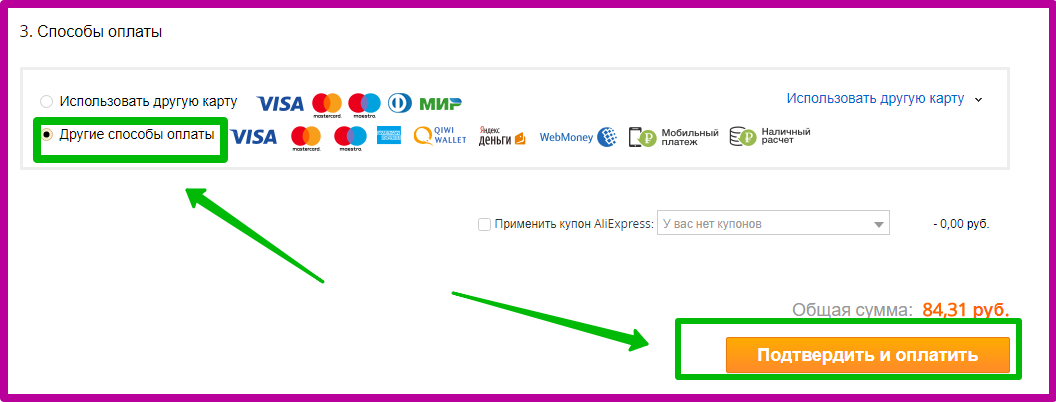
On the next page you need to select the WebMoney tab, as in the photo below.
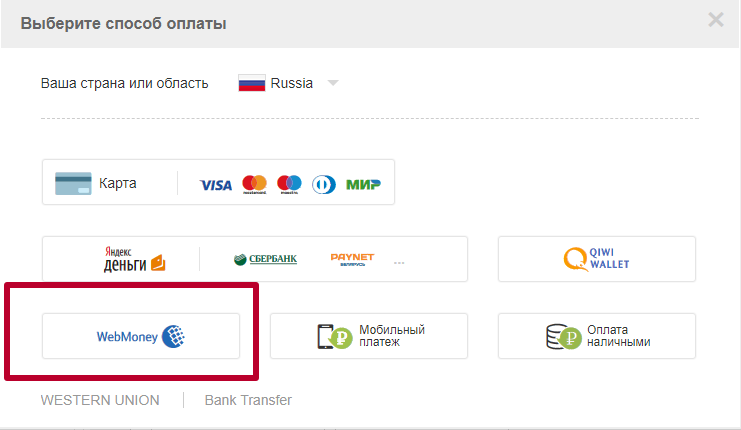
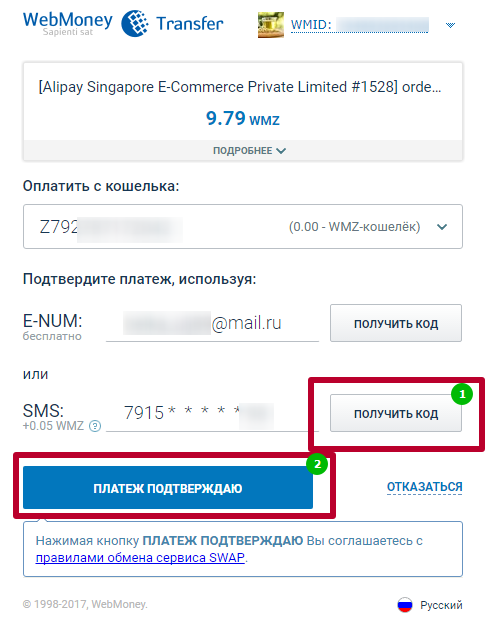
Next will be displayed that your order will be translated into US dollars regardless of which currency is on your balance sheet. Then the system will send you to the WebMoney website and the payment will begin to be processed.

After a couple of seconds, a window will be displayed, where you need to press a pair of buttons: first "get the code" to come to the SMS with a mobile number. This information will need to immediately enter into the window that appears, then you need to press the "Payment Confirm" key. So from your wallet spikes the amount of purchase.
payment of aliexpress through the terminal
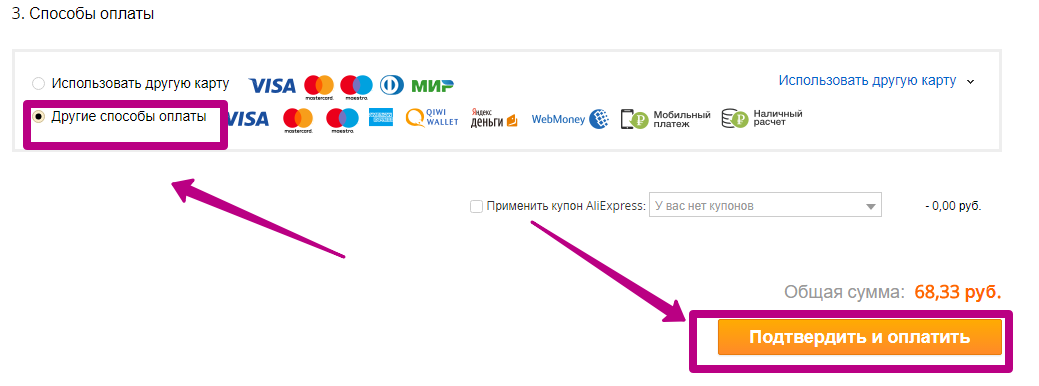
Pay for the order S. Aliexpressit is possible through the terminal. Operating machines can list money with a commission or without percent per transfer. It all depends on which point to pay you contact. Always clarify these nuances. On Aliexpressyou can pay through the terminal as follows: After pressing the "Buy Now" key, you will be taken to the page with items on the product and payment. Under the number "3" is the section "Payment Methods". Choose there "Other payment methods."
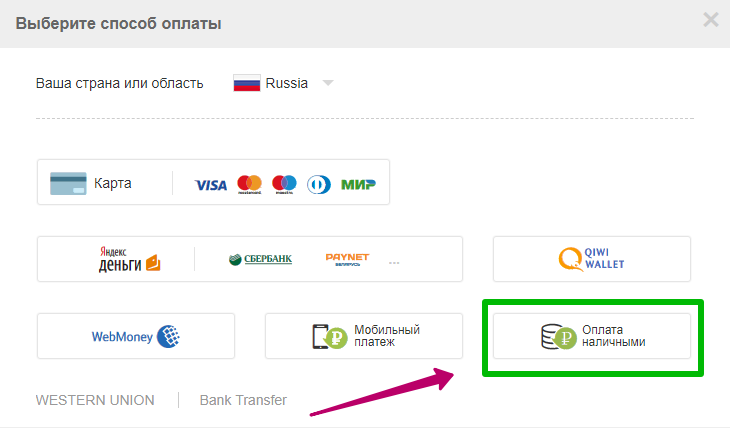
Next, on the new page, select the option to calculate. Take advantage of the "cash payment" line.
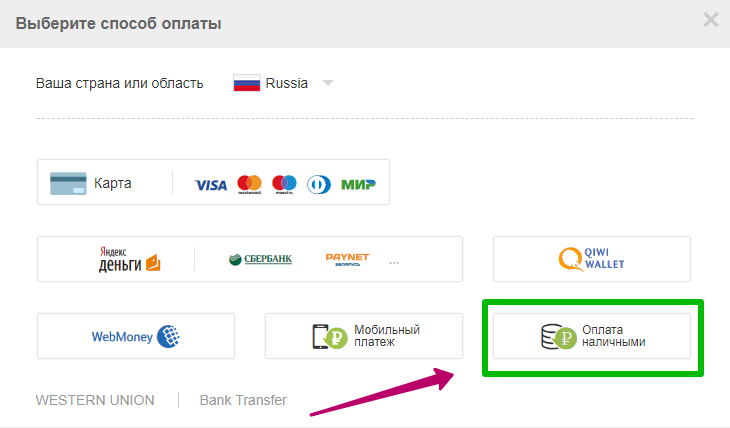
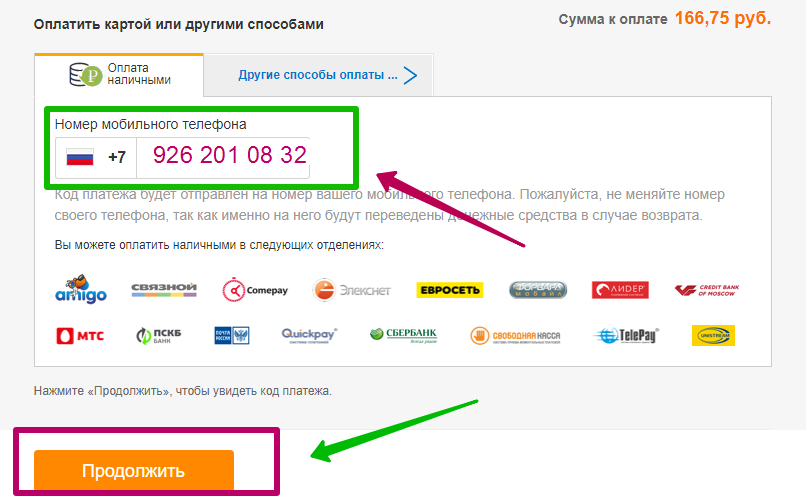
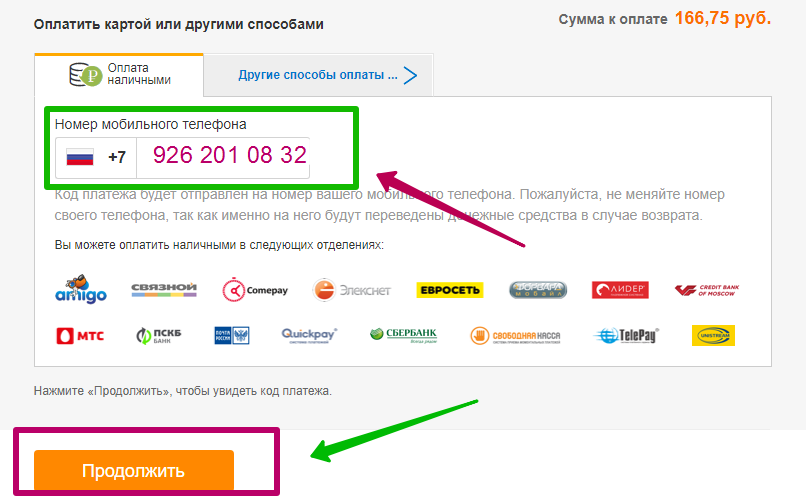
In the next section, you will be prompted to enter your mobile number. Specify the number without +7 (8) and click "Continue". As a result, the payment code will go to the mobile phone. You will need it to pay in the terminal. Take advantage of automata placed in a connected shop, Euroset or any suitable terminal. In place you will need to choose a menu with payments "Products by catalogs", find a section there Aliexpress, Select it, enter the number from SMS, click "Continue". Next you will only have to make a certain number of banknotes in the bill acceptor and pick up the check.
cash payment to AlExpress
Cash payment is popular with those users who are still inclined to store checks "just in case." Take advantage of this way any buyer can. Go to the payment section, set the mark opposite "Other Payment Methods", and then click "Confirm and Pay".
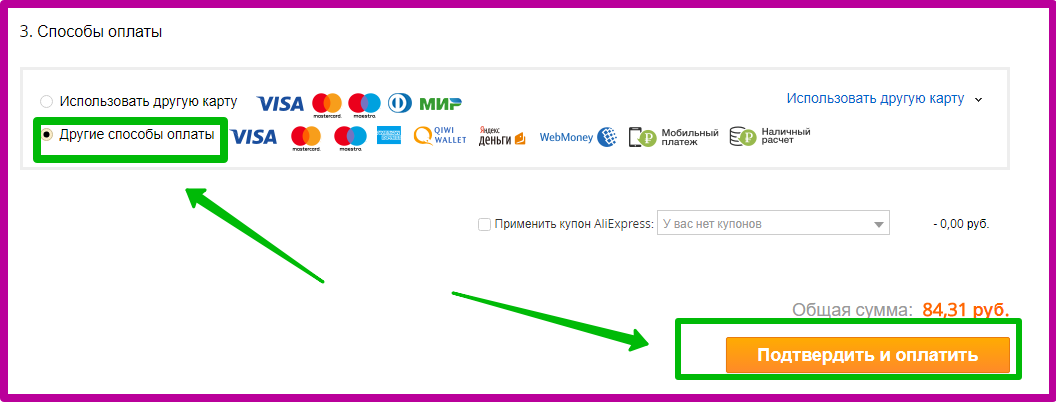
On the new page, select the "Other Payment Options" tab, then press the "Cash Payment" key.
Next you need to specify the cell phone number, as in the previous method with payment through the terminal. Only now you can choose any suitable post office of Russia, Sberbank, agents and translation agency. The icons with suitable offices are indicated immediately in the window where you specify the mobile number. Enter the numbers, press "Continue" and go to any point you like to pay for the order.
Do not forget to take a check after payment of the goods. And one more point, the payment code is valid only for this order and it remains suitable within 48 hours. After this time, payment will be invalid.
Aliexpress payment from the current account
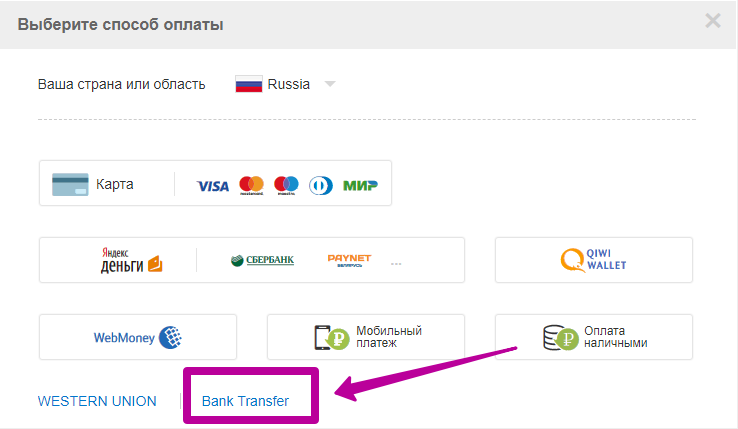
If you have a bank account in a bank, then this method for you. In the payment methods, select the line "Other payment options", then on the appeared page, click on the "Other Payment Methods" tab. In the bottom line there is barely noticeable inscriptions "Bank Transfer".
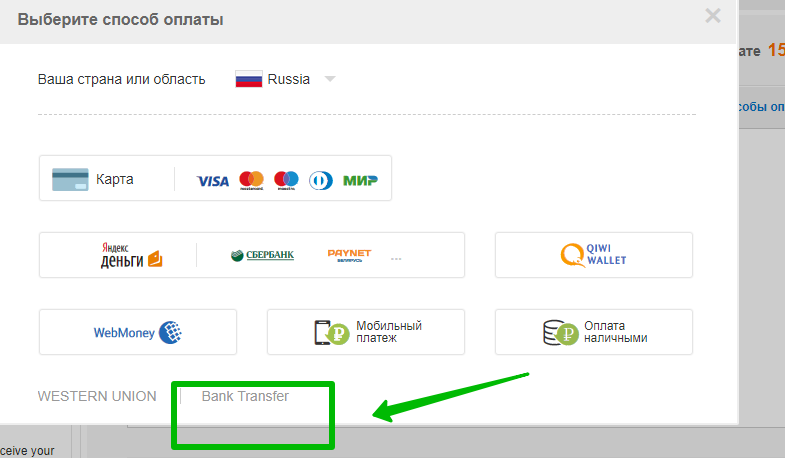
This option is available only for purchases 20 to $ 50,000. As a result, you will boot a blank application with requisites. It will need to be printed and go to the bank to pay for the order.
payment for Aliexpress through Sberbank Online
Payment of order S. Aliexpressthrough Sberbank online is possible as follows: in the payment column on Aliexpressselect "Other Payment Methods", then select Bank Transfer.
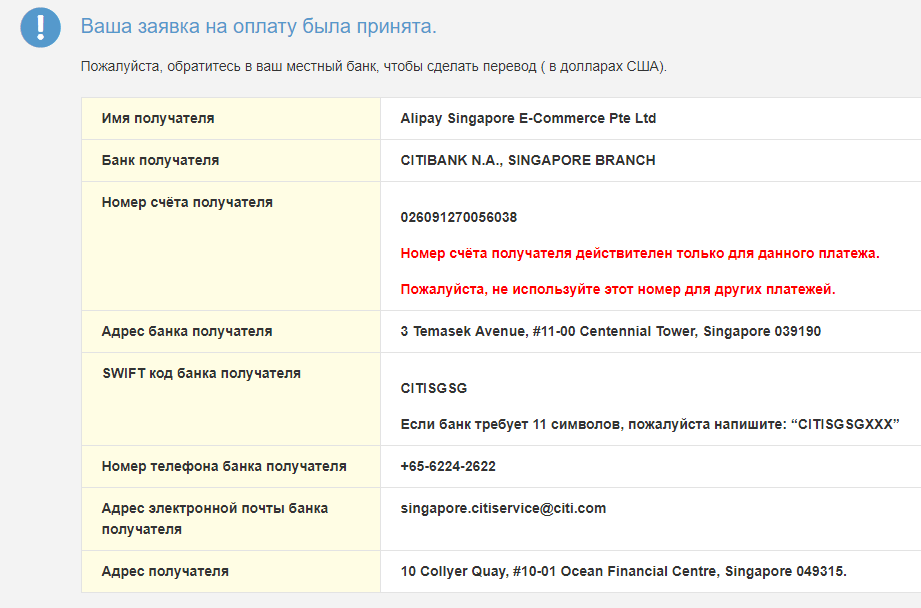
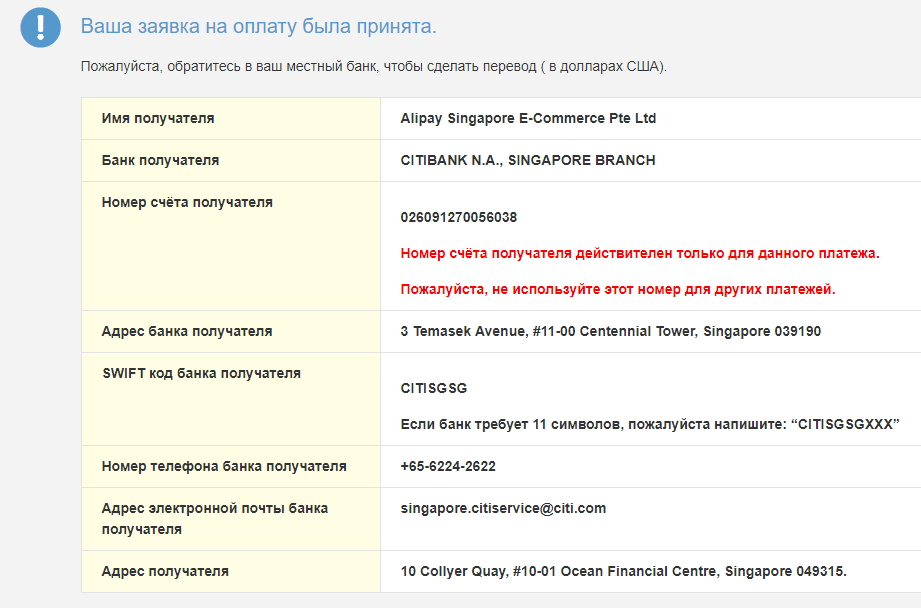
A page with the details to which you want to translate payment will open. Now you need to enter the Personal Cabinet of Sberbank online and enter the Count "Translated to a private person to another bank".
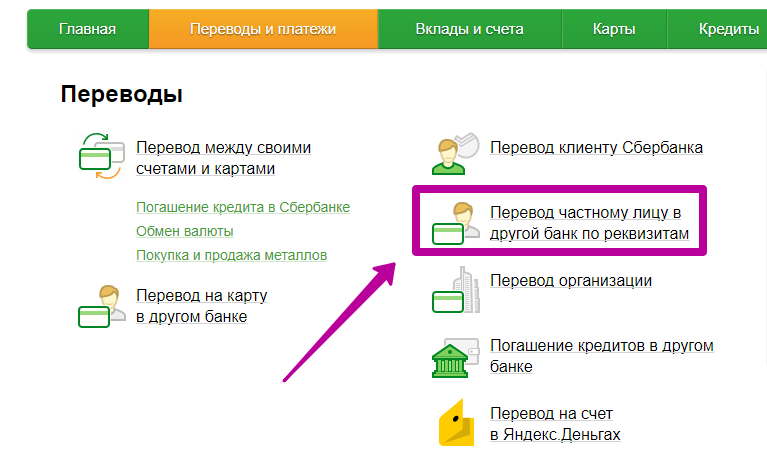
A window will be loaded with the fields you want to fill according to the form that you gave you Aliexpress. It will look like the same as in the photo below. Carefully follow the entry of the recipient's account number and other data.
payment method for Aliexpress via Yandex Money
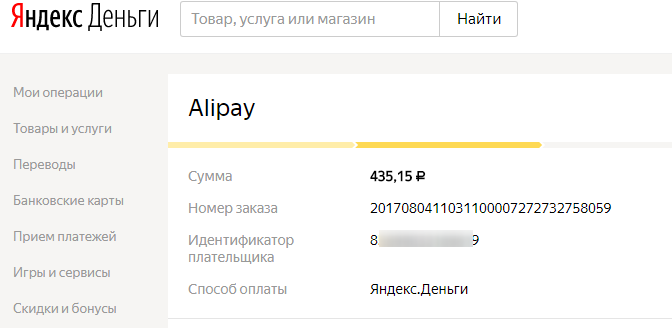
Payment from the Yandex Money Electronic Wallet is as follows: You choose in the method of payment of the line "Other options". After installing the tick, you click "confirm and pay". Further in the form with detailed payment options, you choose the "Other Payment options" tab. There is a Yandex Money icon. Click on it.
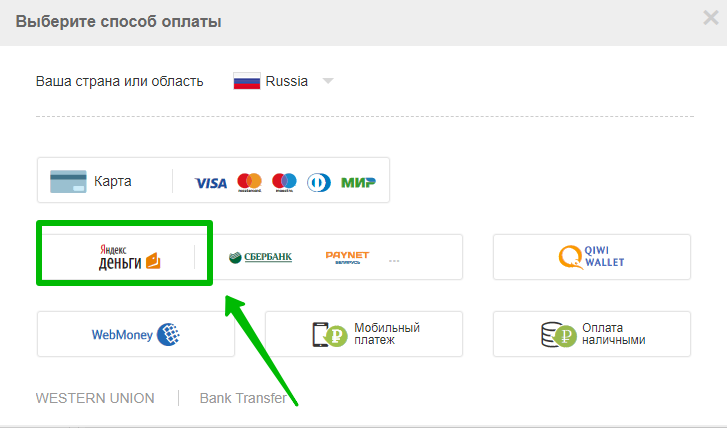
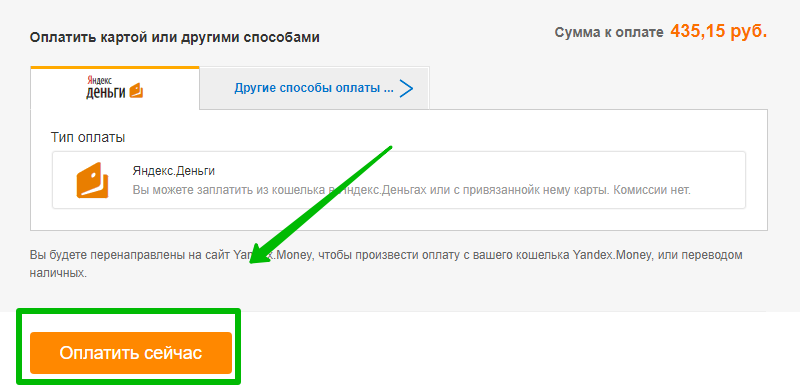
Next, the system will redirect you to YandexDenga's website in your personal account, where you need to confirm the payment by the "Pay" button.
Payment method aliexpress via phone
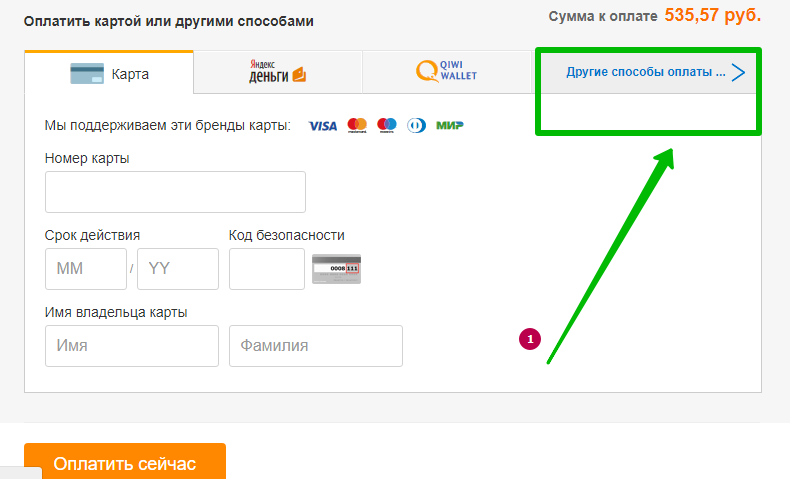
No less popular payment for orders for Aliexpressis the transfer of funds from the mobile phone account. You can find this option in the "Other payment options" string. Next on the page with detailed methods to calculate, select the "Other Payment Methods" tab.
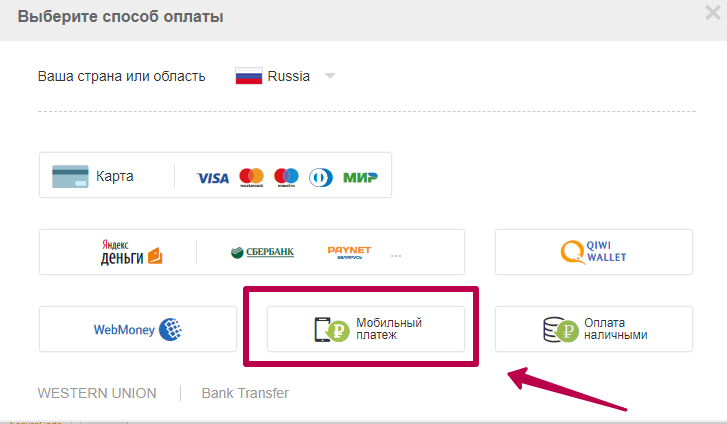
There are several ways, among them there is a line "Mobile payment". Choose it.
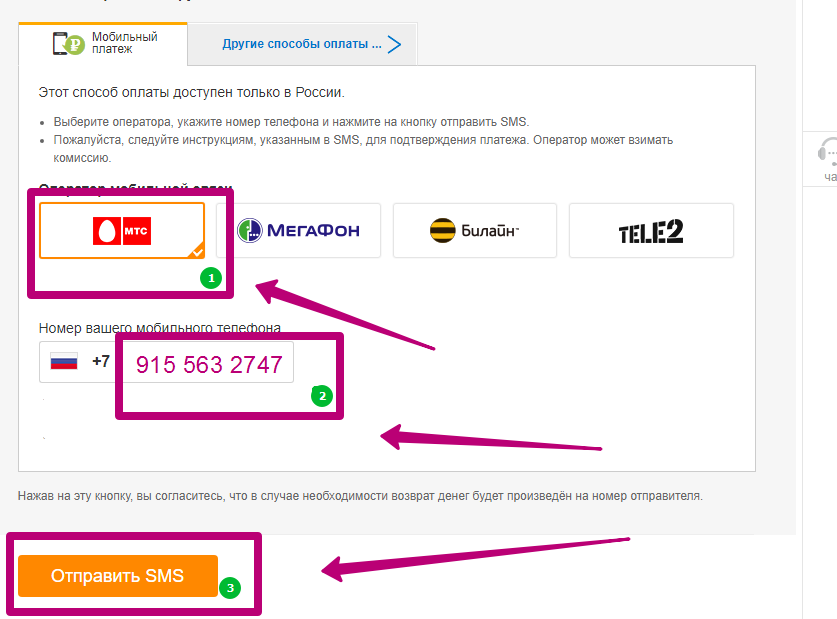
Next, you will have the opportunity to choose a cellular operator to which a mobile number belongs. Here are their list:
- Payment Aliexpressthrough MTS - Commission 0%;
- Payment Aliexpressthrough MegaFon - Commission 1.95%;
- Payment Aliexpressthrough Beeline - Commission 3.9%;
- Payment Aliexpressthrough TV2 - Commission 2.45%.
Check the operator, enter your mobile number and press the Send SMS key to receive a message. The message will contain information about the purchase if you agree to pay, then type any numbers or letters if not, press 0.
Is it possible to pay for Aliexpress when receiving a parcel
Pay for purchases S. Aliexpressyou can only receive the order. That is, only in online mode, immediately after choice. Otherwise, the seller will not send an order if you do not pay it within 20 hours. On Aliexpressthere is a way to "cash pay", but it looks completely different, not as it represents most of the users. When this payment is selected, you will receive a payment code for which for 48 hours you need to pay the goods.
Is it possible to buy on Aliexpress through a map how to protect yourself
Purchase through the map is the most popular way of buyers. Aliexpress all over the world. All tools come to a securely protected channel, so that your data will not even be available to the most advanced fraudsters. But still, some buyers do not trust the system to the end and try to secure themselves in every way. One of the most reliable ways is the establishment of a separate card. Put on it so much money as you need to pay for your purchases. You can replenish it "backdrop" from the main salary card or savings account. Choose only verified payment methods for yourself and your loved ones, successful purchases on Aliexpress!

