What are the statuses of sending Aliexpress? Translation and decoding. How to check the parcel status?

Performing purchase on Aliexpress, each customer located v expectancy. At this time, the majority are wondering, at what stage is their parcel. The statuses of parcel will deal with this question. Now let's tell you what they are denoted.
Contents.
The status of sending Aliexpress, what does the parcel status mean?
Status This is the designation of the state of your order. You can find out that real-time happens with your departure, She sent or returned for any reason, passed customs clearance or not. As you can see, he carries a lot of information, it is only necessary to read correctly. Let us describe in detail what means each status separately.
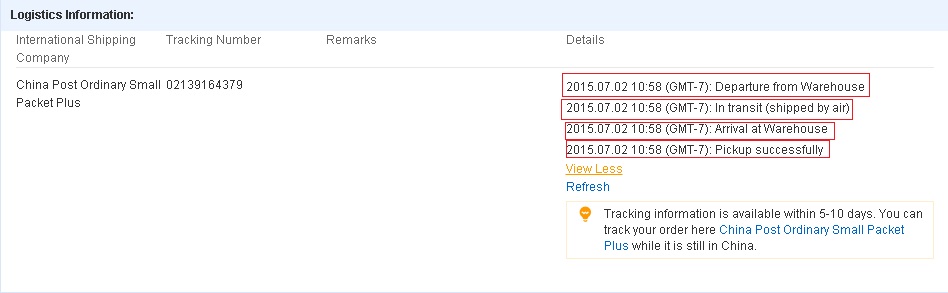
What statuses has the parcel during movement (translation into Russian and decipher all statuses)?
V very beginning necessary divide statuses on two categories:
- v point departure ( on territory intended);
- v point destination ( v ours case v Russia).
so, v first case you see next statuses:
Collection, Acceptance (collection, reception) - He says that the parcel is directed to the post office. To track it immediately will not work even if the track is issued to you. Wait a little, about 10 days and you can see everything.
Opening (sending sent to transit item) - Opposite this status, the point index of the item may be located, with such messages can be somewhat and they do not appear in order. Do not be surprised if such an inscription appeared after the order is sent, this is due to the non-painting of the operators of processing items.
Dispatching (Arrival in MMPO, Processing) - This inscription indicates that the order is preparing for exports to the country of the recipient. For many courier services, this status is the last to view the location.
Departure From Outward Office Of Exchange, Total Export (Export) - The parcel passed customs and left China.
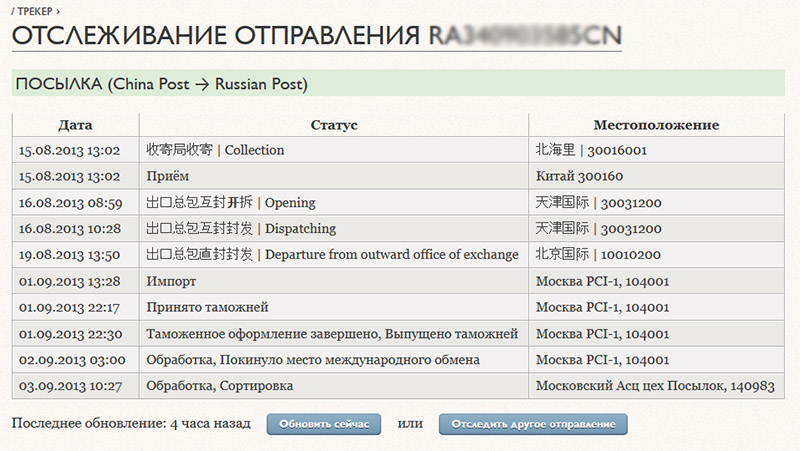
After of this must pass the time to departure start view v country destination. At it is you will be able to see next statuses:
- Import ( import) – departure came v country receipt.
- Reception on customs – departure on customs for registration.
- Release with customs – registration passed successfully, and package prepare to departure with MMPO.
- Posted from International Exchange (MMP) - The parcel was received by the postal service of the country.
- Posted with sorted center – status means shipping parcels addressing.
- Profit instead of receipt – departure came on your mail and her can take.
- Product Delivered ( Served addressing) – recipient took away mine order.
By listed status you you can calmly wait mine order and get his on hands. But there is statuses quite unpleasant recipient. O them too costs mention.
so, non-good statuses parcel:
- Return under other circumstances - indicates that the parcel is returned to the seller, and the reason for this must be found out. To do this, it is best to call the hot line of the postal service of the recipient country (Russian Post) 8-800-2005-888 and then think that to do next.
- Customs Return - the parcel is also returned to the merchant, the reason for this can be a poorly specified address (written in illegible).
- The attempt of the delivery failed - and in this status there should be a reason for which the departure is not received by the addressee (this may be an incomplete address, a person does not live in this address, the postal code is indicated with an error, etc.). In this case, you will have 30 days to receive the parcel, it is that number of days it will be stored in the mail.
- Shelf life has expired. Return is the consequences of the previous paragraph. After the expiration of the 30 day term and send it to the sender.
- Failure. Solution - denotes that the parcel is not sent to the post office and redirect it. Nothing terrible, just need to follow the way.
Now you will be able to on status define, what occurs with yours departure and accept measures v case controversial situation.
How to know status parcels?
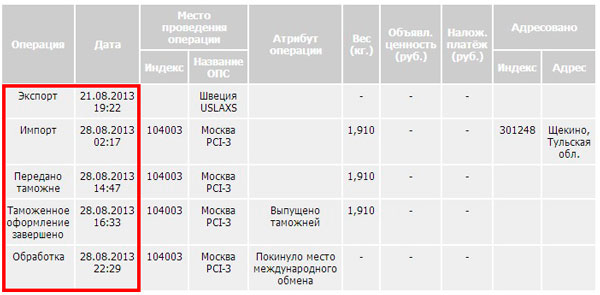
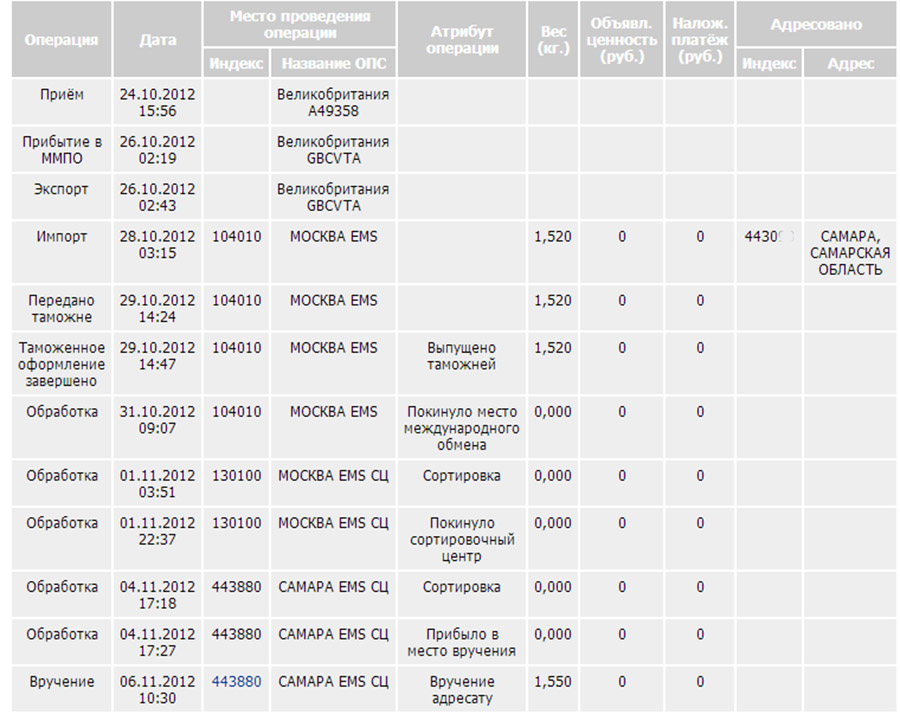
Find out the status of your shipment simply. For a start we go to Aliexpress And in the "My Orders" section, we choose the goods you are interested in. After that, go to the tracking site and enter the track in the window. Press the "track" button and after a while we view the result. You can see the tracking example below. As a rule, all information is issued in a tabular form, indicating the date and time of each status.
Why for a long time not changes status parcels?
Reasons similar situation maybe to be several, a exactly:
- the not filed v base data postal services and resources on tracking;
- package imported;
- departure delivered on customs;
- overload mail in view festive days;
- delay updates baz data on tracking;
- package uther.
Any of these reasons is unpleasant. There are two behaviors. The first is waiting for 10 days to work the track number. After that, we associate with the merchant or begin the dispute, requiring full refund. The second option, if you see that changes occur in the status, indicates that the order was expelled. What would not happen to it, it is impossible to open the dispute until the order protection time will not end. It remains to wait and when will remain a few days before the end of the progress of the order to request its extensions. Can Start sporrows With the seller, and make a complaint that a lot of time has passed, and the parcel is everything. As a result, you will return the full price of things and anyway where the parcel is.
Where verify status parcels?
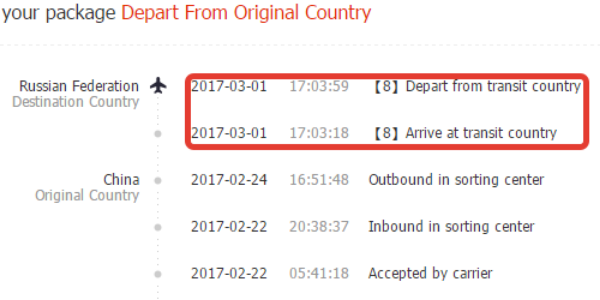
You can the status of your parcel on any tracking resource or on the website of the National Postal Service. To do this, we go to the resource of the postponement and in the right corner we see the window for entering the track number. Copy it there and press the "Track" button.
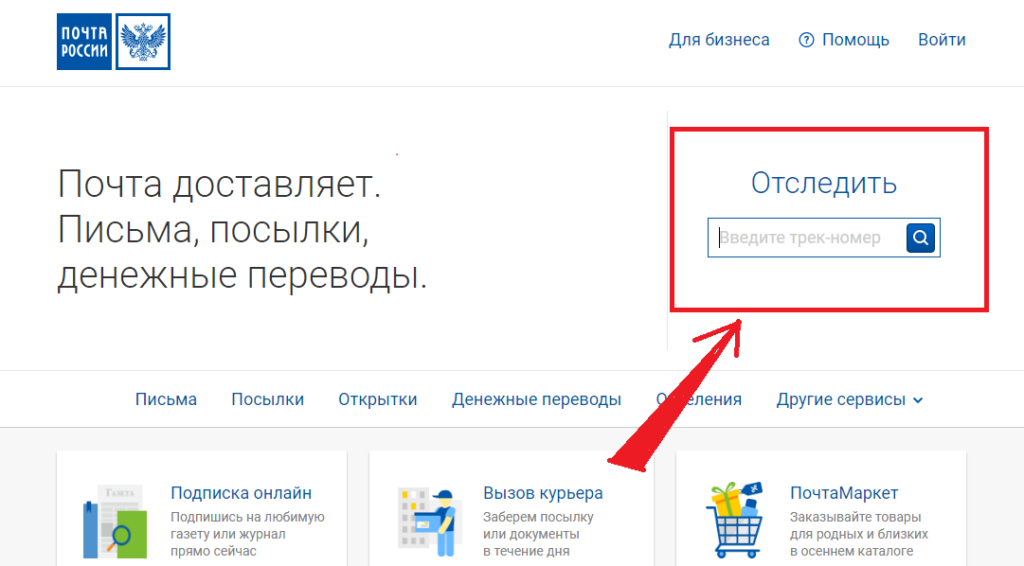
After that, all available information in the form of a table will appear on the screen. It looks like this. So easily and just you check the status of your parcel.
This article tells about status parcels. Their names and translations are given. It is said about how to enroll in the situation when the status does not change for a long time. Using the information of the article, you can find out not only the status, but also to decipher it. Enjoy the shopping.

